
Participating Frequently
December 2, 2019
Question

Adobe Illustrator Blend Effect

  • December 2, 2019
  • 3 replies
  • 986 views

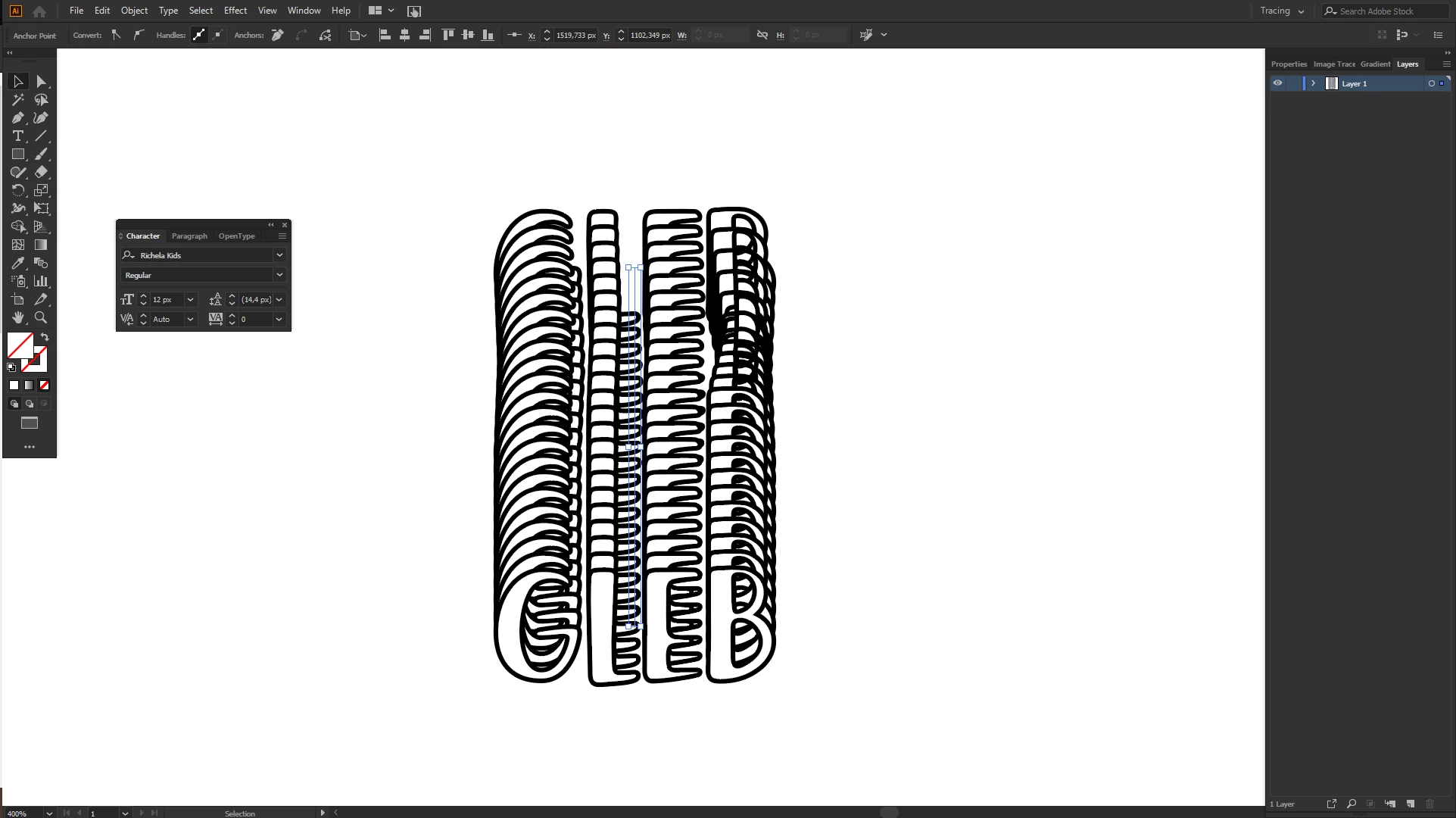
Hi, i'm seeking for a help. I just started learning how to use Ai and at the moment, when i tried to apply blend effect to a group of objects - this happens. Every single time. Idk what can be the issue/problem tho.
Perhaps someone already had to deal with it
Thank you
This topic has been closed for replies.

3 replies

Anna Lander
Inspiring
December 2, 2019

As far as I can see, the problem is with the certain path, and it appears when you add the internal step with the same shape. If you create a 2-point blend, there is no problem. So, I'd suggest to use for such tasks 2-point blend and edit it later using Pen tool to add anchor points and Direct Select tool to move them.

Participating Frequently
December 2, 2019

Ok, thank you a lot
Now i just need to learn where is what 😄

Monika Gause
Community Expert
Community Expert
December 2, 2019

Please upload a demo file.

Participating Frequently
December 2, 2019

https://we.tl/t-kQEdo9POvj
here we go. This is a link to my ai file

Anna Lander
Inspiring
December 2, 2019

do you mean the distortion of B letter? could you show another group to see the similarity/difference?

And, if possible, a bit bigger scale and thinner stroke, now it's difficult to see details.

Participating Frequently
December 2, 2019

Hi, exactly. I just tried to do the same thing with few other objects, but it seems to be that this distortion happens, only when i applie this blend effect to custom fonts. Like path, made out from this text object with custom font. Still weird tho