


Exit
  • Global community
    • Language:
      • Deutsch
      • English
      • Español
      • Français
      • Português
  • 日本語コミュニティ
  • 한국 커뮤니티
0

Adobe Illustrator CC is not compatible with my GPU

Community Beginner ,
Jan 28, 2019 Jan 28, 2019

I have a 4gb NVIDIA Geforce GTX 1050 along with 8 gb DDR 4 Ram and SSD.
I can't enable GPU preference as it shows that my GPU is not compatible.

It shows that a compatible GPU is not found.

This is a new laptop that I bought. And I really need help
All my drivers are up to date and I don't know what to do as exporting is very slow on my laptop.
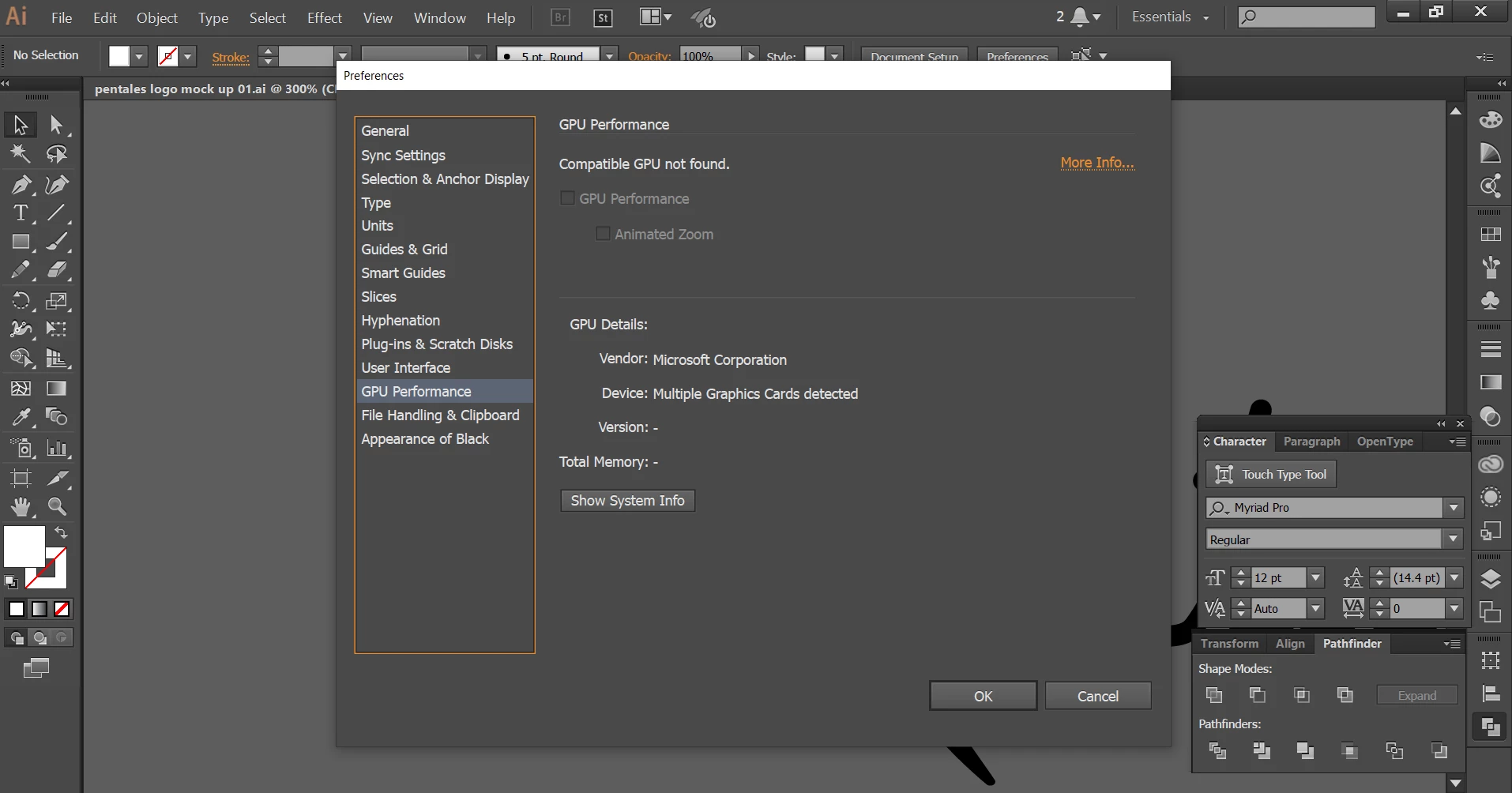
Capture.PNG

3.3K
Translate
Report
Community guidelines
Be kind and respectful, give credit to the original source of content, and search for duplicates before posting. Learn more
community guidelines
Adobe
Community Expert ,
Jan 28, 2019 Jan 28, 2019

Please see here for a list of compatible GPUs Adobe Illustrator system requirements

Translate
Report
Community guidelines
Be kind and respectful, give credit to the original source of content, and search for duplicates before posting. Learn more
community guidelines
Community Expert ,
Jan 28, 2019 Jan 28, 2019

GPU Performance is a feature that only works on certain computers. Many times it does not work correctly on those. It seems to need the perfect combination of CPU, video card, processor and the correct phase of the moon. It is not necessary to have this feature enabled to be able to run Illustrator successfully. Your GPU preference that is telling you that GPU is not compatible simply means that you won't be able to run this feature. It doesn't mean that you can't run Illustrator.

Translate
Report
Community guidelines
Be kind and respectful, give credit to the original source of content, and search for duplicates before posting. Learn more
community guidelines
Community Beginner ,
Jan 28, 2019 Jan 28, 2019

But while exporting on high (300 ppi) I'm experiencing lagging

Translate
Report
Community guidelines
Be kind and respectful, give credit to the original source of content, and search for duplicates before posting. Learn more
community guidelines
Community Expert ,
Jan 28, 2019 Jan 28, 2019

That almost certainly isn't a function of your GPU.

Translate
Report
Community guidelines
Be kind and respectful, give credit to the original source of content, and search for duplicates before posting. Learn more
community guidelines
Community Beginner ,
Jan 28, 2019 Jan 28, 2019
LATEST

any idea how to resolve this issue?

Translate
Report
Community guidelines
Be kind and respectful, give credit to the original source of content, and search for duplicates before posting. Learn more
community guidelines