
khalibauri
Participant
January 23, 2025
Question

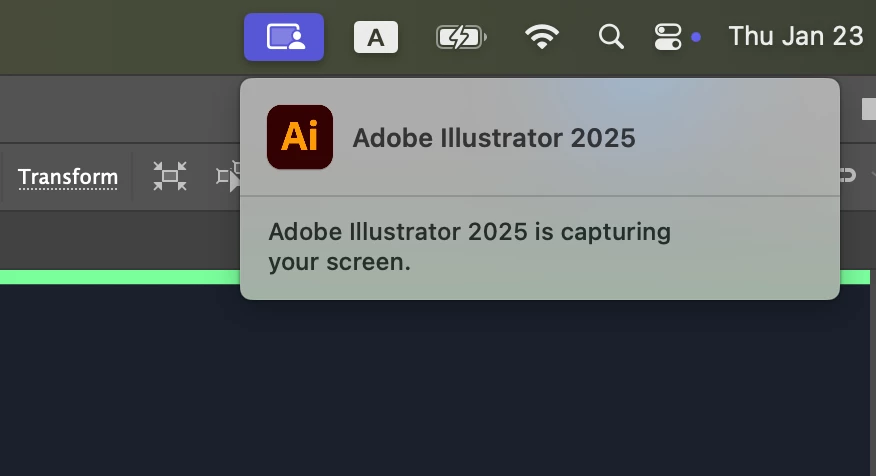
Adobe Illustrator is capturing your screen
  • January 23, 2025
  • 2 replies
  • 5630 views

Hello, I’m randomly getting the warning message, “Adobe Illustrator is capturing your screen.” Does anyone else have the same issue? Why might they be capturing my screen?

2 replies

Known Participant
April 2, 2025

I see this behaviour even when I'm not using the eye dropper tool. I work in film on matierials that are legally protected, and I don't want Adobe feeding their AI with my screenshots. 

Monika Gause
Community Expert
Community Expert
January 23, 2025

They are not. This is just Apple's bad wording meaning that Illustrator is allowed to do that.


If you never need to pick up colors from your screen with the eyedropper tool, then you can go into the system options and turn off the setting that allows Illustrator to record your screen. When using the eyedropper, Illustrator might then throw a warning that it cannot pick up something. 

Anubhav M
Community Manager
Community Manager
January 23, 2025

Hello @khalibauri,

Would you mind sharing a screen recording of your workflow when using Illustrator and getting this prompt along with the Privacy Settings set for Illustrator (https://adobe.ly/40HCgGq) so I can check it with the team?

Illustrator uses Apple's screenshot API to pick colors outside the Illustrator window with the Eyedropper tool. Apple has enhanced security in the recent OS updates to let users know which applications are recording the screen, whether you pick a color value of a single pixel or recording the entire screen.
Illustrator does not record the user’s entire screen but only the single pixel from which the Eyedropper tool is used to pick a color.

Looking forward to hearing from you.


Anubhav

Monika Gause
Community Expert
Community Expert
January 23, 2025

@Anubhav M  schrieb:

Apple has enhanced security in the recent OS updates


I guess, "enhance" is not the word I would use for what they did.