
Adobe Ilustrator Sudden Weird Crash and Cannot Recover Progress
My Adobe Illustrator has been experiencing weird crash since last weeks, and it takes so much effort out of my progress and its been bothering me.
There is no warning or notifications that said that my illustrator quited unexpectedly, or another things that say about the illustrator crash. It just crash like it was disappeared like i was pressing cmd+q (without the save changes notification of course).
And the hardest pill to swallow is the recovery which i set for every 2 minutes for backups and 5 minutes for cloud, its nothing on there. And I just recently found out that Adobe changes the recovery files from .aid to a .aishm WHICH I don't know how to recover (And appereantly people on community doesn't too)
I'm using a M4 Pro Macbook Pro, latest mac and adobe illustrator update, 24GB of rams and 512GB of storage, which still has 250GB of space.
I experienced it twice on last week, so I initiatively uninstall and install my illustrator but 40 minutes into working and setting up my workspace, it crashes again. AND with quicker intervals, which makes me scared to continue my large progress for another work.
Please help, and I dont think I have seen another cases like this and I hope to get answers and fixes.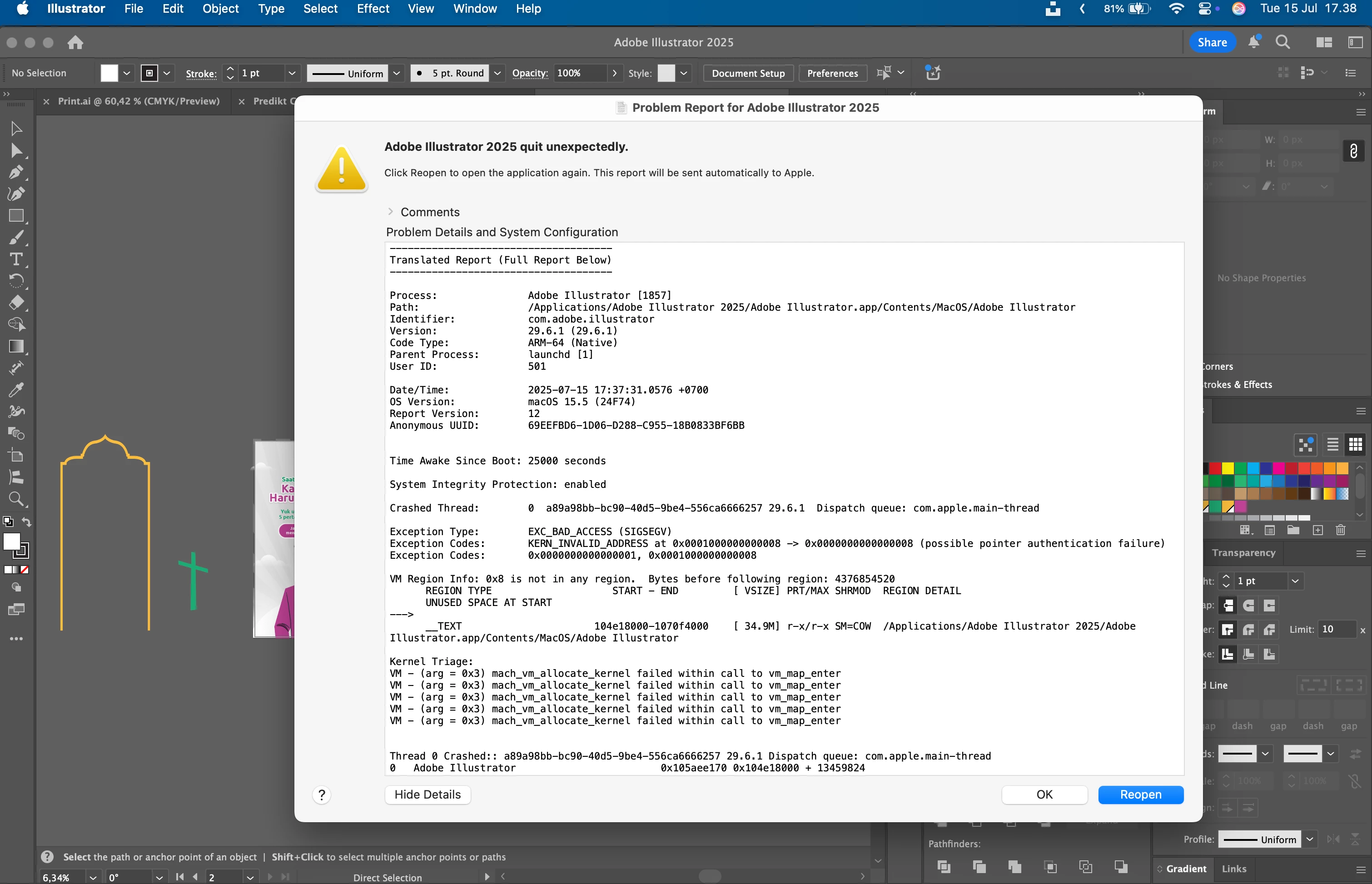
This is the picture of the report, I accept every solutions, regarding the fixes AND hopefully regarding the recover files.
Thank You
 AdChoices