
scottc75444629
Participant
July 10, 2020
Answered

Advice on making shapes with grid or mesh tool

  • July 10, 2020
  • 2 replies
  • 303 views

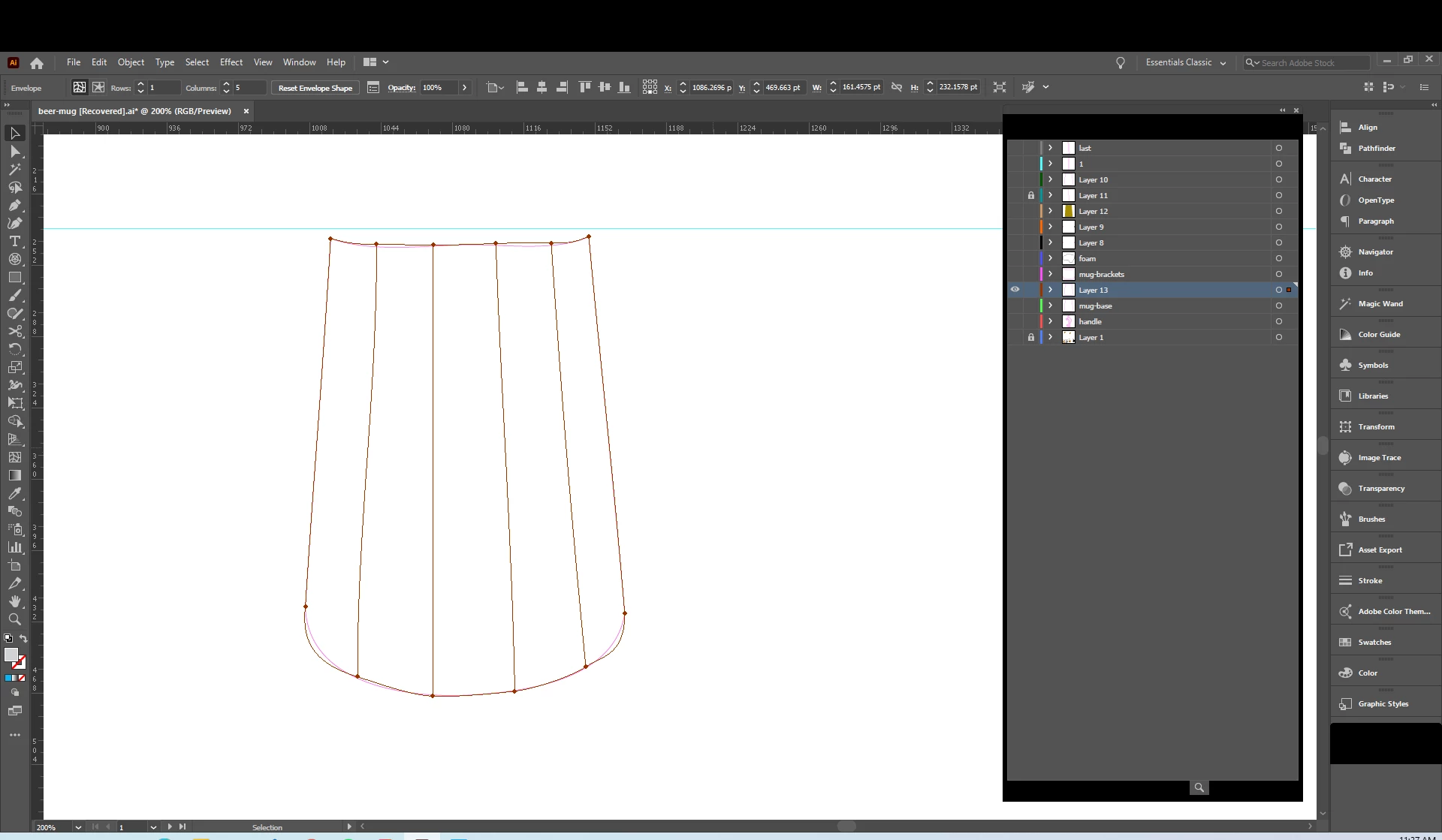
Hey guys,  I'm creating a wooden beer mug for a design. I'm trying to add wood texture to each individual wood piece that makes up the middle of the mug. I have split the base piece into separate pieces using the envelope distort /make with mesh. But I can't seem to isolate those pieces to add a texture or even make new shapes. I realize that I could cut the shape up and copy and paste but it seems there is a better way?
This topic has been closed for replies.
Correct answer Kurt Gold

Why do you use meshes for such a simple task?


You can just create and use plain closed paths and fill them with the desired fill colour or use Live Paint or the Shape Builder tool to get what you want.

2 replies

Ashutosh_Mishra
Inspiring
July 18, 2020

Hi Scott,


Thanks for reaching out. I hope you found your answer. We'd appreciate if you can mark the appropriate response correct. If you used any other method, you can share it with us. It'll help other users with similar concern.

I'd also recommend checking out this help article to know about creating shapes.
Let us know if you have any other concern, we'll be happy to help.


Regards,

Ashutosh

Kurt Gold
Community Expert
Kurt GoldCommunity ExpertCorrect answer
Community Expert
July 10, 2020

Why do you use meshes for such a simple task?


You can just create and use plain closed paths and fill them with the desired fill colour or use Live Paint or the Shape Builder tool to get what you want.