Inspiring
October 12, 2020
Répondu

Ai 2020: Placing an image results in diagonal blue lines

Hi folks.


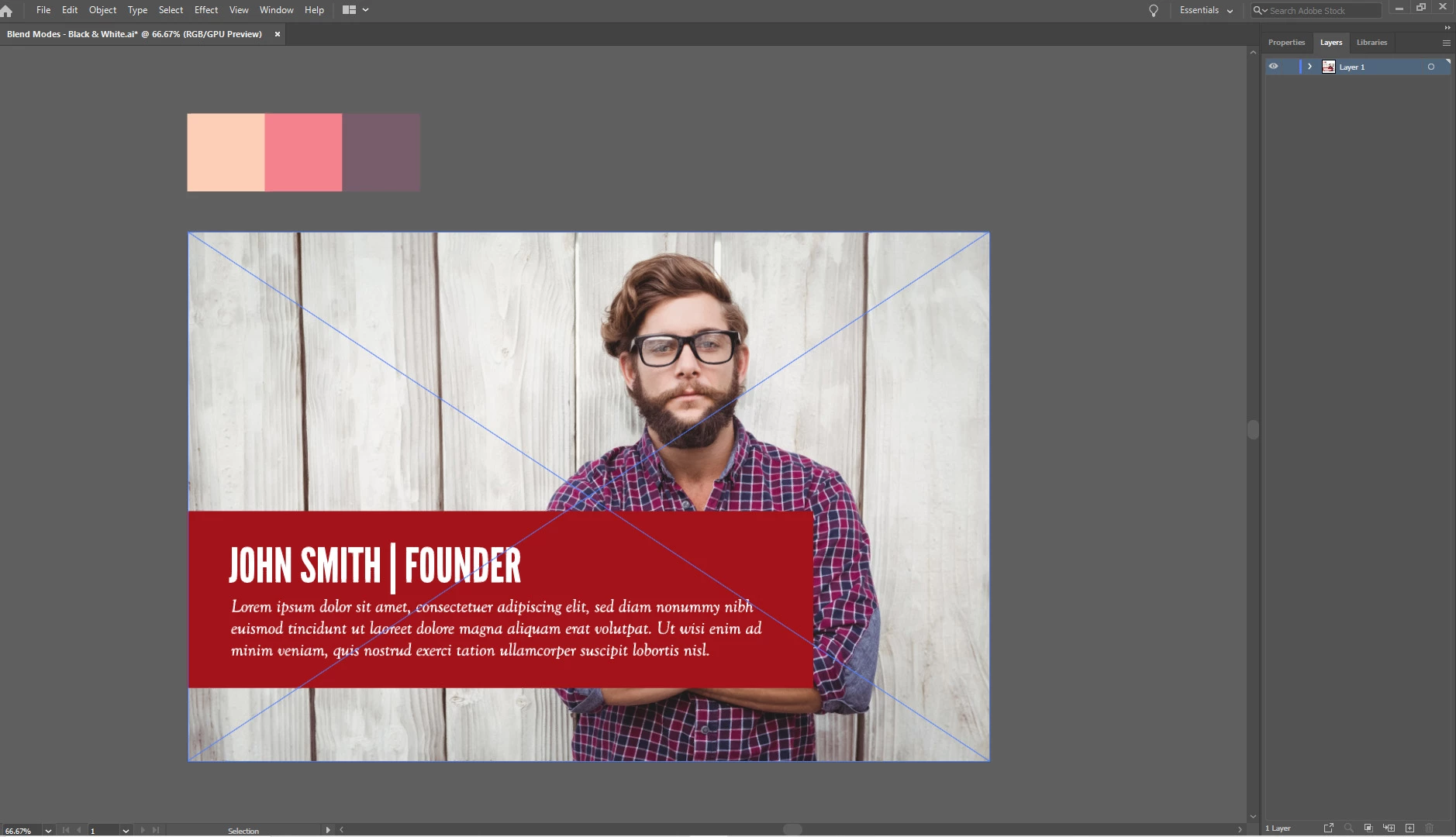
So I opened up an Ai file, then I choose 'file -> place', and place a JPG. But there are diagonal blue lines on the image, and this means a lot of the menu options are greyed out. Why is this?


Thanks in advance.
 

Ce sujet a été fermé aux réponses.
Meilleure réponse par Doug A Roberts


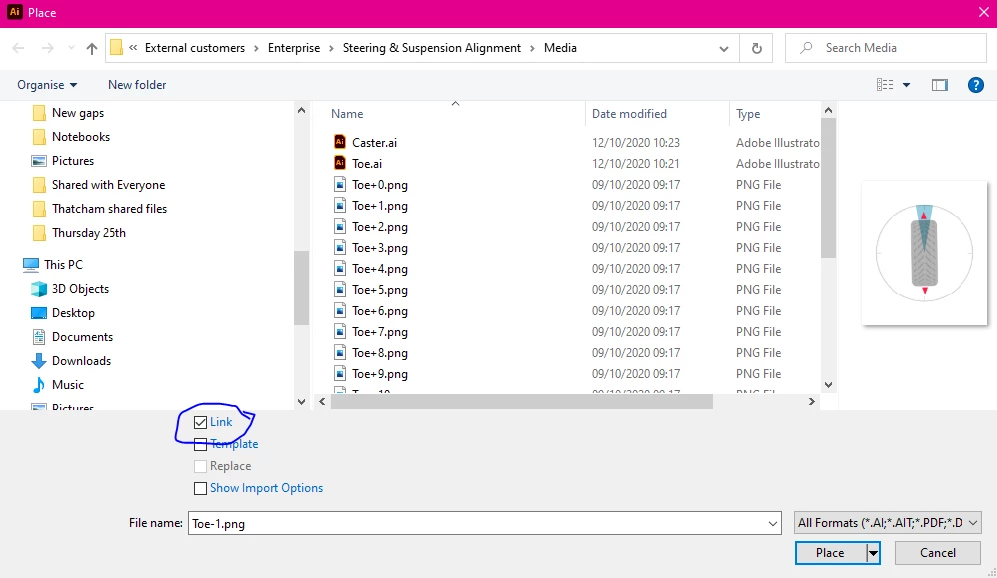
Embed the image first. If this box is unchecked, placed images will automatically embed.

2 commentaires

Srishti Bali
Community Manager
Community Manager
October 12, 2020

Hi there,


This is an expected behavior when you place a raster image in Illustrator. 


Color of this frame depends on the color of Layer on which the objects are placed. To hide these click anywhere on the pasteboard or View > Hide Edges.


Regards,

Srishti

Doug A Roberts
Community Expert
Community Expert
October 12, 2020

The diagonal lines are how Illustrator denotes a placed image.

What do you want to do with the image?

Inspiring
October 12, 2020

Can't edit my own post. But I was following an Illustrator YouTube tutorial, and the trainer just placed an image and the image did not have the blue diagonal lines after being placed. But the trainer was using Illustrator 2018 CC, so I don't know if that has anything to do with it.

Doug A Roberts
Community Expert
Community Expert
October 12, 2020


Embed the image first. If this box is unchecked, placed images will automatically embed.