
Inspiring
September 7, 2020
Answered

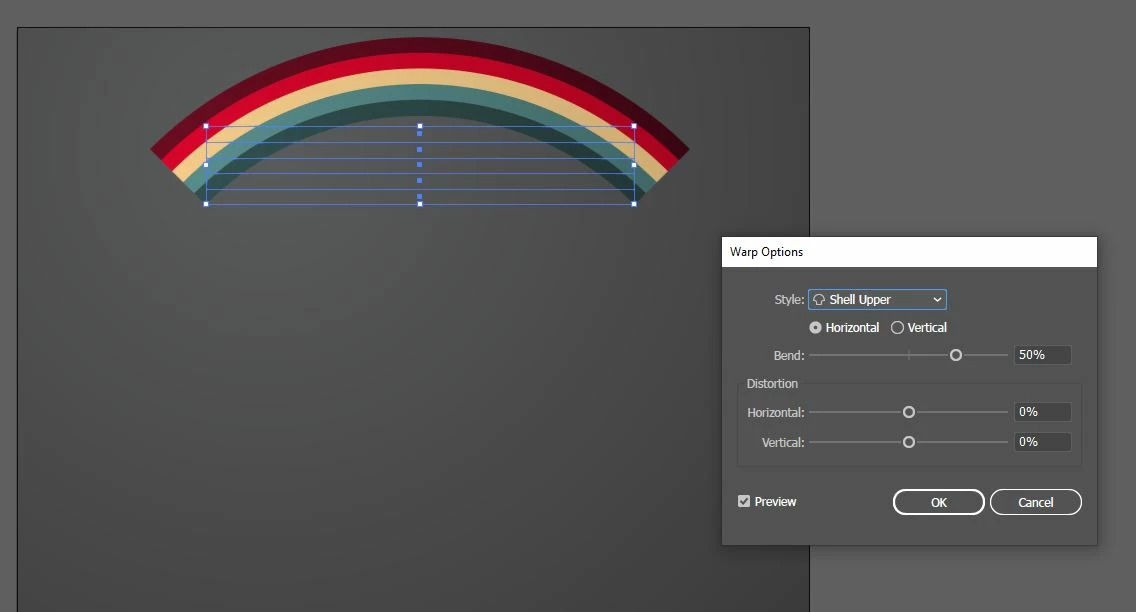
Ai 2020: Warp effect not showing preview even though preview selected

  • September 7, 2020
  • 4 replies
  • 3147 views

Hi all.

As per the title, the effect is only applied after I click OK. I've seen videos on YouTube whereby the effect is applied as soon as the style is selected from the drop-down box. Why is this happening for me? I am using Windows.

Thanks in advance.


This topic has been closed for replies.
Correct answer Muhammad Fath23614645mcug

uncheck Preview button and check it again it's work for me.

4 replies

Participant
June 5, 2023

for me I had to rasterize the object I wanted to warp - once I did that it worked for me 🙂 ( I did have to double click it first for it to work ) 

Participant
March 16, 2022

uncheck Preview button and check it again it's work for me.

Participant
August 19, 2022

This worked for me aswell

quote

uncheck Preview button and check it again it's work for me.


By @Muhammad Fath23614645mcug


Inspiring
September 7, 2020

This bug seemed to have been reported in March:

https://illustrator.uservoice.com/forums/601447-illustrator-bugs/suggestions/33311674-warp-options-preview-malfunction-illustrator-22-0


One of the respondents wrote:

"

'm also having this problem with v24.1. No changes preview when adjusting controls (Apply Effects > Warp) or switching between effects. Uninstalled / reinstalled and it's still not working.

Update: Chatted with Adobe ... they had me trash my preferences and restart the application ... problem solved!"


What did she mean by "trash my preferences"? I am using Ai 24.3.


EDIT: I found a "reset preferences" button, which I clicked and a window popped up saying Ai will need to be restarted. But after restarting, problem still not fixed. I'll just report a new bug.

sishamIAGD
Community Expert
Community Expert
September 7, 2020

Hi, I have just tested this and i get the same result 😢 It may be worth putting in a bug request...?


https://www.adobe.com/products/wishform.html