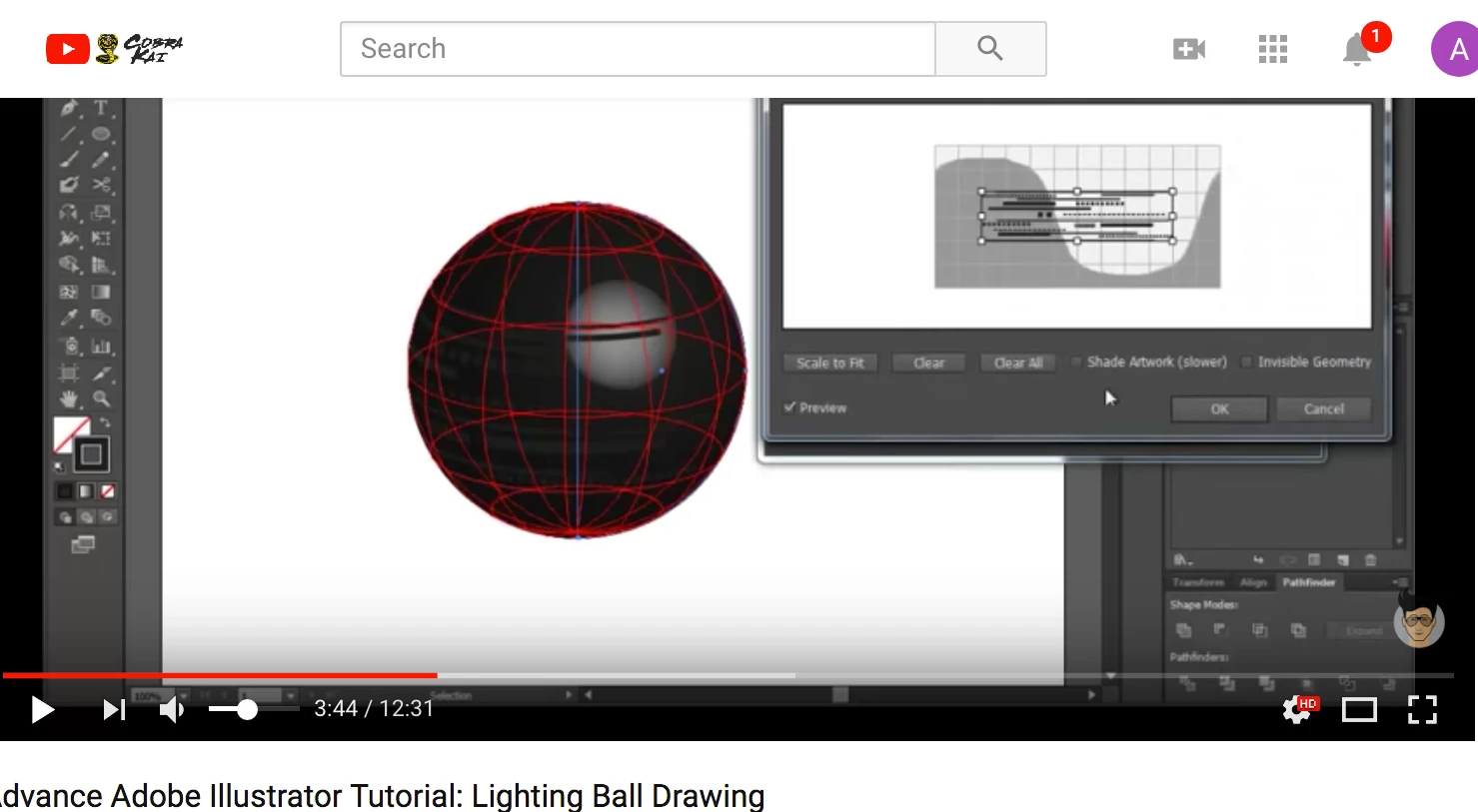
... also, in this ss taken from the tutorial I linked above, they got their image onto the MAP -- I created number inside a circle for the lottery ball but don't know how to get it to display inside the MAP so the (in my case) numbers can be wrapped. It's correct here:
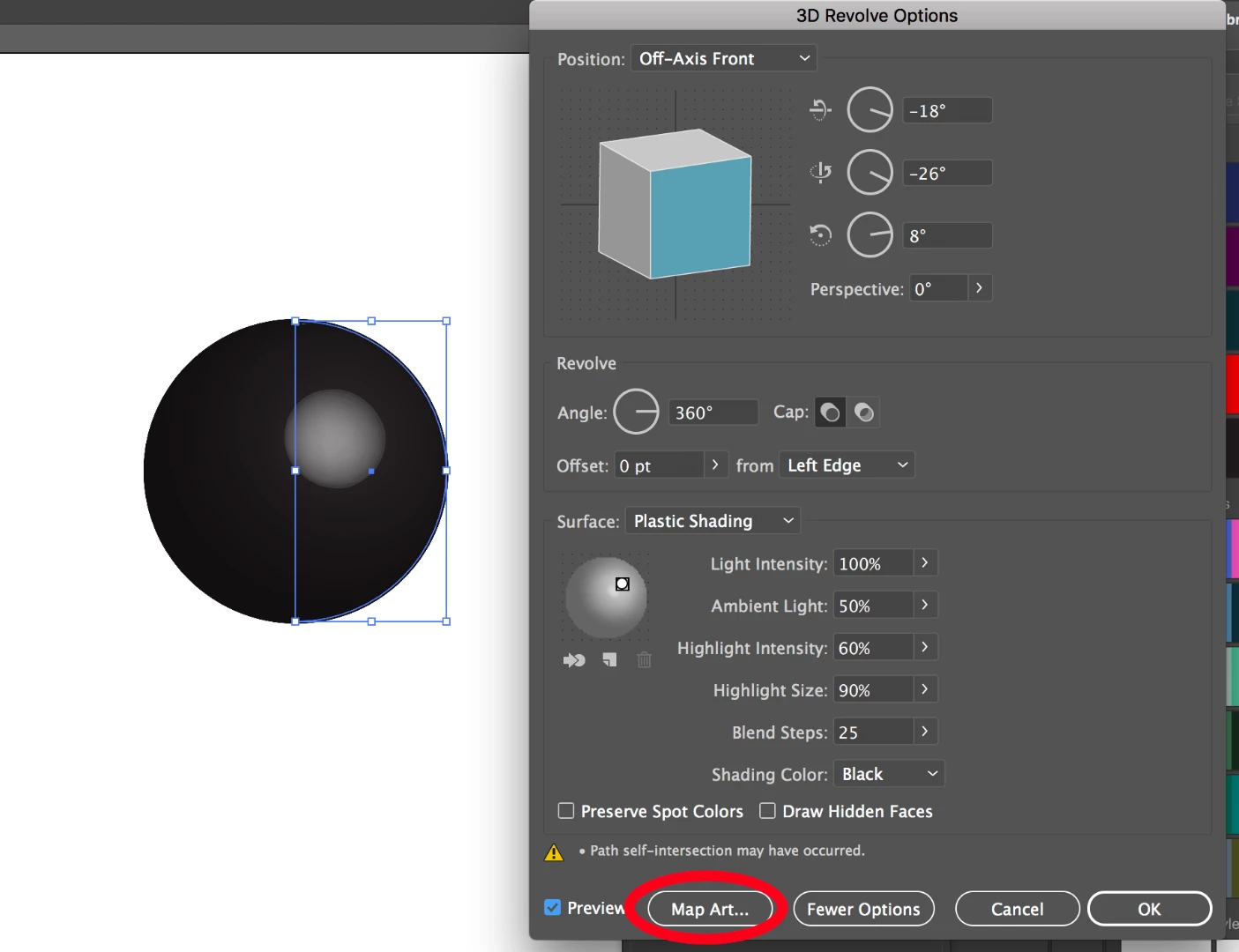
@anita1390 it seems like you know how to create a symbol and how to get the 3d ball. On the bottom of the Revolve screen, you can Map Art:
Then you need to find the correct surface and then once you do you select the symbol from the Symbol pull down menu. Even though it seems that a ball has one surface only, there are 3 here and you need to go through them to see which will be visible. White is where a symbol shows.
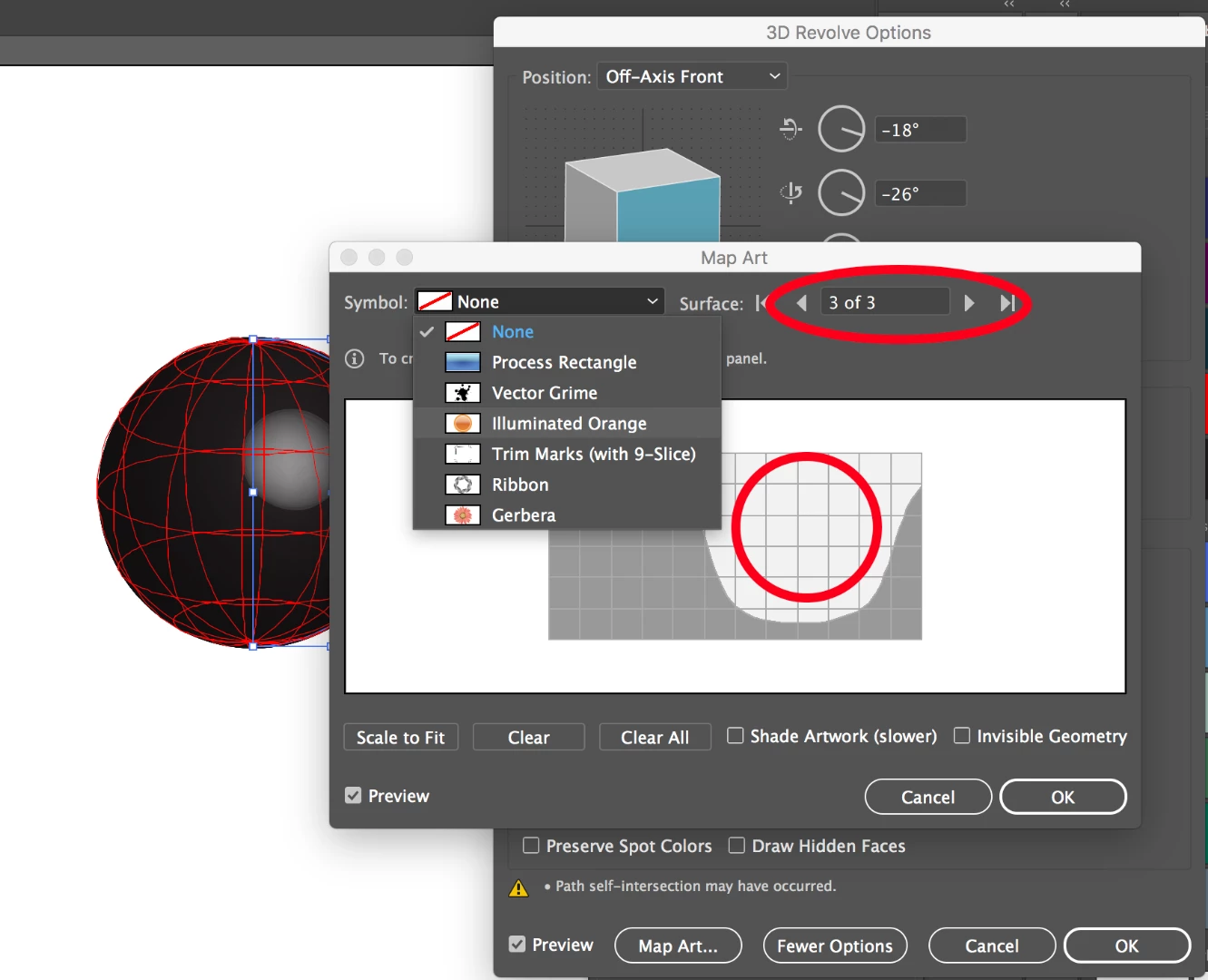
Here you can see it is the 3rd surface where the symbol will show up on the ball and the pull down for the symbols. Select the symbol you want and you will get a preview of the symbol and can move it around and decide to shade it with the artwork.
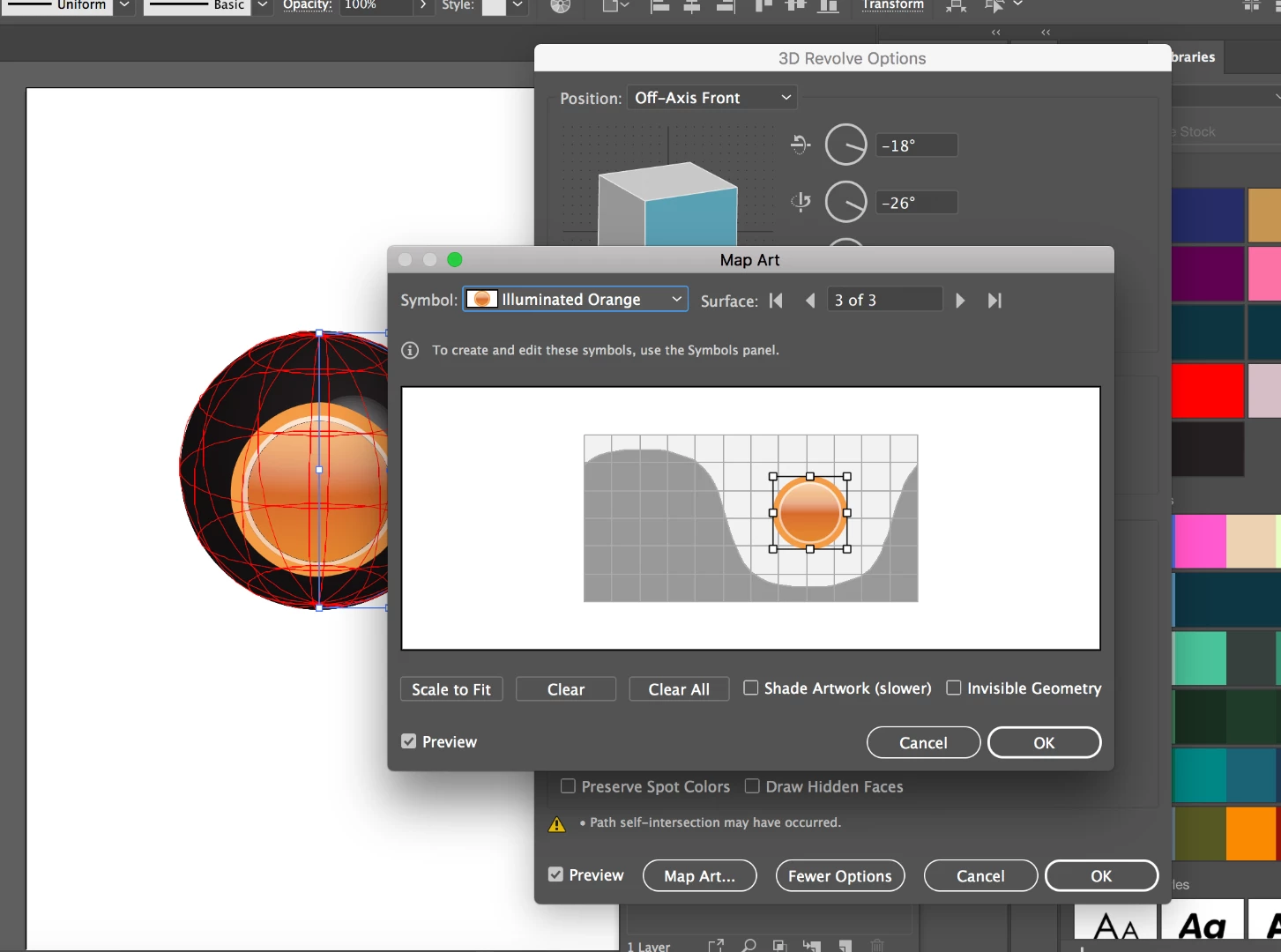
Hope that works and helps explain it.

 AdChoices