

Ai document layout scaled down for large print.
Hi, I'm really excited to see if I can get some help/guidance here.
The project is a printed board that will go on top of a roof on a small floating marina office.
The files are here so if anyone would like to help me they can see how I've set things up.
There is a picture file, an Ai file and a PDF which I have exported from Illustrator.
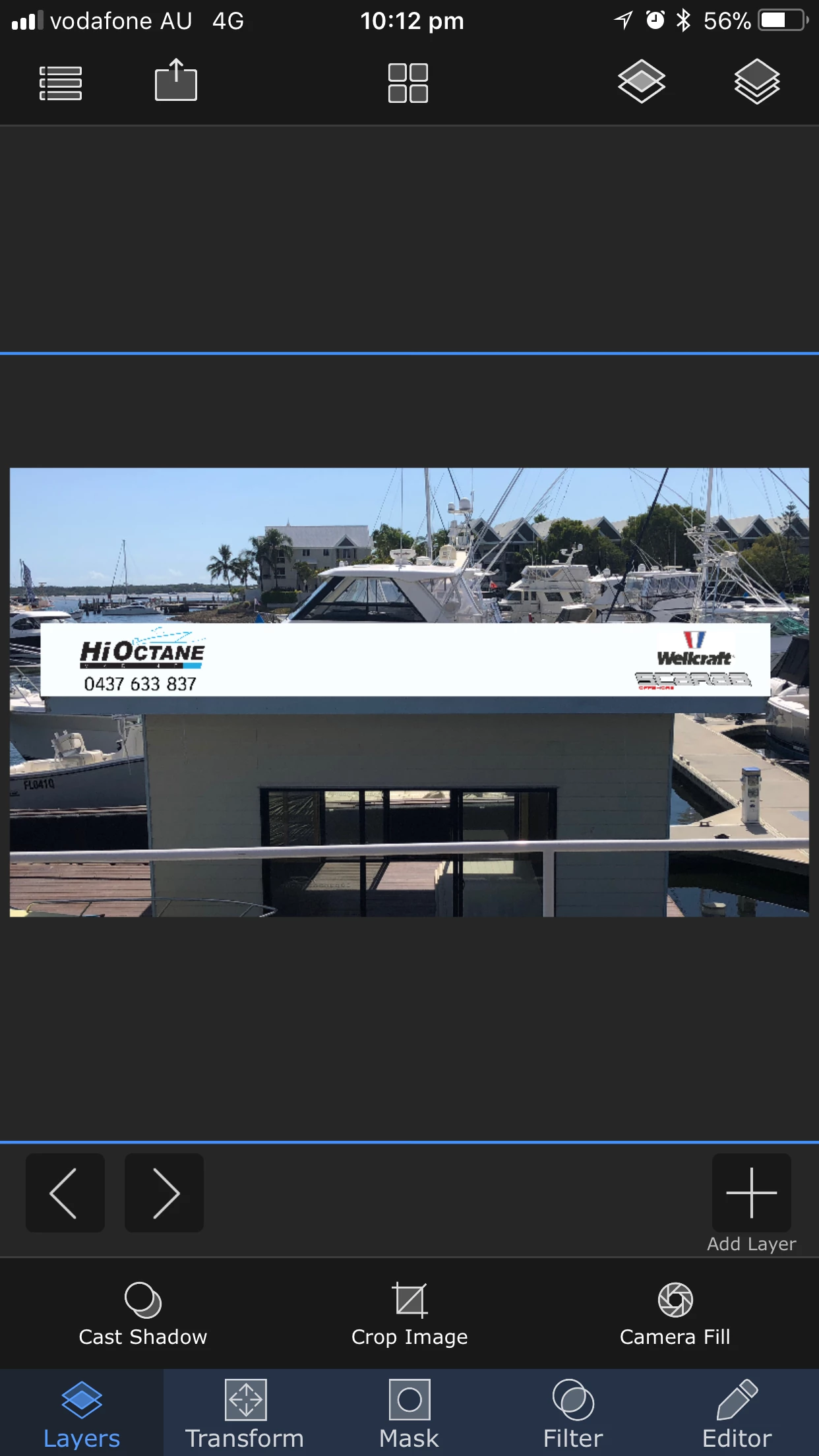
To the numbers now..
The measurements are as follows:
6500 mm Long x 800 mm High
I can not make this to scale in Illustrator so the printer tells me I need to make this 25% of the original size and then he can scale this up.
To arrive at my Ai artboard measurements of 25%
6500 / 4 = 1625mm
800 / 4 = 200mm
All good ?
3mm bleed. All good ?
Then, there's an image. This is not the final version, there's really just some logos placed on here and an image.
What do you think for scaling this image? It's in the dropbox.
It's a PNG
12.6mb
4096 x 2734
How can I make sure than an image I put on this design is going to print ok?
I know about vector images and non vector images and obviously this is a raster image, but I just want to get some feedback about pixels on this document.
Document Raster Settings
This is a High Resolution 300 ppi
CMYK
thank you ! If anyone has any time to give me some advice or thumbs up or down, I'd appreciate it.
Matt.
 AdChoices