
Participant
March 4, 2019
Answered

AI interfering with PrintScreen and snipping tool.

  • March 4, 2019
  • 1 reply
  • 1637 views

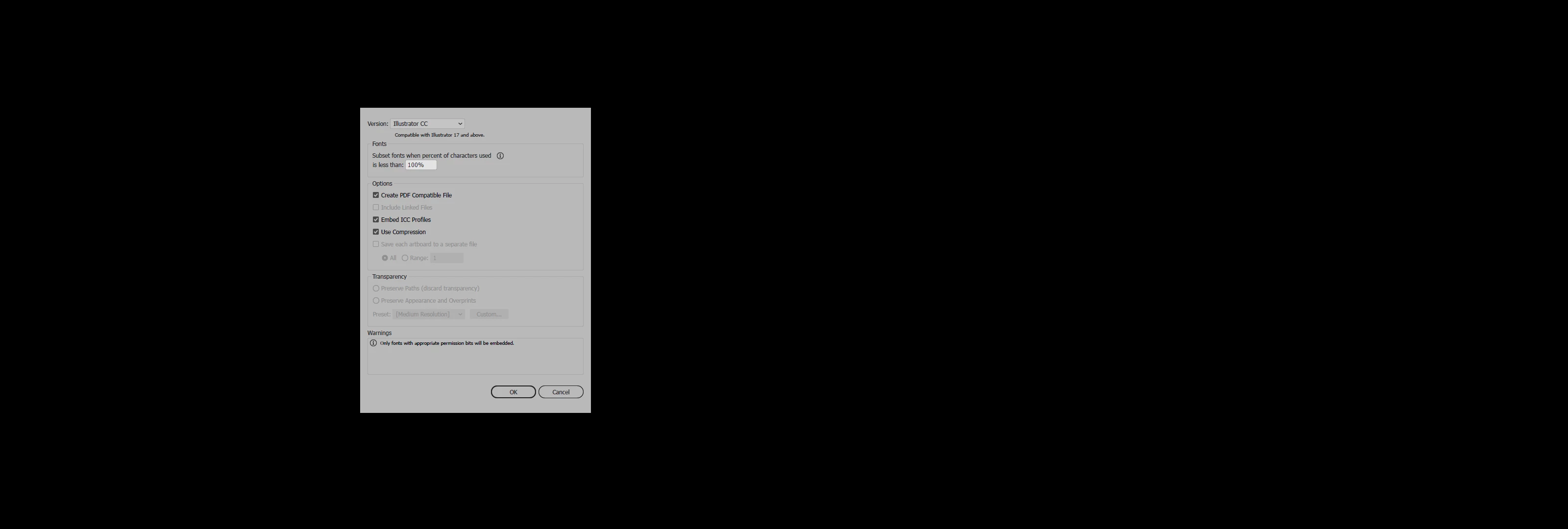
Ever since I downloaded the latest AI whenever I try to take a screenshot with either the snipping tool or the PrtScn key this is what I get and I don't even have Illustrator open! I really need to be able to take screen shots so if anyone can help me I would appreciate it.
    This topic has been closed for replies.
    Correct answer karinsWAAY

    Please update this thread if it doesn't work.


    The snipping tool and the print screen now work and there is no interference. I never did get my IT guy to look at my computer because of other deadlines. There was an update to Windows 10 on Tuesday and after that the Print Screen and Snipping tool worked as expected! Thank you for your attention!

    1 reply

    Monika Gause
    Community Expert
    Community Expert
    March 4, 2019

    Illustrator is not running and then what happens? You take a screenshot and that is the result? When Illustrator is not running?

    Participant
    March 4, 2019

    Yes that is what I get. I have tried both using the snipping tool in windows and the PrtScn key and that is what I get.

    Monika Gause
    Community Expert
    Community Expert
    March 4, 2019

    I would check if there's something wrong with the system. It seems to cache your apps wrong.