
Participant
December 1, 2022
Question

.AI opens in Edge

  • December 1, 2022
  • 1 reply
  • 1214 views

Hi,

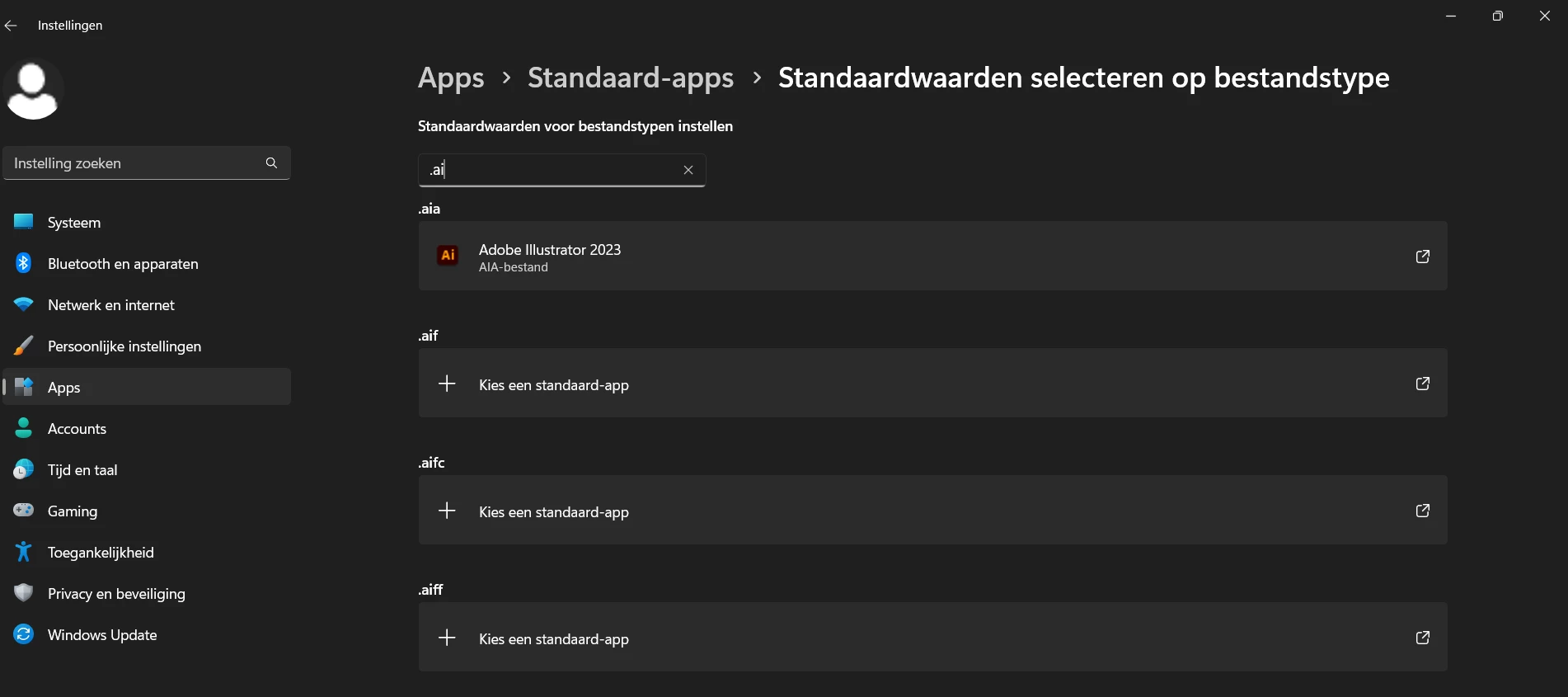
It's not that cannot open in Illustrator at all, but it's annoying like this. I can click right and 'open with' but only if I select one file at a time. Everytime I double click, it downloads the file again in the Edge-browser. I tried to set Illustrator as default for .AI in windows settings, but it's not even there. Can someone help me, please.



This topic has been closed for replies.

1 reply

Mike_Gondek10189183
Community Expert
Community Expert
December 2, 2022

None of these are exactly .ai


Right Click on any .ai file, and try to change your default app there. 

Participant
December 2, 2022

Just tried this:

right click on PNG 'open with' and now I can also click on "Always"(altijd) 

Anshul_Saini
Community Manager
Community Manager
December 6, 2022

Hi @kimmaginel,


Thanks for trying Mike's suggestion. Would you mind trying the steps as follows and see if that helps:

  • Right click on theAi file and select Properties


  • Click on "Change..." under the Details tab.


  • Click on "Choose an app on your PC" 


  • Now locate the Illustrator 2023 app manually, then click open.
    C:\Program Files\Adobe\Adobe Illustrator 2023


  • Select Default and click Apply & Ok.


Let us know if this helps!


Thanks,

Anshul Saini