Inspiring
September 3, 2023
Answered

AI to svg export error

  • September 3, 2023
  • 1 reply
  • 4575 views


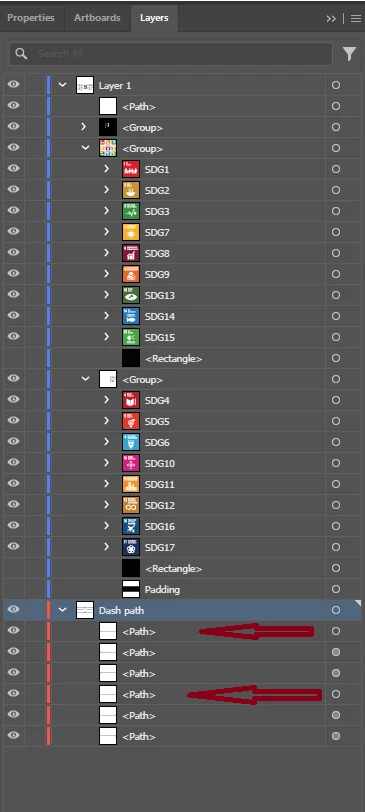
I am attaching an image of the layer panel in the hope that someone can help me correct the error which consists of an error displaying the exported svg file.
Items indicated by arrows (dashed lines) are not visible.


Unfortunately I'm not an expert user. Consider this when providing guidance.


Regards


This topic has been closed for replies.
Correct answer Monika Gause

Sorry, I corrected the link. Try now: https://drive.google.com/drive/folders/1kMJ5S3By4jqygTXjCIdwIsz-vzfHcJJ4?usp=sharing


Thank you.

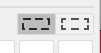
Soooo. The difference is really well hidden. It's this setting in the strokes panel: 

For throkes that work it's set to the right button.

I have set it that way for the other strokes as well and then I could export them (Export for screens)


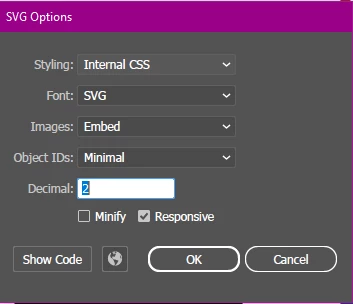
I do not know why it doesn't work with the other setting. In both cases Illustrator exports them as dashed strokes (it doesn't expand them). But the code for the styling of the dashes just seems to not work for one of the strokes, but it does work for the other one. 


1 reply

Monika Gause
Community Expert
Community Expert
September 3, 2023

ose items have different appearances. Click on the circle in the Layers panel and then open the Appearance panel and compare

Inspiring
September 3, 2023

"ose items" I don't know what they are.
If I understood your indications (I'm new to Illustrator) from the appearance panel I don't see any different between the 6 elements (dashed lines) of which 2 are not seen in the svg file.


See screenshot of the appearance panel


Inspiring
September 4, 2023

@Arturo266834390dbm  schrieb:

In this case I can't correct the svg file because I lose the clipping mask.

Paying for licenses to get these problems is FRUSTRATING!

I am an inexperienced user but in the current state of investigation of the problem I have serious doubts that the problem depends on me.


SVG is an export format. With Illustrator workflows it is not advisable to ever open an exported SVG in Illustrator again. You edit the source file.

Everything else depens on the nature of the file. With small elements 2 most of the time too low. WIth large objects it could be sufficient. I couldn't even download your file.


Please not that this is a public forum. 95% of us are volunteers answering here.


Paying for a license doesn't mean that you will also instantaneously have the knowledge of using the app. You will still  have to learn it. And with SVG there is also a lot to learn about the file format. What it supports and what it doesn't support.


Sorry, I corrected the link. Try now: https://drive.google.com/drive/folders/1kMJ5S3By4jqygTXjCIdwIsz-vzfHcJJ4?usp=sharing