
Answered
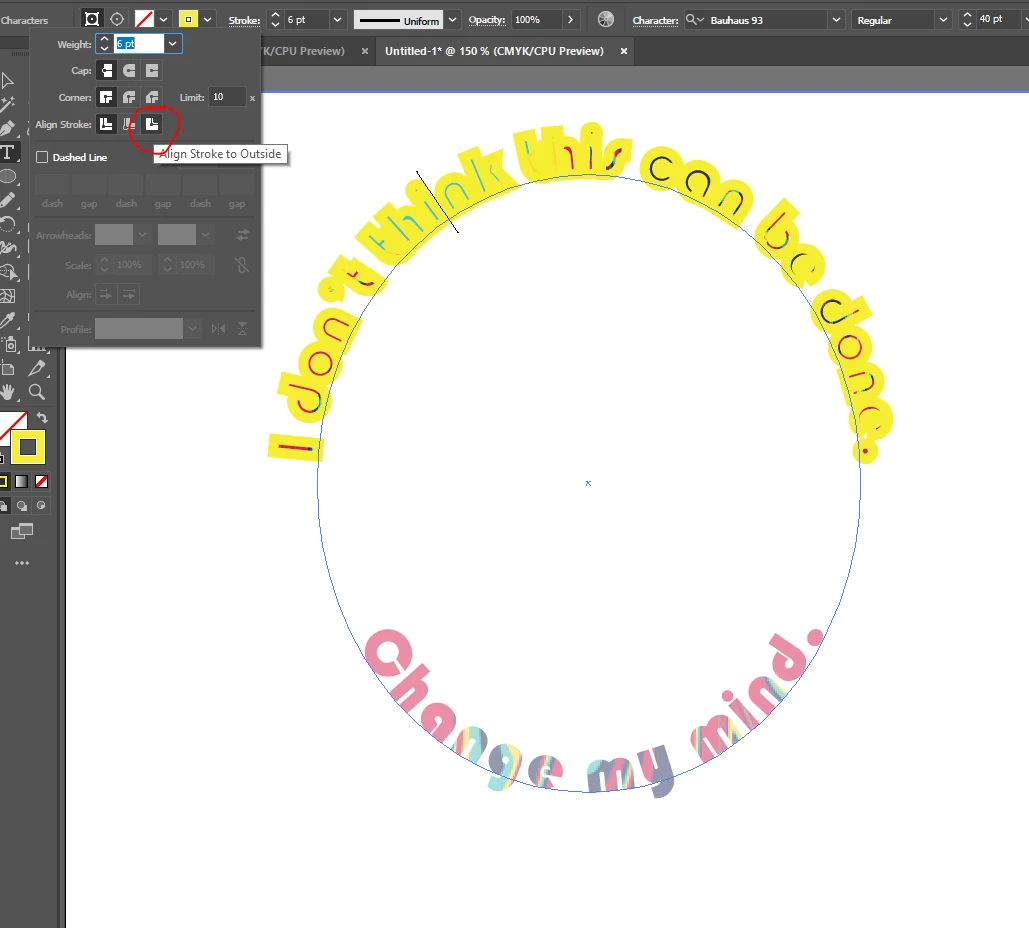
Align stroke to outside on special text.
It seems like Illustrator can't do what Affinity can in this regard? I am trying to add a stroke outside the text, not in-line. But I think because the text is filled with an image, it just won't work?
I also tried creating path and then trying to get the stroke to go on the path but again it won't work unless I remove the image from the text and then the stroke shows up.
I'd appreciate it if anyone has any idea how I can do this because if not I'll have to do it in Affinity and then PDF it over, but illustrator then converts EVERY letter of text into a separate path when importing layers🤦
 AdChoices