/t5/illustrator-discussions/alignment/td-p/11544490Oct 27, 2020
Oct 27, 2020
Copy link to clipboard
Copied
Hi there, I really struggle with this one.
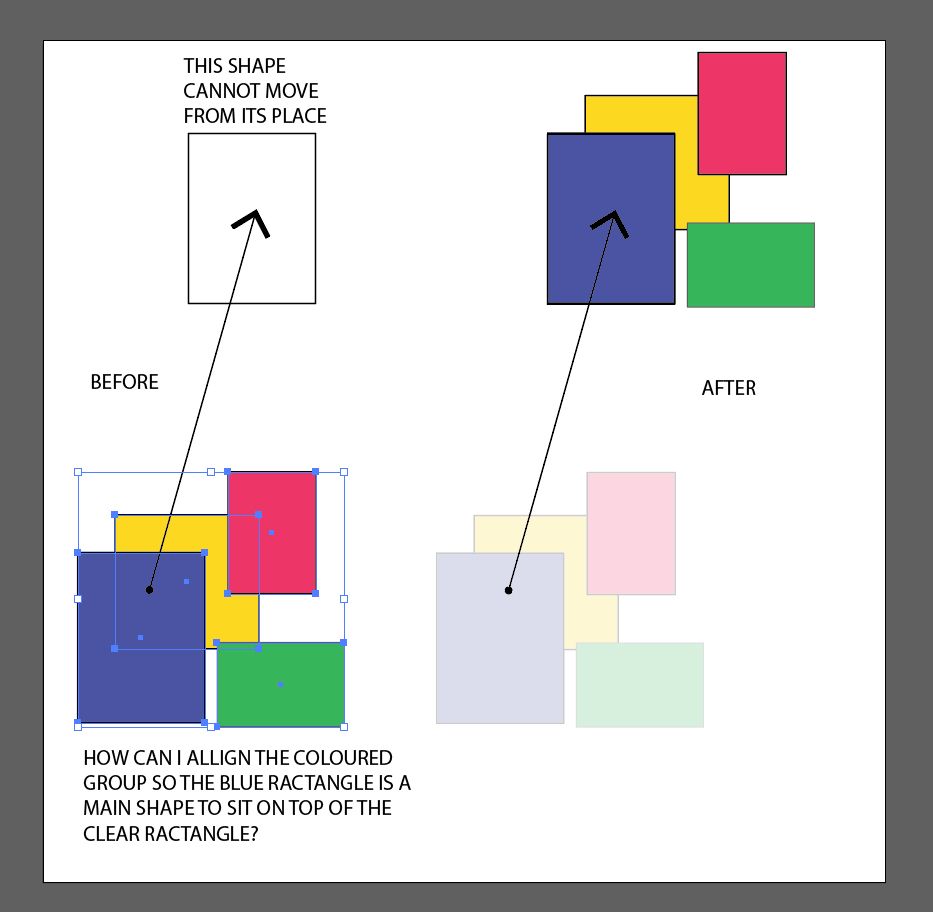
Can you tell me please how to align the grouped object to a shape elsewhere on a page without moving it manually? The shape has to stay in the same place and the group needs to be aligned. The group has the same shape in its group to help to position it. Hope it makes sense
Myra Ferguson • Community Expert, Oct 27, 2020Oct 27, 2020
If you have Smart Guides (View > Smart Guides) enabled, you should be able to drag the group to the shape and have Illustrator show you when the edges of the blue rectangle intersect with the empty one.
/t5/illustrator-discussions/alignment/m-p/11544721#M249758Oct 27, 2020
Oct 27, 2020
Copy link to clipboard
Copied
If you have Smart Guides (View > Smart Guides) enabled, you should be able to drag the group to the shape and have Illustrator show you when the edges of the blue rectangle intersect with the empty one.
Thank you so much for this tip. I will try it definitely, however, what if the grouped object is much, much more complicated than the one I have shown ie it has 30-50 layers? Would it work as well?
Yes, Illustrator will show the smart guides even for a complex group. You may need to zoom in because Illustrator will show the intersections for the various shapes. You'll need to make sure it's displaying the intersection info for the one you want. You can also turn on Snap to Point (View > Snap to Point) which will help the points of the shapes snap together.
/t5/illustrator-discussions/alignment/m-p/11545265#M249785Oct 27, 2020
Oct 27, 2020
Copy link to clipboard
Copied
LATEST
Scott,
In addition to what Myra said, you can deselect the Group, then ClickDrag the most convenient (corner or whatever) Anchor Point on the (blue) guide shape to snap to the corresponding Anchor Point on the clear shape to align in one go.







 5
Replies
5
Replies




 AdChoices