
Participating Frequently
March 1, 2022
Answered

Allign number inside square box

  • March 1, 2022
  • 2 replies
  • 579 views

I want a letter to be exactly in the center of a box. The problem is that when I allign it using the allign panel it still alligns low because when I select it the blue dot under the base of the letter is low. How do I change the blue dot to be in the center? I want it to snap in the center of the grid. I have the snapping all set up but still the letter doesn't snap in the center because the blue dot is under the letter and that is the letter's pivot. 
This topic has been closed for replies.
Correct answer Dave Creamer of IDEAS

The point in Point type sits on the baseline so you can't move the point.

To see your Area Type tool, select the Windows > Toolbars > Advanced menu. 

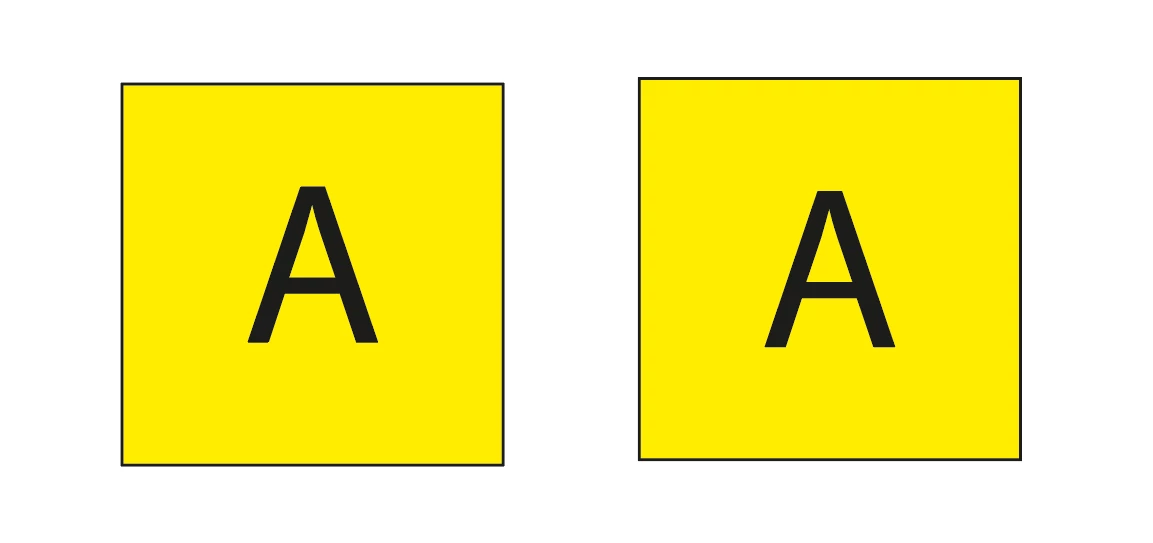
Here is an example of area type (single object) and point type (two objects), The point type on right was aligned using the Align pane. (I did not spend much time perfecting the alignment.)

2 replies

Dave Creamer of IDEAS
Community Expert
Dave Creamer of IDEASCommunity ExpertCorrect answer
Community Expert
March 1, 2022

The point in Point type sits on the baseline so you can't move the point.

To see your Area Type tool, select the Windows > Toolbars > Advanced menu. 

Here is an example of area type (single object) and point type (two objects), The point type on right was aligned using the Align pane. (I did not spend much time perfecting the alignment.)

David Creamer: Community Expert (ACI and ACE 1995-2023)
Participating Frequently
March 1, 2022

Thank you!

Laura Coyle.
Community Expert
Community Expert
March 1, 2022

You can use Align to Glyph Bounds - a setting on the Align Panel options flyout. Here's a link to a help article on how to use it:

https://helpx.adobe.com/illustrator/using/align-text.html


Participating Frequently
March 1, 2022

I don't have the area type tool. I don't have type options 

I have character, character styles, glyphs, open type, paragraph, paragraph styles, tabs