


- Home
- Illustrator
- Discussions
- [Ann] Design effect - image made of perfectly arra...
- [Ann] Design effect - image made of perfectly arra...


Copy link to clipboard
Copied
Ever wondered how to perfectly fill an outline with touching circles? I did -- after seeing the example image in Solving design effect - image made of perfectly arranged circles.
It took me a while to get the proper calculations, but -- Here It Is! A Javascript, written for Illustrator CS4 (it might work on other versions as well), that fills a selected outline with circles. Download zipped script from my site: #1 http://www.jongware.com/binaries/CircleFill.zip #2 (https://shared-assets.adobe.com/link/7cf1dee2-08bc-435f-6fbc-546d36937712) unpack if necessary, and put it in your Illustrator Scripts folder to make it available the next time you run Illy, or anywhere else (you have to browse for it each time).
Select any path -- but no live text, please; you have to convert it to outlines and select each character in turn. Then run the script.
It displays a simple dialog, where you can set a maximum and minimum circle size as a percentage of the selected object size. In addition, you can select either a plain basic color, or select any of your current Swatch Groups; in that case, each of the circles are filled with a random color from that group.
The script may take a while to run. Usually, only a couple of seconds for a simple rectangle, but it may run into minutes for objects with lots of curves and/or holes. I didn't have the guts to run it on a vectorized world map, to recreate Mario "Quasimondo" Klingemann's Foam World Map; but, in theory? Possible. 
This image only took a few minutes:
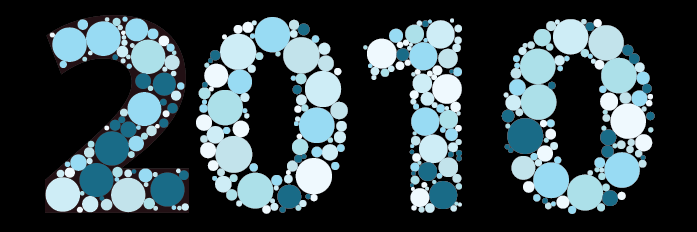
Enjoy, everyone!
{Script Download Link option Updated by MOD}


 3 Correct answers
Lisapru, with a little help from pixxxel schubser in the Illustrator Scripting forum, I've updated the script and uploaded it again onto my site. Check if it behaves correctly now.


Hi @Merchant Girl and @Long98A1,
Thank you for reaching out. I have added a second option to download the script created by OP @Jongware.
I hope it helps.
Thanks & regards,
Anshul Saini

Explore related tutorials & articles
 74
Replies
74
74
Replies
74


Copy link to clipboard
Copied
I'm also seeing a similar issue when I try to use the latest version of the script with Illustrator CC 2017. However I get the following:
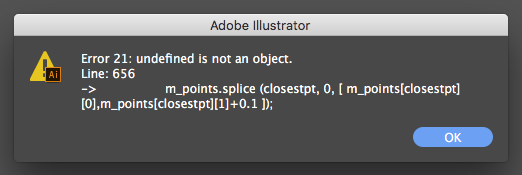
Love to help more let me know if you'd like me to test anything.

Copy link to clipboard
Copied
thnks good job

Copy link to clipboard
Copied
Hi, can you please explain how to do this to texts. I am trying to do this to texts, but it is not working.

Copy link to clipboard
Copied
Yusufa,
"Hi, can you please explain how to do this to texts. I am trying to do this to texts, but it is not working."
As I (mis)understand it, you are trying in vain with live Type. This is what the OP says about it:
Select any path -- but no live text, please; you have to convert it to outlines and select each character in turn. Then run the script.

Copy link to clipboard
Copied
Hi everyone
I would like to generate an isihara-picture for red/green colorblind people. We are doing a quick workshop to wake the awareness of A11y of all kinds and this would illustrate it pretty cool.
Just to be sure - would this script work in Photoshop CC2018 too? I get that nasty error21 at line 11 8-/
Here's what I did:
I put in some text. I transformed it to "form", then selected each letter with the path-tool. I then opened file -> scripting -> opened the script and got the error.
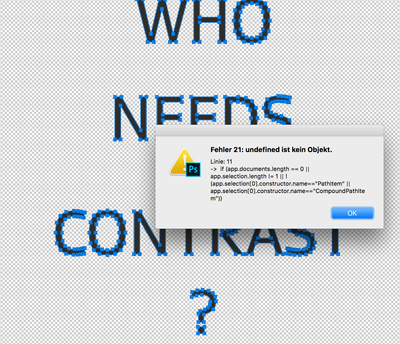
Would I have to put a layer underneath with the circles? Thanks for the help
Michelle
Copy link to clipboard
Copied
Michelle, this is an Illustrator script only. Scripts are written for one type of software only, because each software has a different purpose and so it has its own set of commands. Theoretically it should be possible to rewrite this script to work in Photoshop, but it has been too long ago for me to try that. (Although – funny fact – the very first Adobe scripting I ever did was for Photoshop. But that was near the turn of the century...)
I'd also not recommend using Photoshop for your purpose, unless you indeed must have a raster image as a result. If this is going to print, use Illustrator! Or even when you're going to spread your document around as a PDF. This preserves the circles as vectors, meaning they will stay circle-like even when zoomed in.
If you do need a raster image, you still can create it in Illustrator and then export as PNG, GIF, or JPEG, and it should also be possible to copy-and-paste the Illy artwork into Photoshop.
Copy link to clipboard
Copied
Theunis,
I have just posted (yet again) in defence of you and many others here:
https://community.adobe.com/t5/back-room/scripting-subforums-title-changed-by-mod/td-p/10743619

Copy link to clipboard
Copied
Is there a plugin/script similar where intead of circles, I can select a bunch of objects from the canvas and have those randomly fill inside the vector?

Copy link to clipboard
Copied
Does someone perhaps know of a script which works like this but with path objects. What I'm looking for is a scripts which basically fills an artobard with a given set of path objects. The solution I'm looking for is that the script should check what the optimal method is for filling the cardboard with scaling. BUt it can do rotation and and flipping

Copy link to clipboard
Copied
"The solution I'm looking for is that the script should check what the optimal method is for filling the cardboard with scaling. BUt it can do rotation and and flipping"
This is called nesting. Software that can do it is usually quite expensive, although there is also opensource software available. In Illustrator you could try the plugins ColliderScribe (but doesn't work automatically) or Stipplism.

Copy link to clipboard
Copied
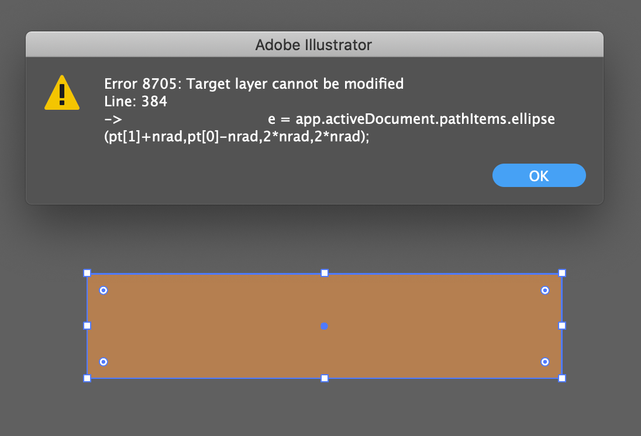
Hi, did anyone solve Error 8705 on CC2020?
I tried all verisons but with no luck...

Copy link to clipboard
Copied
how to system download this circle for AI CC softwer

Copy link to clipboard
Copied
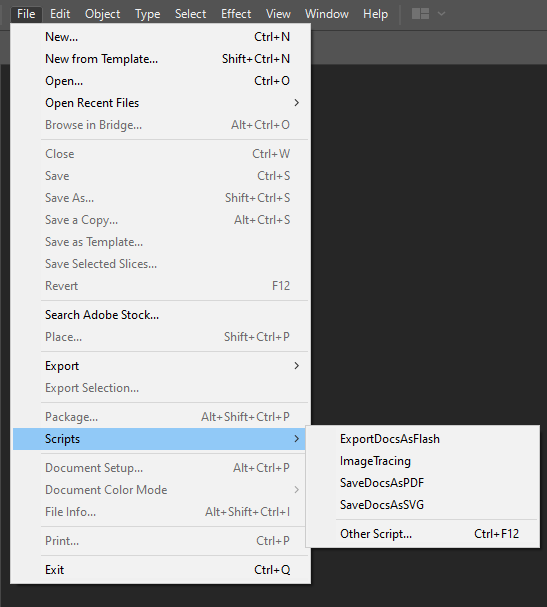
I downloaded the script and I opened "File/Scripts/Other Scripts" in illustrator
and it didn't load in "File/Scripts" and showed me this message
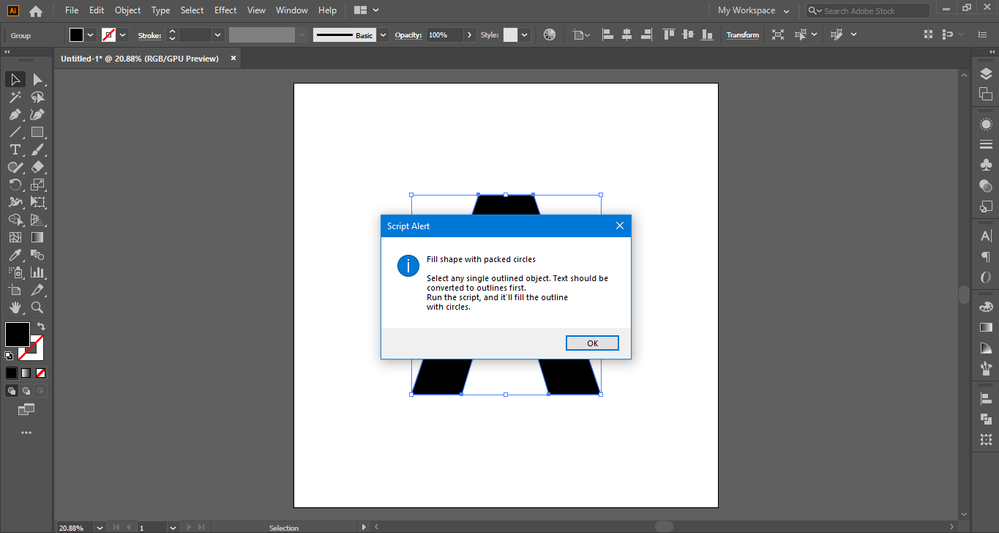
Can you help me please??..
Copy link to clipboard
Copied
Edit: andI restrated the illustrator and i didn't find it too
and idk what should I do...?
Copy link to clipboard
Copied
(untestet)
You have a "filled" shape - not an outlined one. Try swapping the fill and stroke with [Shift + X] and running the script again.
Copy link to clipboard
Copied
And I forgot: your shape should be a path or a compound path.
Please make sure that you have not selected a group!

Copy link to clipboard
Copied
Hello Jongware,
Thanks for creating the awesome script for illustrator. I've just installed and played around with the script, it's exactly what I was looking for Thanks. In the the example below:
I would like more objects inside the shape. At the moment the script it's not populating the whole shape. is it possible to achieve that result?
Thanks in advance
Copy link to clipboard
Copied

Copy link to clipboard
Copied
The link is not working. Someone please help me, i need this badly

Copy link to clipboard
Copied
the link(s) do work, all four of them.

Copy link to clipboard
Copied
The link is dead. Anyone can help me.
Thanks in advance.
Copy link to clipboard
Copied
Hi @Merchant Girl and @Long98A1,
Thank you for reaching out. I have added a second option to download the script created by OP @Jongware.
I hope it helps.
Thanks & regards,
Anshul Saini

Copy link to clipboard
Copied
How can I download this script?
Copy link to clipboard
Copied
In the post just above yours there's a link: https://community.adobe.com/t5/illustrator-discussions/ann-design-effect-image-made-of-perfectly-arr...

Copy link to clipboard
Copied
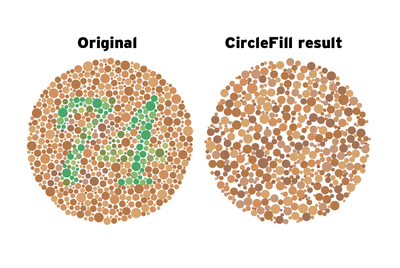
Trying to define some »color-blind charts« procedure, the CircleFill script won’t prompt me with a dense enough result. See attached screenshot.
Any catch to go about this?
Thanks


Find more inspiration, events, and resources on the new Adobe Community
Explore Now
 AdChoices