
Participant
September 20, 2017
Answered

Annoying rough edges to text

  • September 20, 2017
  • 3 replies
  • 981 views

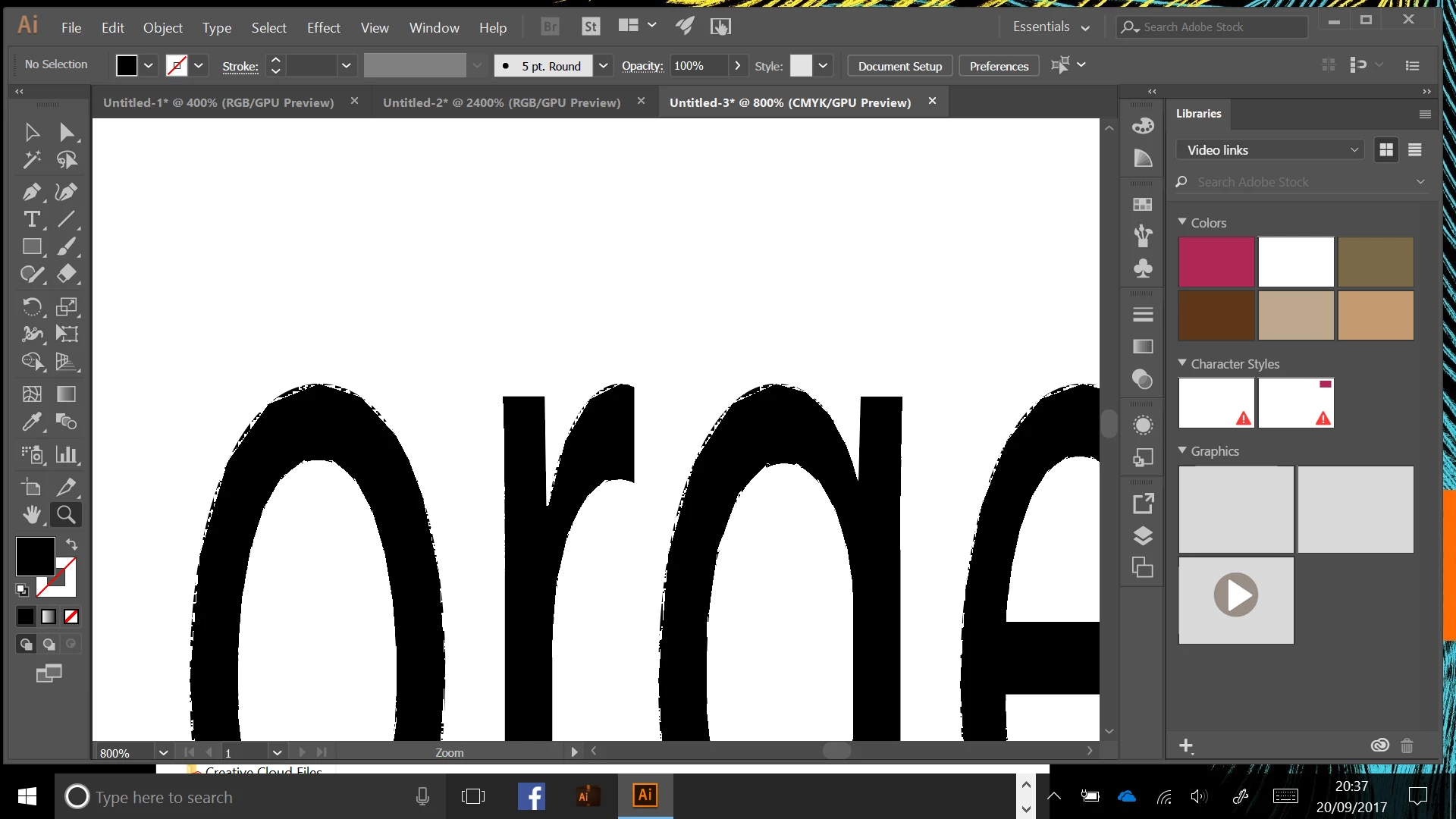
I have used Adobe Illustrator for years on my Mac, however I recently purchased a laptop with Windows 10 and downloaded the recent Adobe illustrator version. When using Adobe Illustrator on the laptop there is this bizarre rough edge to text. I understand that I'm creating vectors and so unless I set some effect the edge of the text should be sharp. I have anti-aliase artwork ticked and I have reset my Alprefs file. As you can see I'm zoomed on at 800%. On the Mac the edges would be sharp. Is this something to do with Windows?

Adrian
This topic has been closed for replies.
Correct answer Bill Silbert

Turn off GPU Performance. Click on the rocketship in Illustrator's top menu bar to access it.

3 replies

Participant
September 20, 2017

Ye...... thanks both of you for your help. Quick as well. The GPU Performance was causing the problem. Never really noticed the rocket ship symbol before.

Ton Frederiks
Community Expert
Community Expert
September 20, 2017
Bill Silbert
Community Expert
Bill SilbertCommunity ExpertCorrect answer
Community Expert
September 20, 2017

Turn off GPU Performance. Click on the rocketship in Illustrator's top menu bar to access it.