Participant
November 9, 2019
Answered

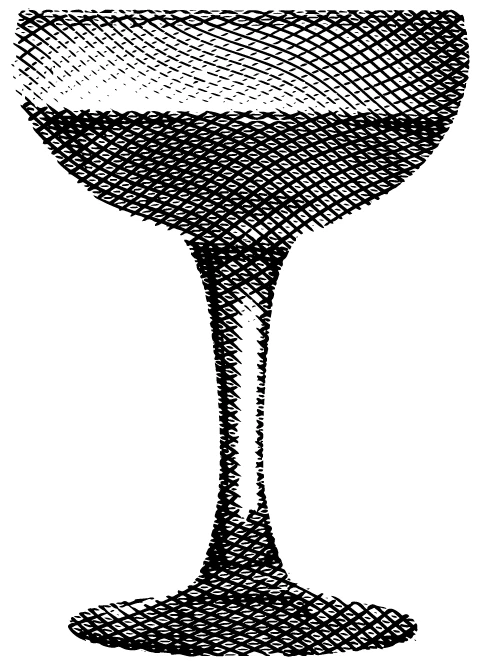
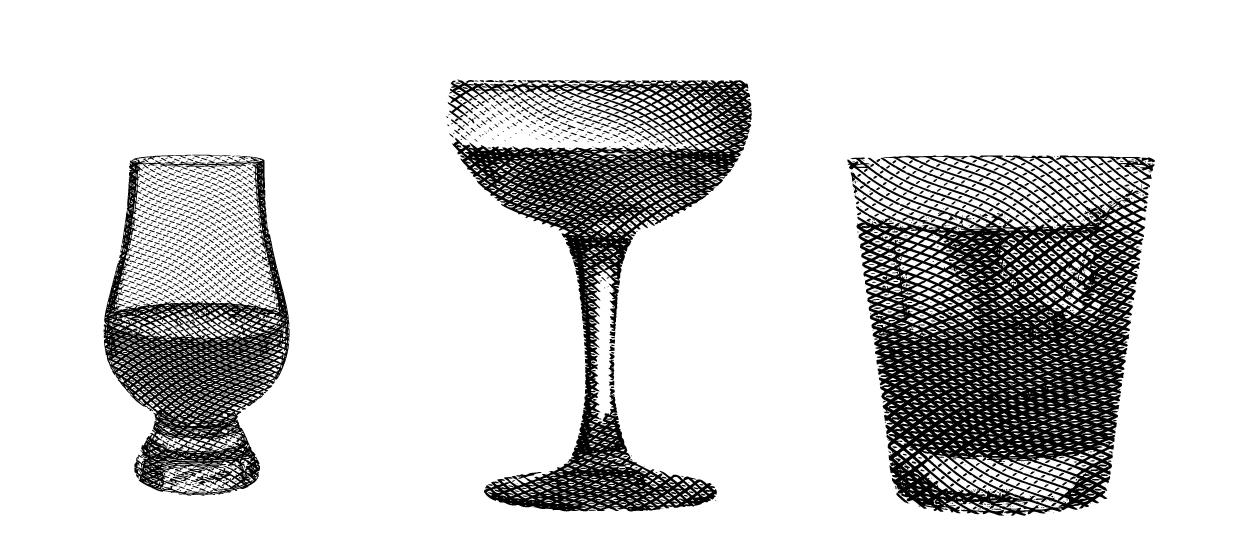
Any idea how I can create this effect in Illustrator or what it would be called?
  • November 9, 2019
  • 6 replies
  • 2701 views

I know the effect was created in Illustrator and have researched all types of cross hatching but have yet to come up with anything remotely close.
This topic has been closed for replies.
Correct answer tromboniator

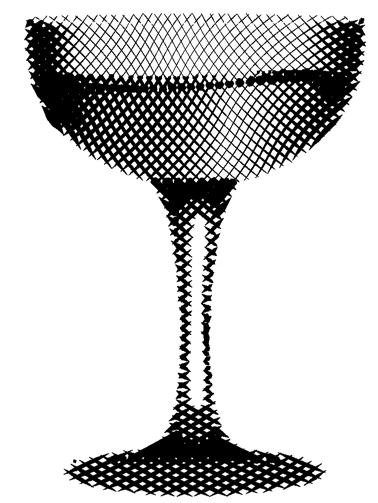
A very quick and inaccurate rendition using the Widthscribe plug-in from Astute Graphics:
 

Peter

6 replies

Participant
November 20, 2019

 Thanks tromboniator! Looked into Widthscribe a little bit and looks pretty legit. Was there a tutorial you learned this technique from or just from your knowledge of the software?

tromboniator
Community Expert
Community Expert
November 21, 2019

Sebastian Bleak, who shows up here in the forum fairly often, has a series of YouTube videos covering this plug-in and others. You can search for him there. That's where I got my basic understanding.


Peter

Participant
November 22, 2019

Thanks again Peter

tromboniator
Community Expert
tromboniatorCommunity ExpertCorrect answer
Community Expert
November 9, 2019

A very quick and inaccurate rendition using the Widthscribe plug-in from Astute Graphics:


Peter

barbara_a7746676
Community Expert
Community Expert
November 9, 2019

I would call it 'cross-hatching'. Because of the curves in the lines, that makes it more difficult to achieve.

You could try using one of the cross-hatch patterns that comes with Illustrator, In the Swatches panel, choose Open Swatch Library > Patterns > Basic Graphics > Basic Graphics Lines, and pick something like Grid 1 Pica Lines. Fill a large rectangle with the pattern. Draw the shape of the glass. Select both and choose Object > Envelope Distort > Make with Top Object. 

It will be close to your sample image, but not exactly like it.

Puppet Warp would be a possibility, but not easy to control for precise lines.

 
Monika Gause
Community Expert
Community Expert
November 9, 2019

This is what Vectoraster can do:


I have version 6. And I don't use it often enough to tell how to achieve the crossed lines. Maybe newer versions can do that on their own. Otherwise I guess I would just apply it 2x to the same image with different settings.

Ton Frederiks
Community Expert
Community Expert
November 9, 2019

The closest I can come is with Photoshop, but that does not give the curved crossed lines effect.

 Convert to grayscale, then to bitmap with halftone screen dotshape Cross.

キィィ─!!!
Participating Frequently
November 9, 2019

Hi, Eurofinsmarketing

I think it's a kind of line screen.
If it is a straight line, it is possible in Photoshop.
If you do it with Illustrator, is it a halftone pattern effect? But it is quite different from the sample.


There seems to be vectoraster7 though it is only Mac.

https://www.lostminds.com/vectoraster7/

I have never used it.
