Participant
October 3, 2022
Answered

Anyone know what this is?

  • October 3, 2022
  • 3 replies
  • 904 views

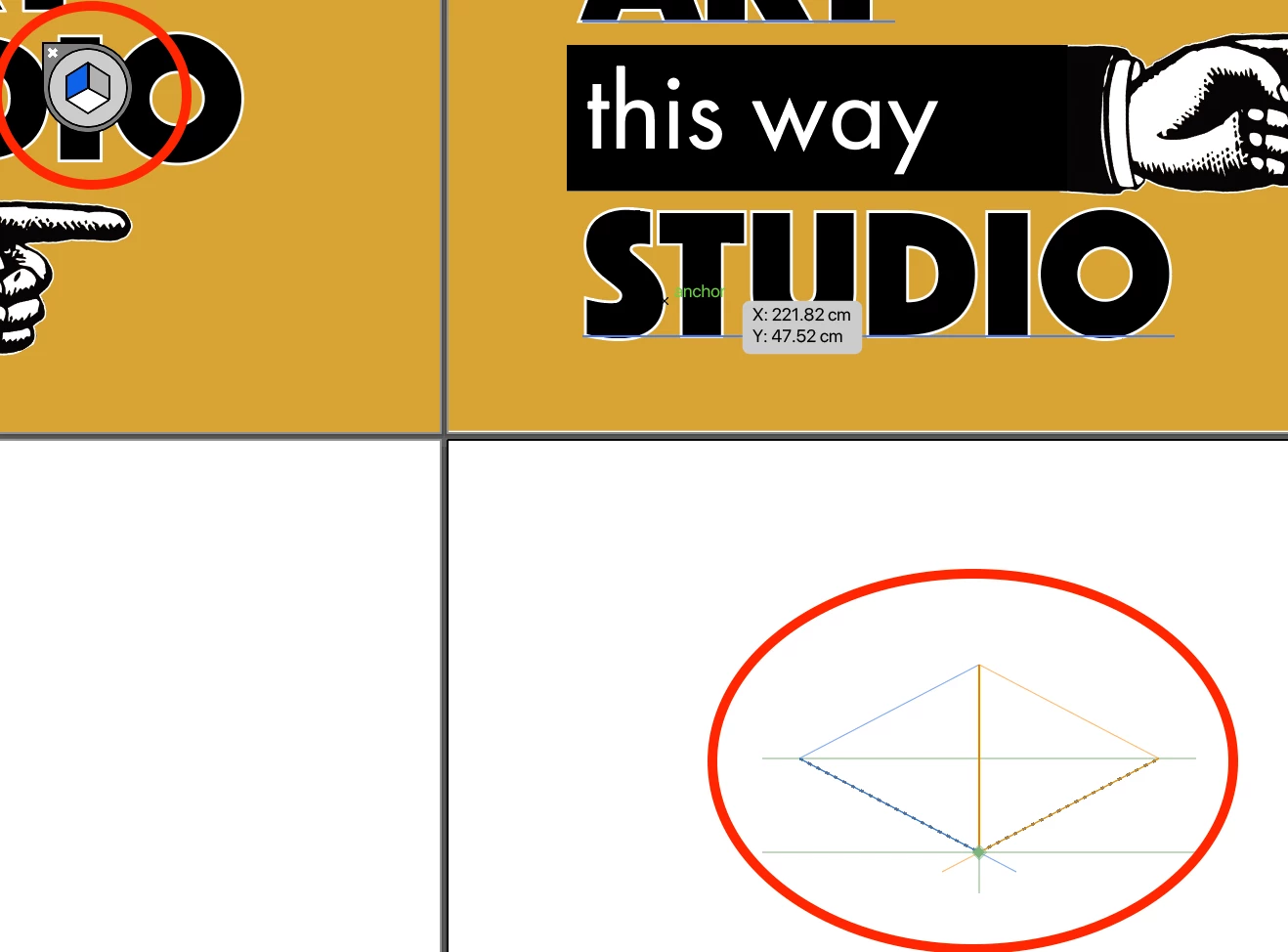
Whilst working in Illustrator, I noticed this icon top left and weird diagram bottom righ appeared. No idea what I did. Does anyone know what is is and how to get rid of it please?

 

This topic has been closed for replies.
Correct answer tromboniator

Other ways to turn it off are to go to View menu > Perspective Grid > Hide or to press cmd/ctrl + shift + I.


Peter

3 replies

tromboniator
Community Expert
tromboniatorCommunity ExpertCorrect answer
Community Expert
October 3, 2022

Other ways to turn it off are to go to View menu > Perspective Grid > Hide or to press cmd/ctrl + shift + I.


Peter

Myra Ferguson
Community Expert
Community Expert
October 3, 2022

It's the Plane Switching Widget from Illustrator's Perspective Grid Tool. You can click the tiny X in the upper left or go to View > Perspective Grid > Hide Grid to make it go away.

tromboniator
Community Expert
Community Expert
October 5, 2022

Apologies, Myra, the end of your post didn't appear on my screen.

Peter

Myra Ferguson
Community Expert
Community Expert
October 5, 2022

Oh, no worries. 🙂

S_Gans
Community Expert
Community Expert
October 3, 2022

Hi. you accidentally enabled Perspective mode. The only way to turn it off is to select the tool below. Then, click the little X on the teardrop shape in your upper left icon.


Adobe Community Expert / Adobe Certified Instructor
M.L.M.Author
Participant
October 5, 2022

Thanks!