LePardine
Participating Frequently
March 2, 2018
解決済み

Appearance Panel

  • March 2, 2018
  • 返信数 1.
  • 1611 ビュー

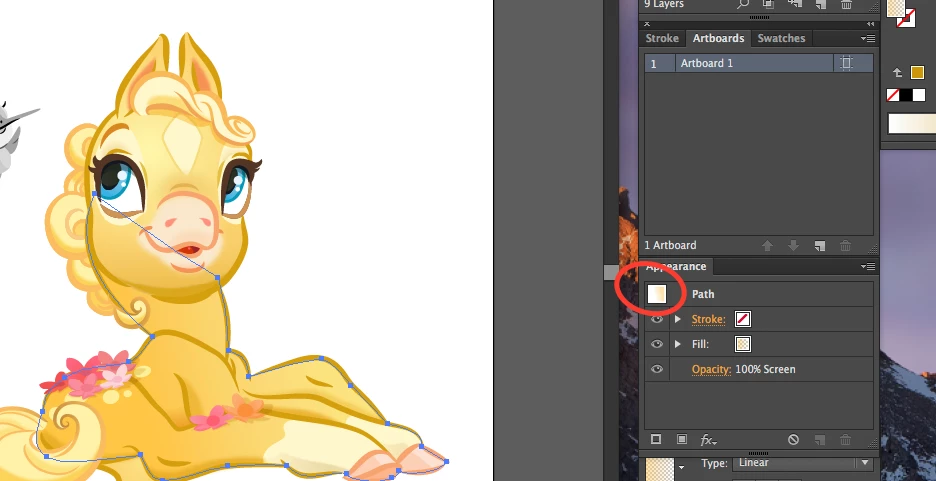
Why can't I see the selected object in the Appearance Panel?  It was there earlier~then I did a freelance job and now it only reads as a tiny box.  I rely on this picture to help me navigate a sophisticated building of a color base (in this case, golden yellow), then a multiply object (shadow), then a screen object (highlight) to swap colors for another character color option.  How can I get that shape back into the Path window?  Thanks~

このトピックへの返信は締め切られました。
解決に役立った回答 rcraighead

Appearance Panel does not show a preview of the selected artwork, only a rectangle with the current attributes applied.

Try the "Transparency" panel (Show Option) to get a preview of the selection.

返信数 1

Ton Frederiks
Community Expert
Community Expert
March 2, 2018

Maybe you are confusing this with the Layers Panel?

LePardine
LePardine作成者
Participating Frequently
March 2, 2018

Nope; definitely not confusing it with the Layers panel; altho I use that quite often also.

During the winter months I've relied on the thumbnail of the object selected to appear in the Appearance panel to check to see if I have selected the color base object, or the multiply or screen object.  There should be a thumbnail of that selected shape; now all I get is a tiny box which is hard to see what is selected now~where did that thumbnail go?

Thanks~

Ton Frederiks
Community Expert
Community Expert
March 2, 2018

I can see a very tiny preview when effects are applied, but generally too tiny to make sense.

The selected object and the info in the appearance panel makes more sense.