
Exit
  • Global community
    • Language:
      • Deutsch
      • English
      • Español
      • Français
      • Português
  • 日本語コミュニティ
  • 한국 커뮤니티
0

APPLY GRADIENT ALONG THE PATH ISSUE

Explorer ,
Jun 01, 2021 Jun 01, 2021

Hey, so I have this path here and I want this blue gradient to follow it: 
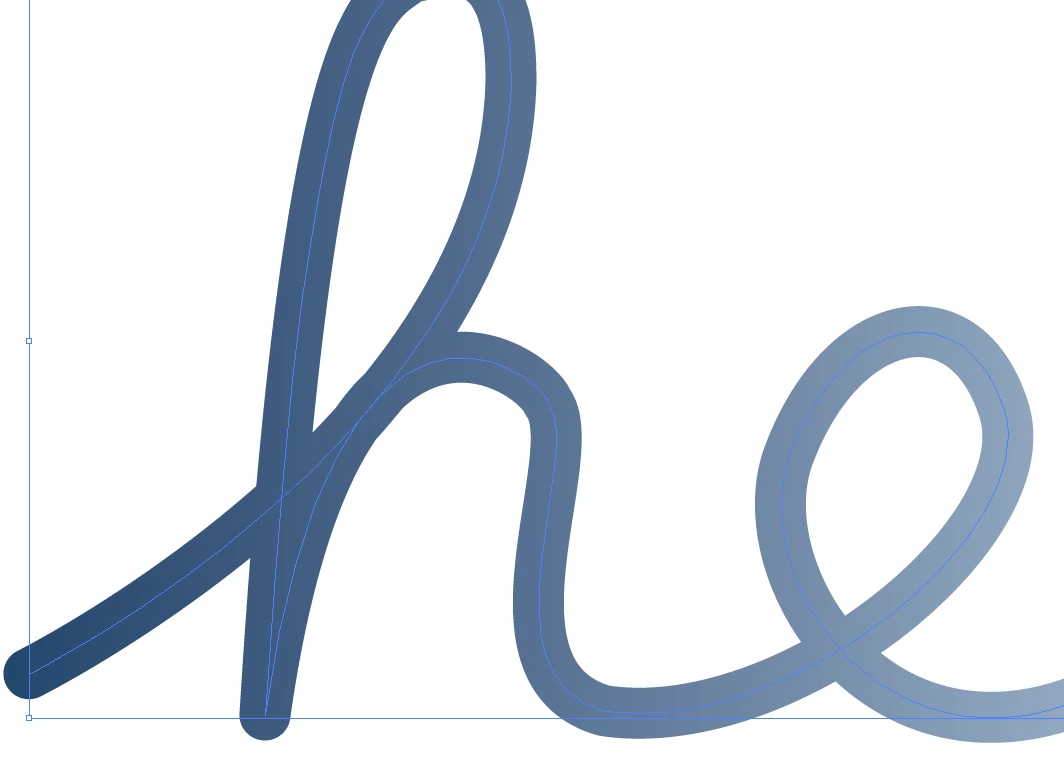
guino11_0-1622537961550.png

But once I click the apply gradient along the path button at the stroke settings, it makes the h vertex to flatten.
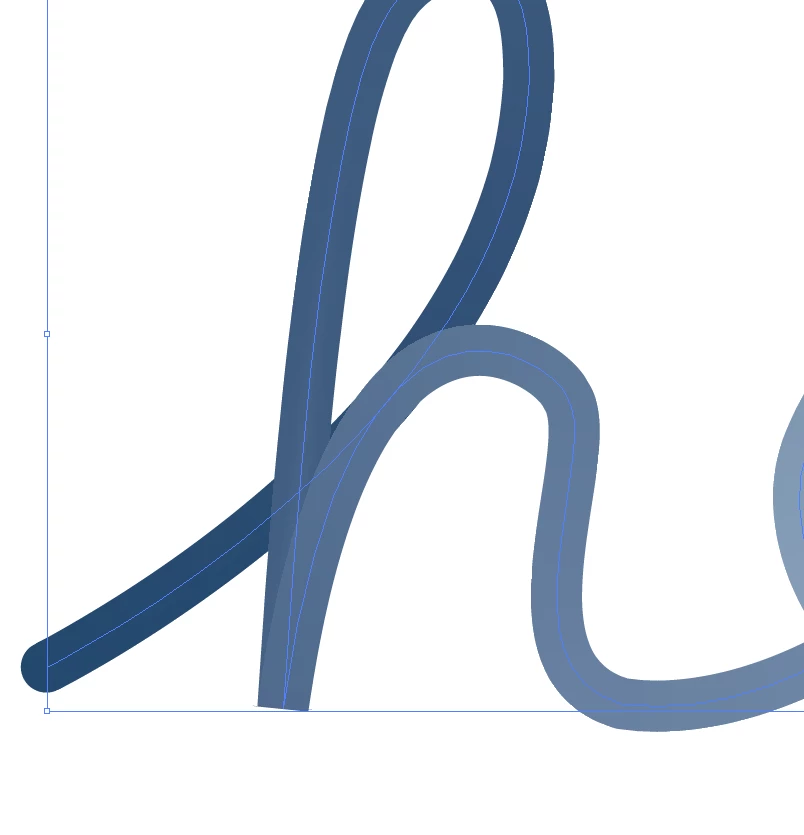
guino11_1-1622538026879.png

I have set the tip of the path and its vertex to round end.

Do you know how to solve this? Thanks in advance.


TOPICS
Draw and design , Tools
415
Translate
Report
Community guidelines
Be kind and respectful, give credit to the original source of content, and search for duplicates before posting. Learn more
community guidelines

correct answers 1 Correct answer

Explorer , Jun 01, 2021 Jun 01, 2021

Thanks! But I found the issue, I had two points on that vertex and that was causing the issue, once I removed one of them, it worked. Thanks again for the help!

Translate
Adobe
Community Expert ,
Jun 01, 2021 Jun 01, 2021

Because of the way those strokes are made (internally they seem to use gradient meshes) this is not possible. What you can do is cut the path into multiple paths that don't have sharp corners. Or mask the corners after creating this. Or make curves instead of corners.

Translate
Report
Community guidelines
Be kind and respectful, give credit to the original source of content, and search for duplicates before posting. Learn more
community guidelines
Explorer ,
Jun 01, 2021 Jun 01, 2021
LATEST

Thanks! But I found the issue, I had two points on that vertex and that was causing the issue, once I removed one of them, it worked. Thanks again for the help!

Translate
Report
Community guidelines
Be kind and respectful, give credit to the original source of content, and search for duplicates before posting. Learn more
community guidelines