Known Participant
May 19, 2022
Answered

Applying a different brush to a path that is already drawn

  • May 19, 2022
  • 1 reply
  • 427 views

I want to apply a different brush to a path drawn with the pencil tool and the default brush. The path consists of a 1 pt stroke, and I used the Width tool on it. I went through all of the brush options by opening them from the Library and after applying them it makes my path much larger than I want, even though it is a 1 pt stroke. Is there a way to apply one of these brushes and make the size of it smaller?

Thanks
This topic has been closed for replies.
Correct answer Monika Gause

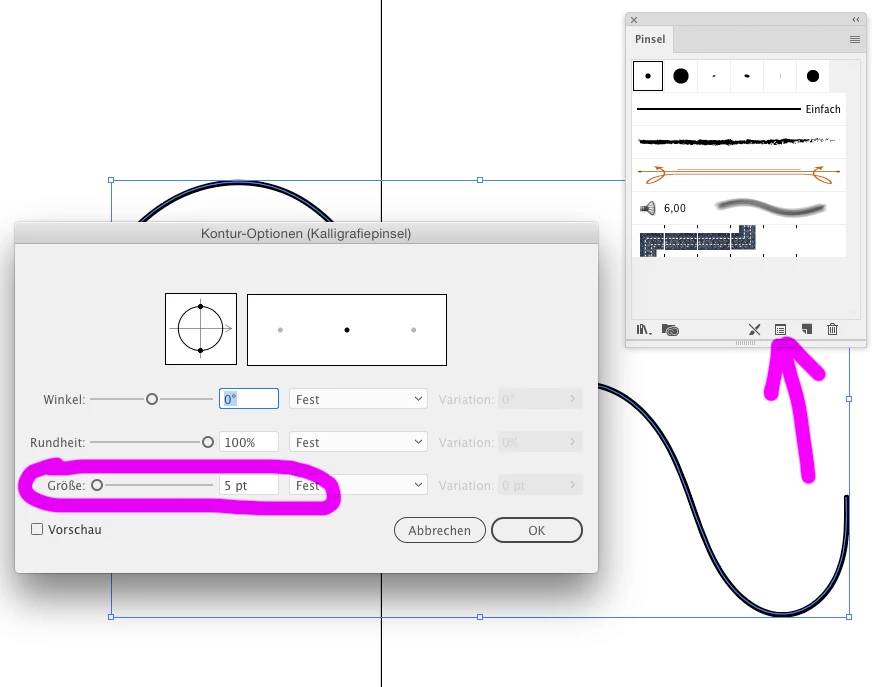
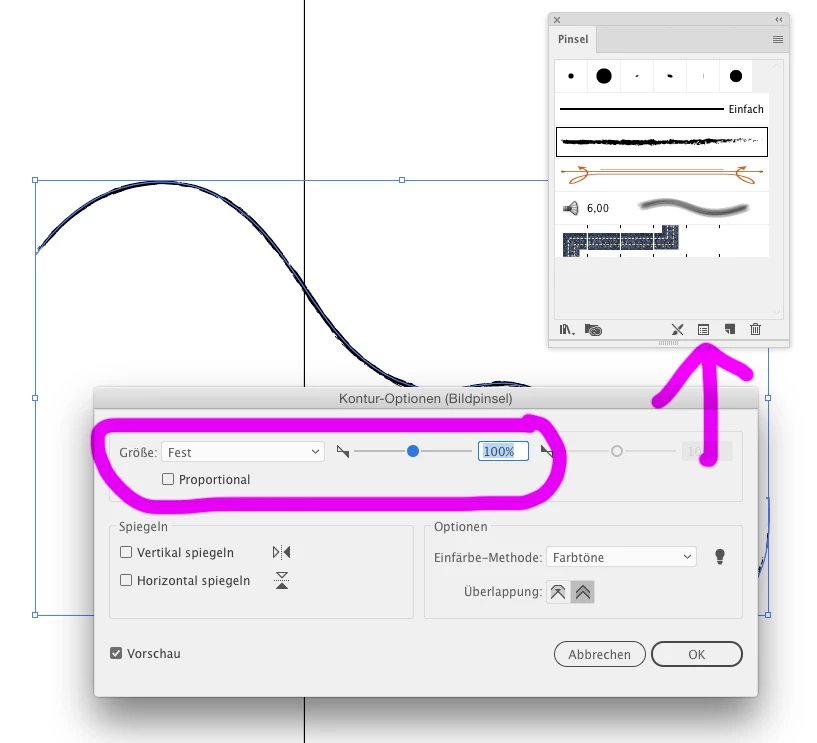
To edit the options for the brush (all around in the file) double click the brush.

If you want to edit the brush setting just for one selected stroke, click this button:


1 reply

Monika Gause
Community Expert
Community Expert
May 19, 2022

The width of a brush stroke is determined by the width of its original artwork. The stroke width does just multiply this.


So 1 Pt makes the original width. If you want it thinner, enter values that are smaller than 1, such as 0,3 or the like. Or use the brush stroke options to make it smaller.

media katAuthor
Known Participant
May 20, 2022

Changing the value worked. Where are the brush stroke options you mentioned? I do not see it in the Brush Panel.

Thanks

Monika Gause
Community Expert
Monika GauseCommunity ExpertCorrect answer
Community Expert
May 20, 2022

To edit the options for the brush (all around in the file) double click the brush.

If you want to edit the brush setting just for one selected stroke, click this button: