
Inspiring
February 9, 2022
Answered

Artboard Label Disappeared in Illustrator 2022

  • February 9, 2022
  • 2 replies
  • 1961 views

Hi everyone!

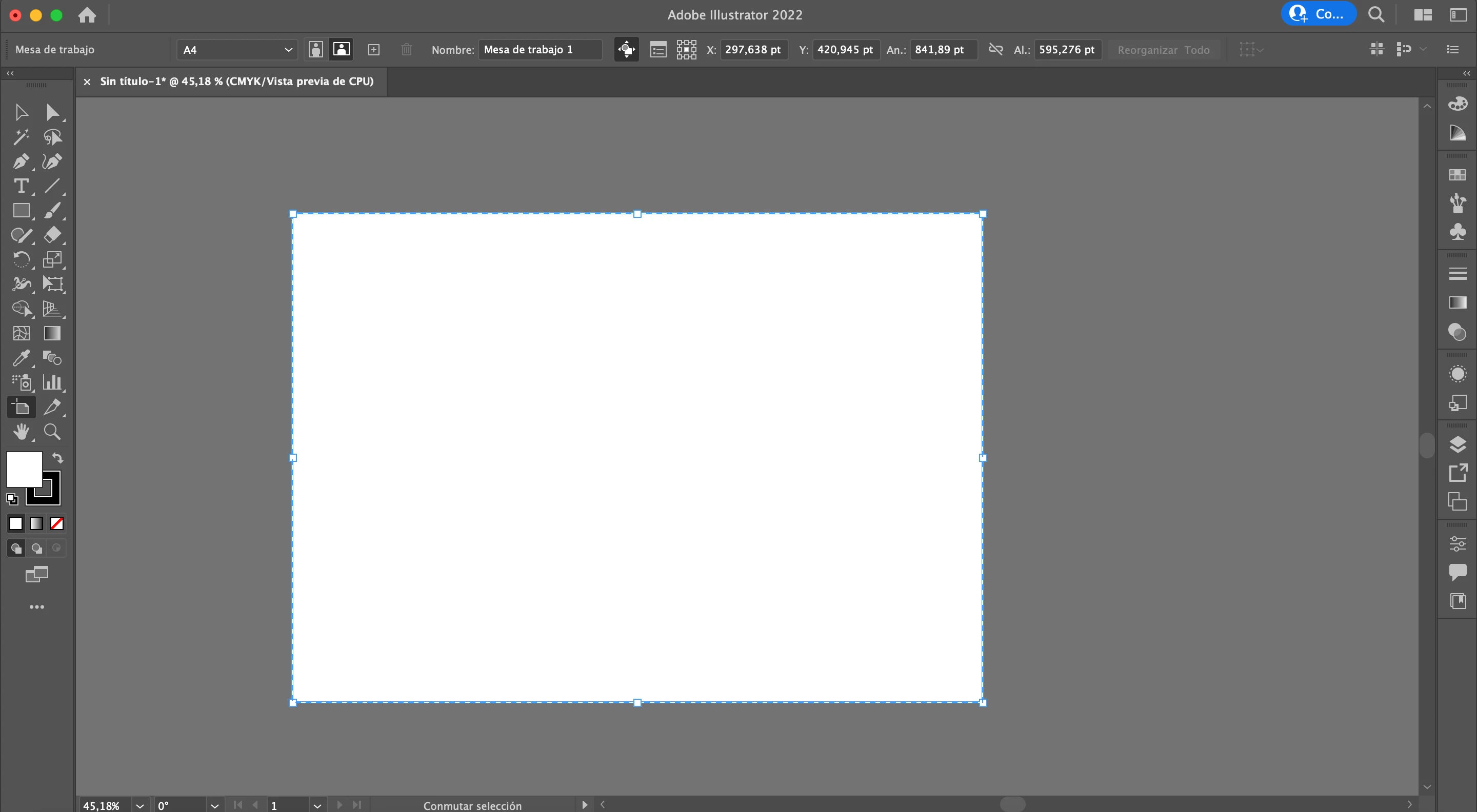
Suddenly my artboard labels disappeard as you can see in this image.

A few days ago all works well and I didn't updated my Ai.
I don't know what to do and how to fix it.

I'm using Illustrator 26.0.3 with MacOs Monterey version 12.0.1

My hardware is a MacBook Pro (13-inch, M1, 2020)


If anybody know what to do, could be really helpfull.

Thanks!
This topic has been closed for replies.
Correct answer Chequeado

I found something interesting.

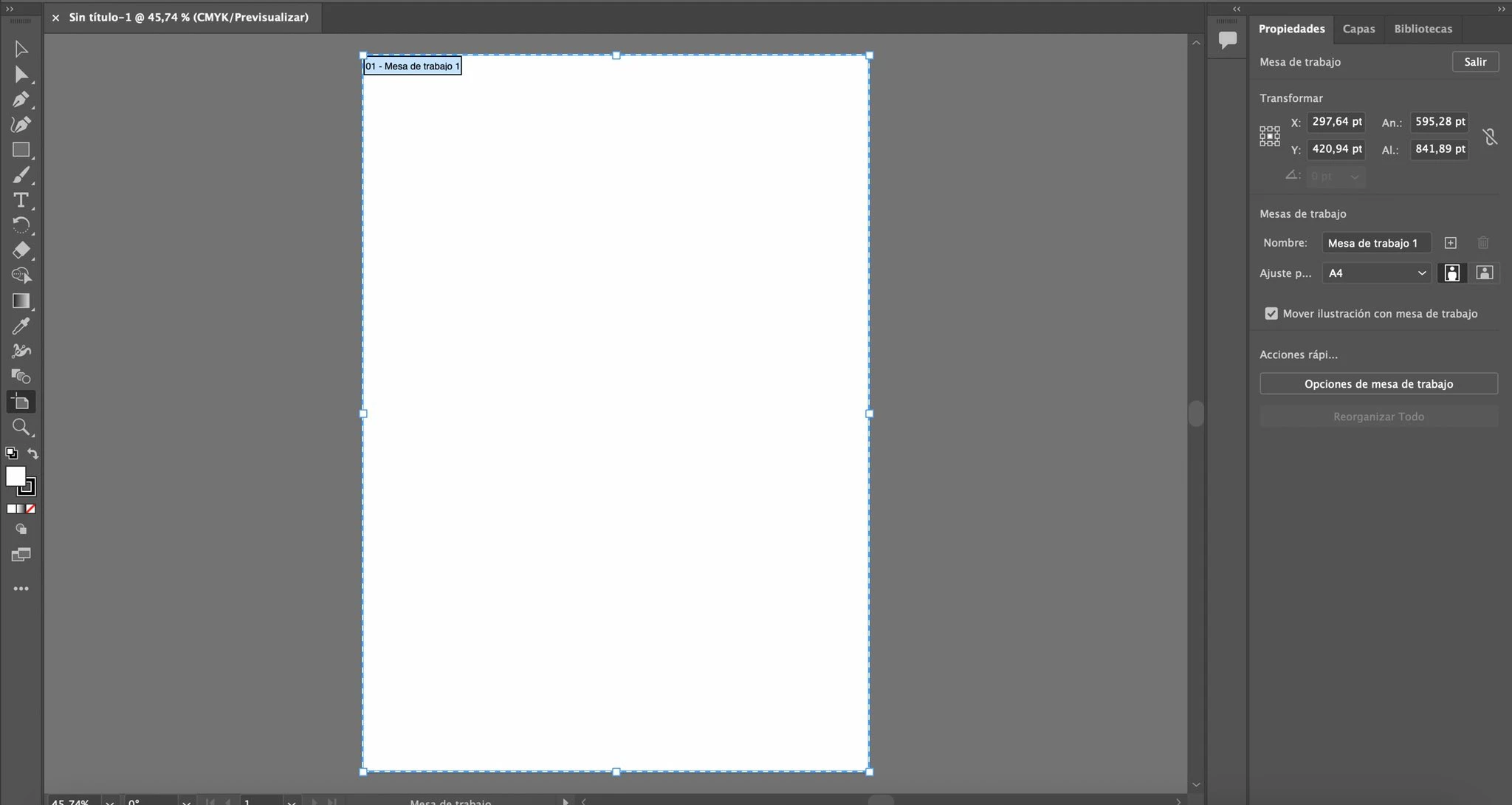
I created a new user in my MacBook and with this new user the labels appear like show you here.

So what problem could be? Some macOS cache? Any idea?

2 replies

ChequeadoAuthorCorrect answer
Inspiring
February 9, 2022

I found something interesting.

I created a new user in my MacBook and with this new user the labels appear like show you here.

So what problem could be? Some macOS cache? Any idea?

Participant
February 19, 2023

Help how did you do it 

Anshul_Saini
Community Manager
Community Manager
March 3, 2023

Hi @talooshe15012513,


I understand that you're also facing an issue with the artboard labels disappearing in Illustrator.


One solution that seems to have worked for the original poster, "Chequeado," is to create a new user account on the MacBook and open Illustrator from there. This might be due to preferences or settings in your original user account becoming corrupted over time, especially with layers of OS updates.


You can find steps to create a new user account on your MacBook in this help article: https://support.apple.com/en-gb/guide/mac-help/mchl3e281fc9/mac.

If you're using a Windows machine, you can follow the steps in this article: https://support.microsoft.com/en-us/windows/create-a-local-user-or-administrator-account-in-windows-20de74e0-ac7f-3502-a866-32915af2a34d.


I hope this helps! Let us know if you have any further questions or concerns.


Thanks,

Anshul Saini

Met1
Legend
February 9, 2022

What do you mean by "artboard labels"? Panels?

Try resetting your Workspace.

If that doesn't work try invoking one of the default Workspaces, then choose your one.

Again if nothing, try a Prefs Reset.

Participant
February 9, 2022

Thanks but any of this ideas works.

The artboard label is the name and number of any artboard in superior left corner. 

This is how Illustrator must show, but to me this is not happening.

I desinstalled my Illustrator, reset Preferences and try more ideas and nothing happens.

Thanks!


ChequeadoAuthor
Inspiring
February 9, 2022

Does it look different if you use the Artboard tool to select the Artboard?


Looks same as you can check below. 

First picture is with artboard unselected.

Second picture is with artboard unselected.


Looks like some graphics software bug.