
Participant
July 9, 2020
Answered

Artboard name not showing correct in Illustrator

  • July 9, 2020
  • 3 replies
  • 3047 views

Hello, 

I bought a new computer [in Japan], since then, the name of my artboard in illustrator doesn't display properly despite I can see their names in the dialog box. 
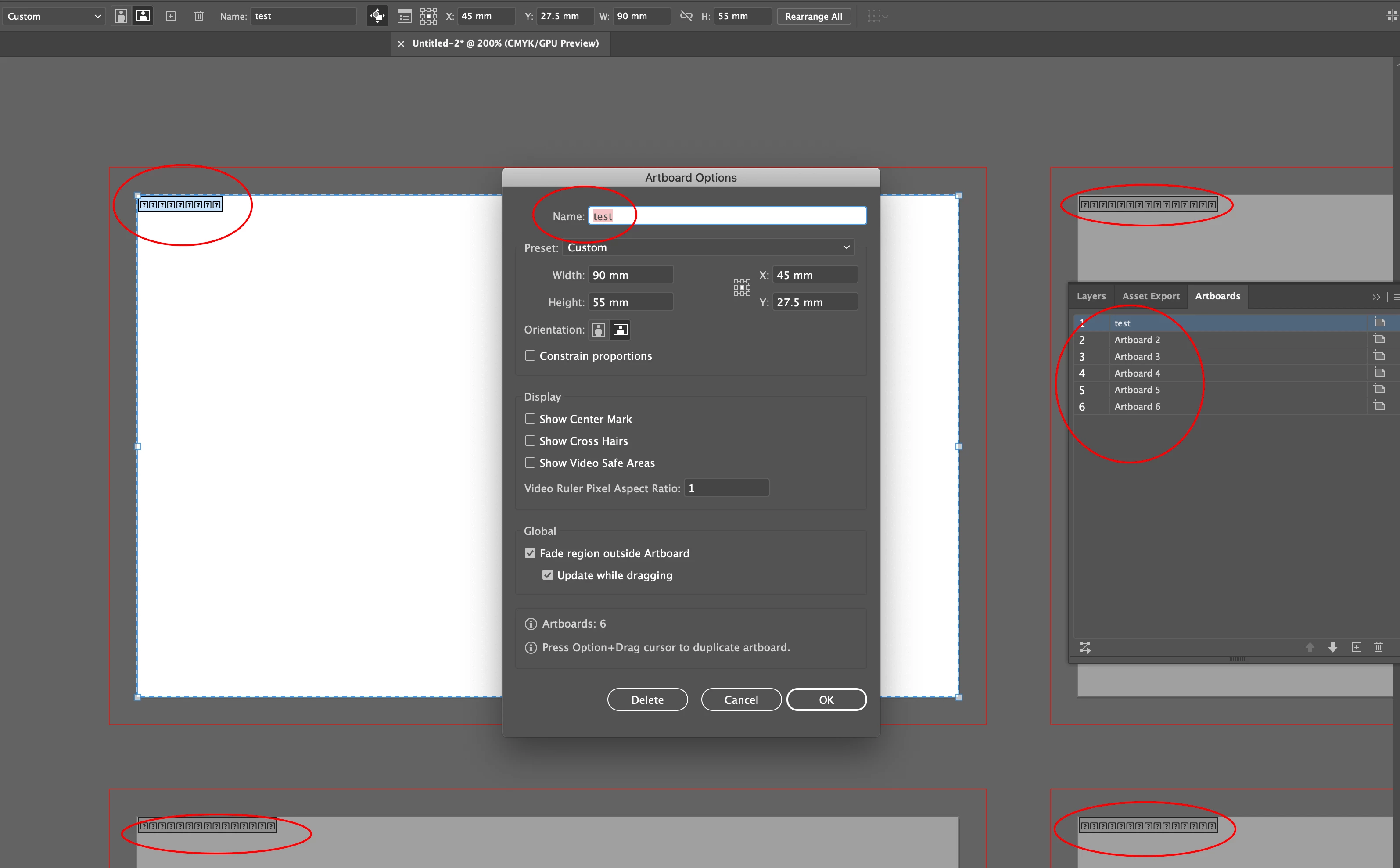
 Do you have any idea what could cause this issue? 

Thank you in advance!


{Renamed by MOD}

This topic has been closed for replies.
Correct answer cybegeek

I am having the same issue... tried resseting prefrences... it does not work


This fixed it for me. Go into Font Book and do a Restore Standard Fonts. 

3 replies

Srishti Bali
Community Manager
Community Manager
July 24, 2020

Hi there,

I would like to know if the steps suggested above worked for you, or the issue still persists.
Kindly update the discussion if you still need assistance with it.

Thanks,
Srishti

Participant
October 30, 2020

Hi,


I have the same problem. It started happening suddenly, previously it was working fine.

I have tried resetting preferences and restarting the application but it does not work.


It could have been illustrator being unable to read the font in the computer. But its weird that it only applies to the artboard label font. Is there a way to manually reset or change the artboard label font?


Thanks in advance!


Larry G. Schneider
Community Expert
Community Expert
October 30, 2020

AI requires the 4 faces of the Verdana font (regular, bold, italic and bold italic) and 2 faces of the Tahoma font (regular and bold) to be properly installed and active for everything to work correctly. Is this the case for your installation?

Ashutosh_Mishra
Inspiring
July 16, 2020

Hi there,


Sorry to hear about your experience. I hope your issue is resolved now. Would you mind sharing the solution with us? It'll help other users with similar concern.

If you still have issues, you may try resetting preferences.

**Please note that resetting preferences will remove all the custom settings and Illustrator will launch with default settings. You can also take a backup of the folders in case you want to. Location is mentioned in the article.

Let us know if you need further assistance. We'll be happy to help.


Regards,

Ashutosh

Monika Gause
Community Expert
Community Expert
July 9, 2020

So this is a Japanese system?

YuumchaAuthor
Participant
July 12, 2020

Thank you for your reply.
I bought the computer in a Japanese apple store, the keyboard is Japanese, but I installed the OS in English. 

Monika Gause
Community Expert
Community Expert
July 12, 2020

It might be missing Japanese fonts. If you didn't install the system correctly, there might be some confusion. And then some additional confusion with the installation of Creative Cloud.