MahaB82A
June 24, 2025
Question

Artboards

  • June 24, 2025
  • 1 reply
  • 195 views

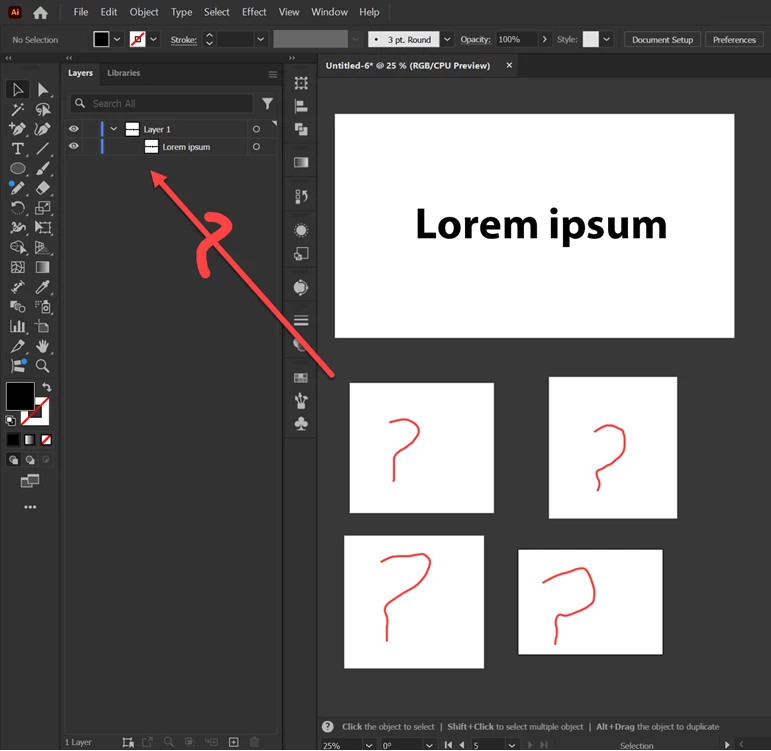
When we create additional artboards those are not in the layer panel. Where do they go?


1 reply

Monika Gause
Community Expert
Community Expert
June 24, 2025

They go in the artboards panel.

MahaB82A
MahaB82AAuthor
June 24, 2025

Where can you find it?

Abhishek Rao
Community Manager
Community Manager
June 24, 2025

Hi @MahaB82A,


Thanks for reaching out. You won't see artboards listed in the Layers panel because they aren't treated as layer elements. Instead, they're managed separately in the Artboards panel. To find it, just go to the Window menu at the top of the Illustrator interface and choose Artboards. That will open the panel where all your artboards are listed and can be renamed, reordered, or managed.

Let me know if you’re able to access it or if anything still feels unclear. Happy to help further.


Looking forward to your update.

Abhishek
