Participant
November 29, 2016
Question

Asset Export Does Not Respect Clipping Mask

  • November 29, 2016
  • 3 replies
  • 8839 views

Using Illustrator:  21.0.0

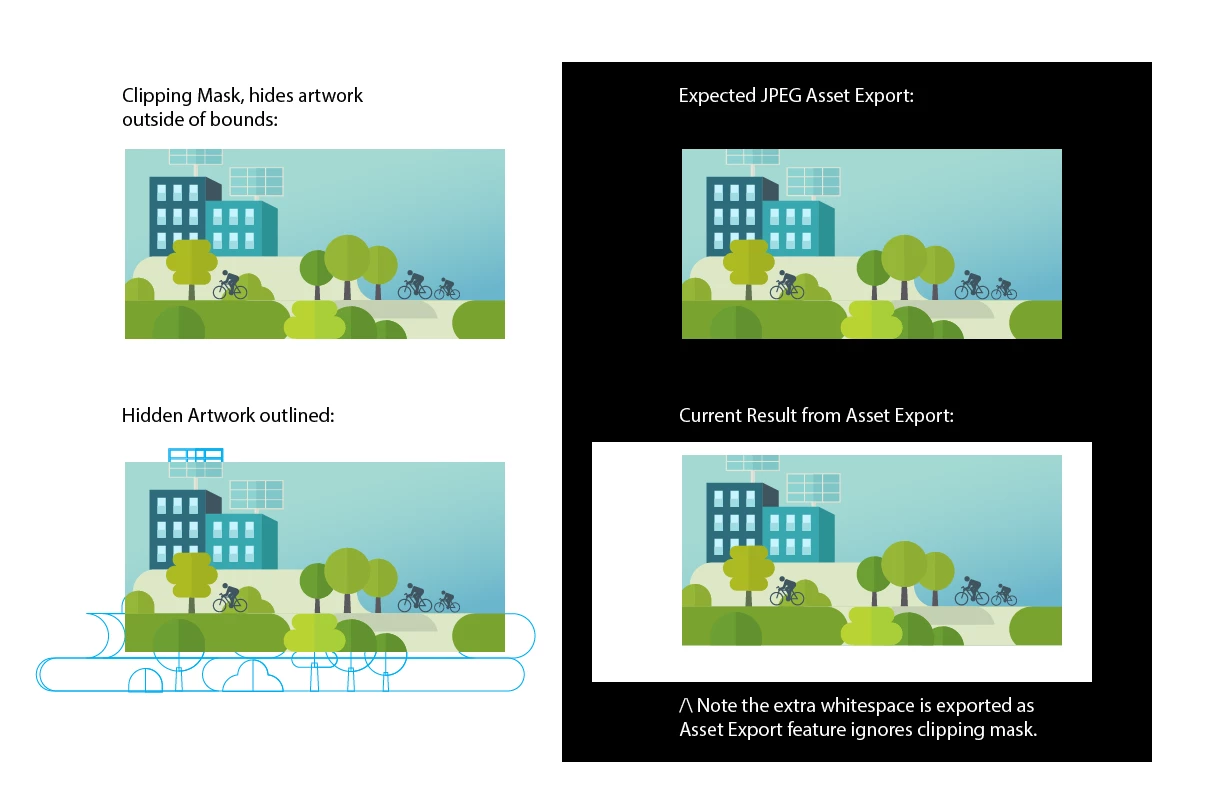
Note that Asset Export feature ignores clipping masks. Here is an image clearly demonstrating the issue:

3 replies

Participant
August 6, 2024

It's indeed a bug, I fixed it by releasing the clipping mask and then applying the clipping mask again (make sure your asset is already in your asset export window).

Participant
April 11, 2017

Ok, I have a workaround that will create what is desired but adds a little more work.

We almost need to have the thought process that we are creating this layout in InDesign where these clipped assets are a separate, placed file in the layout.

For my example I will be creating different backgrounds for an app, these backgrounds have artwork exceeding the bounds of 750x1334 that have been masked to 750x1334.

So here is the workflow that I have used to create the desired clipped asset from the "Asset Export" panel:

  • I have created an Illustrator file (Backgrounds.ai) with 3 artboards (2 are 750x1334 and 1 is 750x116)
    • All of these artboards have artwork going out beyond the edge. I have masked the artwork to the artboard size just keep things clean
  • Create an Illustrator file where I composing the entire layout of the app
    • File / Place the Background.ai, make sure you select the 'Options' button and have the 'Show Import Options' ticked
      • You will then have the popup with the option to select your artboard from the background file, make sure you have the option of 'Crop to:' set to 'Trim'
    • Once you have the background placed where you want it, select it and add it to the 'Asset Export' panel like you would normally
      • Select your desired output options and it should give you the desired outcome!

Bonus about this when working in a composition is that when I make changes to the 'Background.ai' it will not only auto update in my layout but also auto update in the 'Asset Export' panel too.

This might be a little cumbersome when you are dealing with a simple layout or a single asset but it will give you the desired outcome we are searching for!

Hope this helps until Adobe creates an option in the export panel where we can 'trim to mask'!

Known Participant
January 10, 2017

This seems to be answered in

The answer is - it's a bug.