
Participant
May 2, 2018
Answered

Auto arrange, organize and Distribute?

  • May 2, 2018
  • 2 replies
  • 2011 views

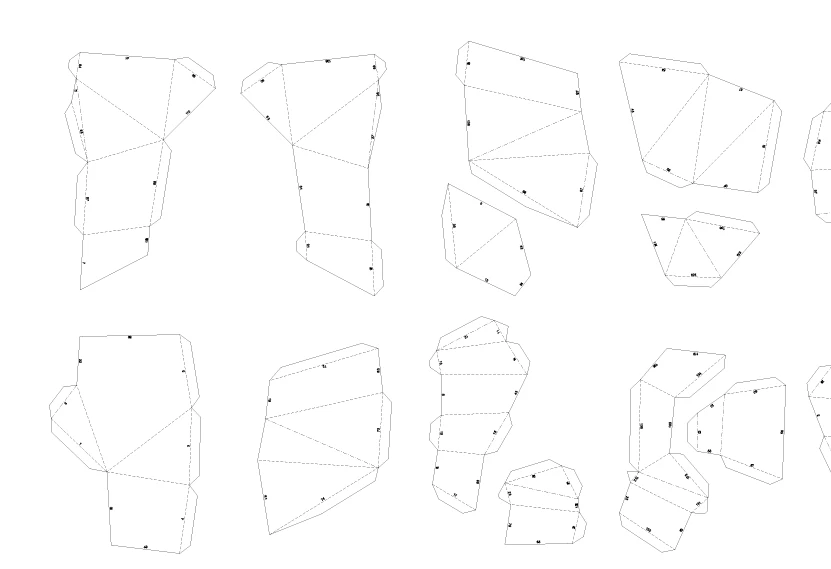
Hi there, I'm trying to arrange shapes onto A4 Artboards and I was wondering if there was a function on illustrator that allows me to auto arrange the shapes into the artboards, using up as much space on them as possible to minimize blank space?

I'm trying to reduce down the amount of artboards needed to display all the shapes.

To go from this:
To this:
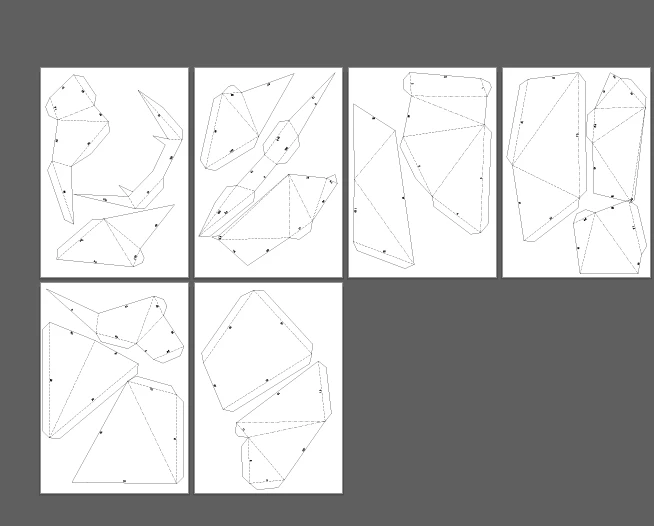
Automatically?

This topic has been closed for replies.
Correct answer Monika Gause

What you want to do is nesting.

There is no such function in Illustrator.

Expensive CAD software has it.

As well as this tool: SVGnest - Free and Open Source nesting for CNC machines, lasers and plasma cutters

Please provide feedback if it works for you. Thank you.

2 replies

Myra Ferguson
Community Expert
Community Expert
May 2, 2018

There was a sneak last year at MAX called PhysicsPak that would arrange elements within a shape. Sneaks are projects that may or may not make their way into an application, but your issue seems to be another use case for this one. Check out the video #PhysicsPak: Adobe MAX 2017 (Sneak Peeks) | Adobe Creative Cloud - YouTube ​ The version in the video shows that it could somewhat bend the vectors, which would be a parameter you'd need to be able to turn off. If you like the idea, you might request it on Adobe Illustrator Feedback

Monika Gause
Community Expert
Monika GauseCommunity ExpertCorrect answer
Community Expert
May 2, 2018

What you want to do is nesting.

There is no such function in Illustrator.

Expensive CAD software has it.

As well as this tool: SVGnest - Free and Open Source nesting for CNC machines, lasers and plasma cutters

Please provide feedback if it works for you. Thank you.