
Participating Frequently
February 15, 2017
Answered

Avatar Profile Help

  • February 15, 2017
  • 1 reply
  • 471 views

Hi Everyone

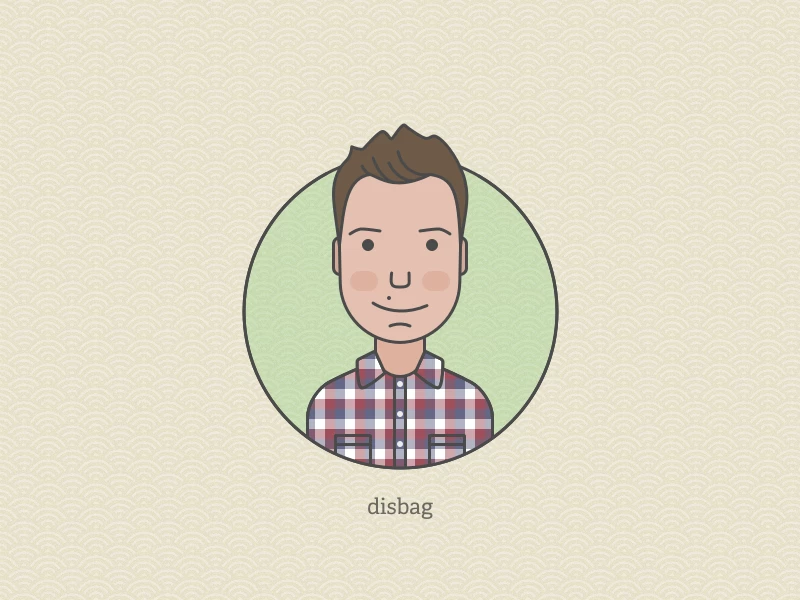
Please have a look at a sample photo attached.

What I like to know is how do I cover his torso so that it appears inside the circle and how does he's head appear out of the circle from the top?

Do I need to use more than 1 circle, I don't quite get how to simplify this approach.

Many thanks for taking the time to read my question and offer me guidance too.
This topic has been closed for replies.
Correct answer Jacob Bugge

Hsalim,

Independently of version and object structure of the guy, you may:

1) Select the circle and Ctrl/Cmd+C+F+X+F to copy it to the very front;

2) Deselect, then DirectSelect the top Anchor Point and ShitClickDrag it upwards until the circle is above the top of the hair;

3) Select both the top circle and the guy object(s) and Ctrl/Cmd+7 to make a Clipping Mask.

1 reply

Jacob Bugge
Community Expert
Jacob BuggeCommunity ExpertCorrect answer
Community Expert
February 15, 2017

Hsalim,

Independently of version and object structure of the guy, you may:

1) Select the circle and Ctrl/Cmd+C+F+X+F to copy it to the very front;

2) Deselect, then DirectSelect the top Anchor Point and ShitClickDrag it upwards until the circle is above the top of the hair;

3) Select both the top circle and the guy object(s) and Ctrl/Cmd+7 to make a Clipping Mask.

HsalimAuthor
Participating Frequently
February 16, 2017

Hi Jacob

Thanks, I'll give it a go and let you know how I get on

Jacob Bugge
Community Expert
Community Expert
February 16, 2017

You are welcome, Hsalim.

I look forward to your findings.