
Participant
October 16, 2018
Answered

(beginner help) HOW TO cut a section of two vectors placed together in illustrator

  • October 16, 2018
  • 2 replies
  • 286 views

Hello illustrator experts. 

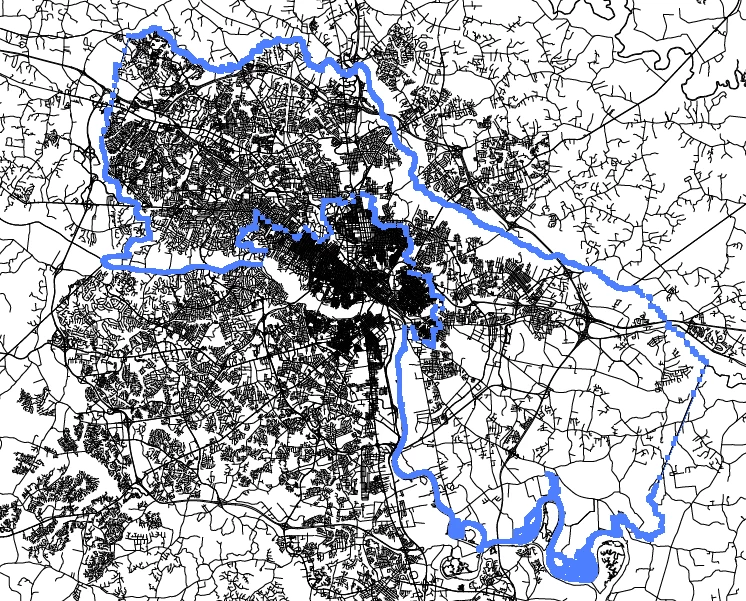
I have two vectors placed on top of each other (vector 1 contains county outlines and vector 2 are streets).  I'd like to cut vector 2 (street map) based on a shape from vector one (the county outline).  I've tried various methods from google with no success. 

Can anyone recommend a method for me to try? 

Thanks,

phillip
    This topic has been closed for replies.
    Correct answer Ares Hovhannesyan

    If you have 2 vector objects  you can use or Pathfinder Panel How to combine objects in Illustrator  or you can use Shape Builder Tool.How to create shapes using the Shape Builder tool in Illustrator

    2 replies

    Jacob Bugge
    Community Expert
    Community Expert
    October 16, 2018

    Phillip,

    Or, if the relevant county outline is a single path (or can be turned into one by joining adjacent paths or similar) on top of the street map, you can select both and Ctrl/Cmd+7 to form a (reversible) Clipping Mask where the outlying parts of the stree map are hidden.

    Ares Hovhannesyan
    Community Expert
    Ares HovhannesyanCommunity ExpertCorrect answer
    Community Expert
    October 16, 2018

    If you have 2 vector objects  you can use or Pathfinder Panel How to combine objects in Illustrator  or you can use Shape Builder Tool.How to create shapes using the Shape Builder tool in Illustrator