Participant
April 8, 2025
Question

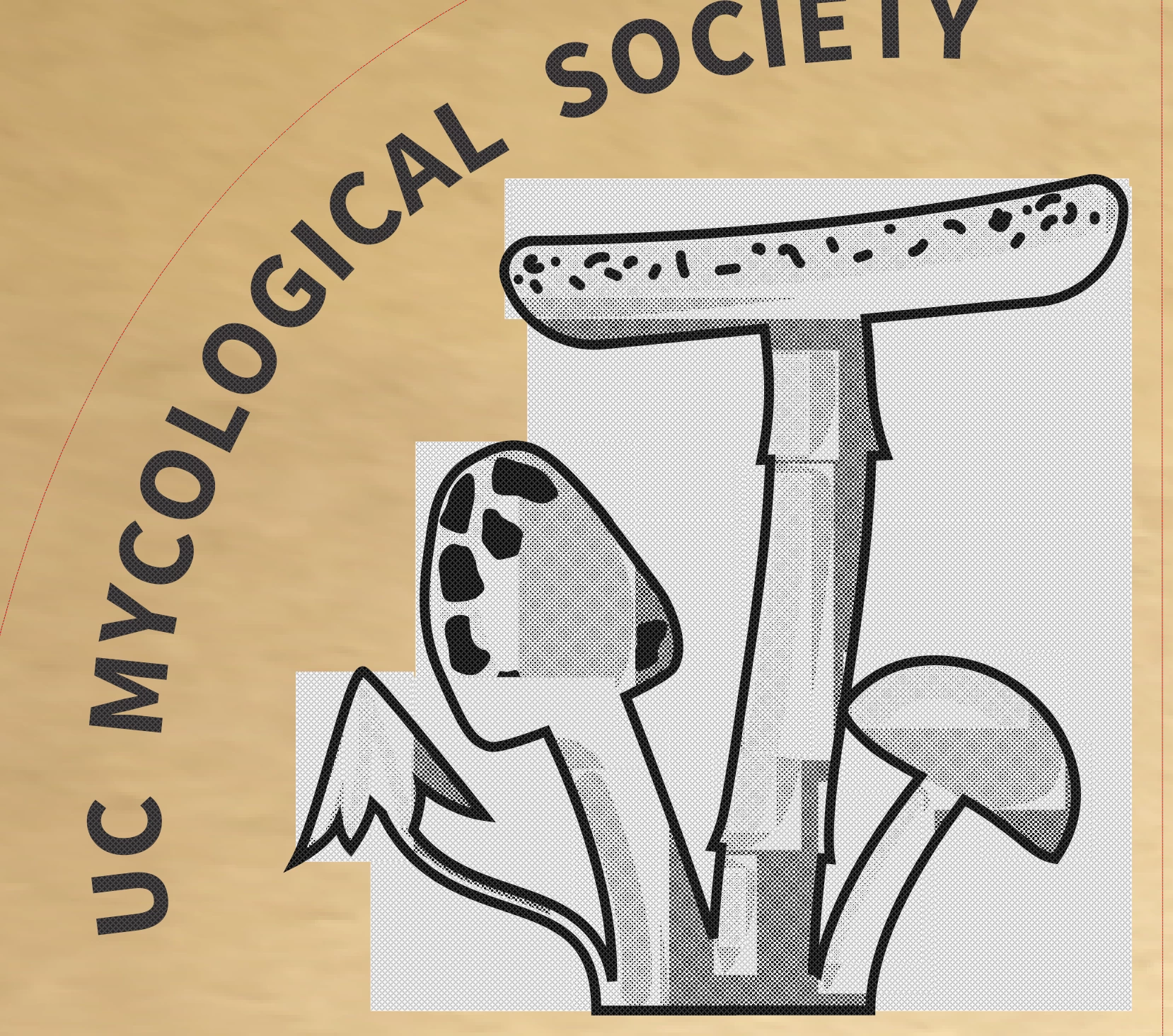
Bounding boxes around objects interfere with laser cutting.

  • April 8, 2025
  • 1 reply
  • 409 views

Is there a way to eliminate the bounding boxes around objects? They appear to be interfering when cutting files on an Epilog laser cutter.


I've tried flattening and grouping, but no luck. What am I missing?


For some reason I was not able to attach the .ai file, but was able to attach the .pdf, but the results are the same either way.


Thank you for your time.
 

1 reply

Monika Gause
Community Expert
Community Expert
April 9, 2025

You have patterns applied that are probably causing this.

Participant
April 9, 2025
Thank you for taking a look.

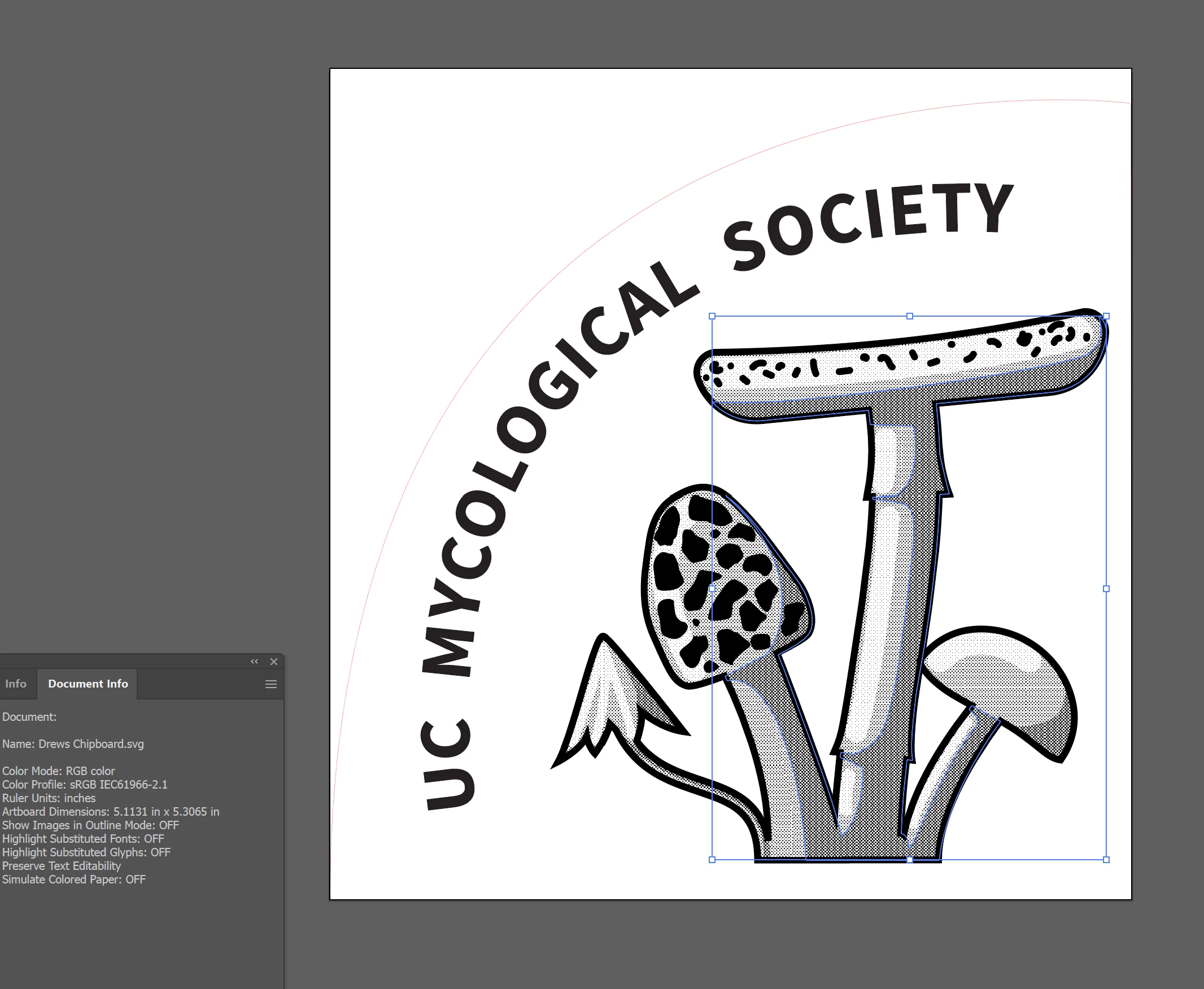
Yes, there are halftones. But the issue is that each halftone has a separate bounding box and they are interacting and creating a laser cut image that shows where those bounding boxes are.

If you check out the file, there does not appear to be any patterns that completely fill their bounding boxes, so not sure why the halftones would be the problem. I am wondering if there is a setting for each object that I’m missing which is causing the boxes to be made visible upon output. Or a way to unify each object into a single bounding box.
Monika Gause
Community Expert
Community Expert
April 10, 2025

The bounding boxes look like boundaries of objects that are contained inside clipping masks. Are the halftone patterns pixel-based images or vector-based objects? It looks like the laser cutting software doesn't like clipping masks. It's also possible the software might prefer a different version of AI, EPS or PDF file you're importing into the application.

Photoshop is more adept at deleting unwanted pattern imagery that is spreading outside of a graphical object. The process is a little complicated, but is possible to copy raster and vector elements from an Illustrator layout into a Photoshop document. The mushroom shapes can be placed as raw AICB paths that would be visible in Photoshop's paths palette. Those paths can be turned into selections. The selections can be inverted. One click of the delete key will clear everything outside of the selection. Through a few steps you can build a layered PSD or TIF image that can then be placed back into the Illustrator document -without all the pattern stuff going outside of the mushroom shapes.


@Bobby Henderson  schrieb:

The bounding boxes look like boundaries of objects that are contained inside clipping masks. Are the halftone patterns pixel-based images or vector-based objects? 


They are Illustrator patterns as I wrote above.