


Question
Breaks in gradients/gradients not rendering
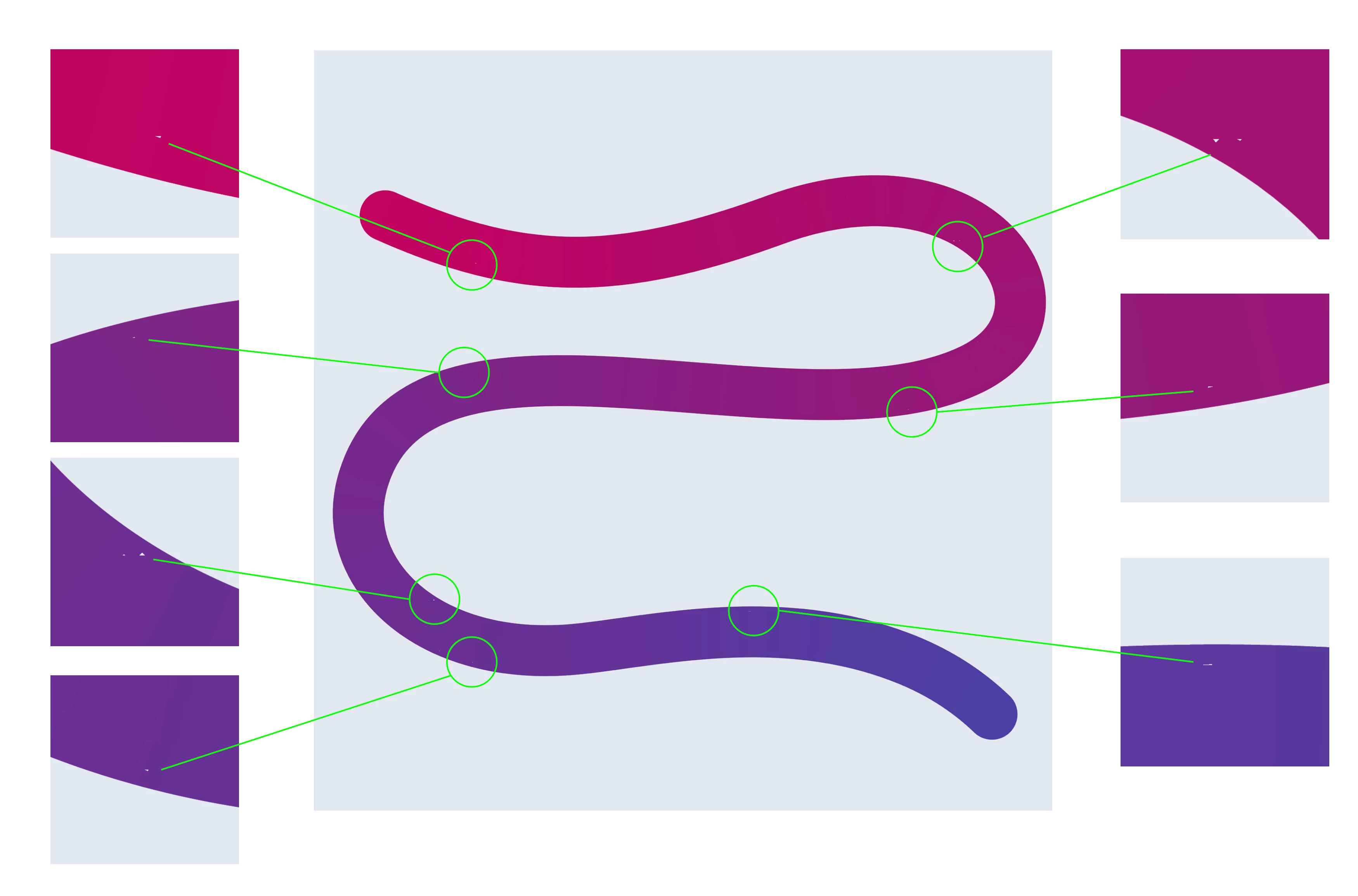
I'm having issues with exporting artwork from Illustrator, which features a stroke (100pt, round cap) with a gradient (2x colours in gradient, applied along the stroke). I keep getting these weird white breaks, almost like some pixels are missing or are not rendering correctly.
I've tried:
- Exporting a png directly from illustrator and it appears
- Expanding the stroke and exporting and it appears
- I've started a new doc and pasted it in there and exported, still appears
- I've increased the resolution of gradients in my doc setup setting, still appears when exporting.
When it does NOT appear:
- Placing the AI file into indesign, exporting it as a png
- Exporting as a jpg from Illustrator
- When you expand the stroke with a solid colour, then manually set the gradient with the free form gradient setting and adding in your point to create the gradual fade from one colour to another. > my current solution to the problem
I've checked the artwork and there's no extra points, weird shapes sitting ontop of the path. I've given the artwork file to another colleague and he also can not figure out what the issue is.
Has anyone else experienced this and found a fix?
 AdChoices