
March 15, 2018
Answered

Brush along a path, undesirable results

  • March 15, 2018
  • 5 replies
  • 842 views

Hi guys,

I have a brush set up that has evenly spaced circular objects running along it in a straight line. When I select any path shape other than a straight line and apply the brush the circular objects do not adhere to the path as closely as one would wish. It seems to scatter them randomly aorund the edge instead of the center of each object being aligned woth the path. Does anyone know of any tricks to get the brush to distribute evenly and adhere to the shape of the path better?
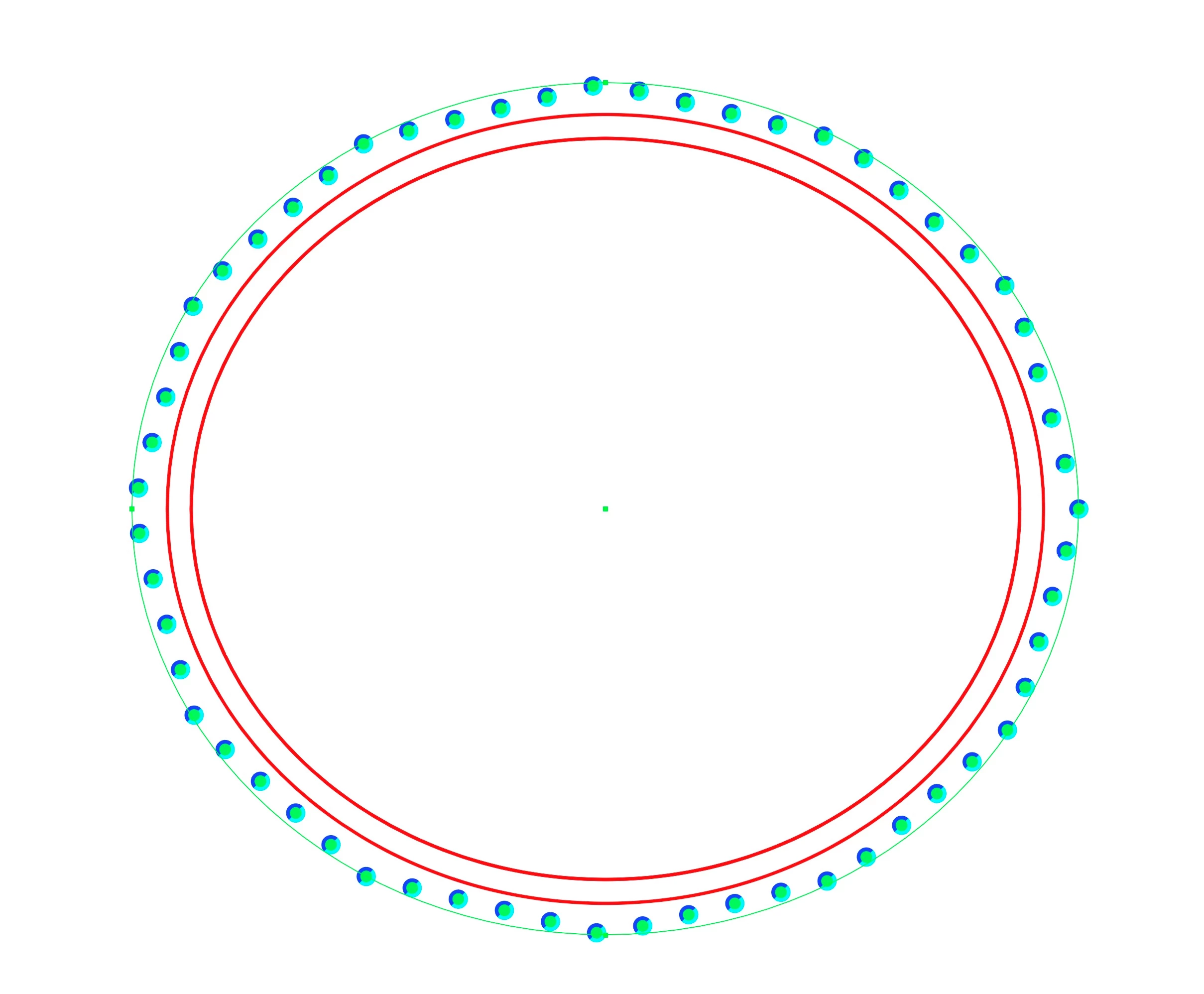
Thanks!

    This topic has been closed for replies.
    Correct answer Ton Frederiks

    When you apply: Object > Path > Add Anchor Points 4 to 5 times, the dots will behave better.

    Better is to add "anchor points" as an Effect.

    Choose: Effect > Distort & Transform > Roughen or Zig Zag.

    Set the Size to 0 and the detail (or the number of ridges) to 10.

    5 replies

    Ton Frederiks
    Community Expert
    Ton FrederiksCommunity ExpertCorrect answer
    Community Expert
    March 18, 2018

    When you apply: Object > Path > Add Anchor Points 4 to 5 times, the dots will behave better.

    Better is to add "anchor points" as an Effect.

    Choose: Effect > Distort & Transform > Roughen or Zig Zag.

    Set the Size to 0 and the detail (or the number of ridges) to 10.

    March 19, 2018

    Hi Ton,

    The "add anchor points" tamed the effect so that the distribution of the objects along the path behaved better.

    Ton Frederiks
    Community Expert
    Community Expert
    March 19, 2018

    Good to hear that worked, Emil.

    March 15, 2018

    Thanks Monika, I thought as much. I've had this issue for years and wondered if there was a work around. Sadly I need to carry out this operation multiple times on many different shapes so was hoping for a quicker solution.

    Hi Kurt, version is 21.0.1. I use an earlier version because I have expensive plug-ins that will not work with the latest versions.

    File: Brush Test.ai.zip - Google Drive

    March 15, 2018

    Hi,

    The brush is a scatter brush. I need the orientation of the objects stay the same along any path I apply the brush stroke to.

    Options:

    The object that I have applied the brush to is approximately 25mm in diameter.

    Thanks!

    Monika Gause
    Community Expert
    Community Expert
    March 15, 2018

    The size is an issue in this one. Scatter brushes that work OK with large objects, might suddenly behave weird when applied to smaller objects (and scaled down).

    You might try and apply this brush to a large object, adjust it so that it works OK, then turn the object into a symbol and scale down the symbol instance.

    Monika Gause
    Community Expert
    Community Expert
    March 15, 2018

    Please show the brush in the brushes panel, the brush options, the source objects.

    And - this is important - show us the size of the brush and the object it has been applied to. Also any scaling options applied in the strokes panel.

    Doug A Roberts
    Community Expert
    Community Expert
    March 15, 2018

    is this a scatter brush?