
Participant
October 28, 2019
Question

Brush Size Matters

  • October 28, 2019
  • 2 replies
  • 285 views

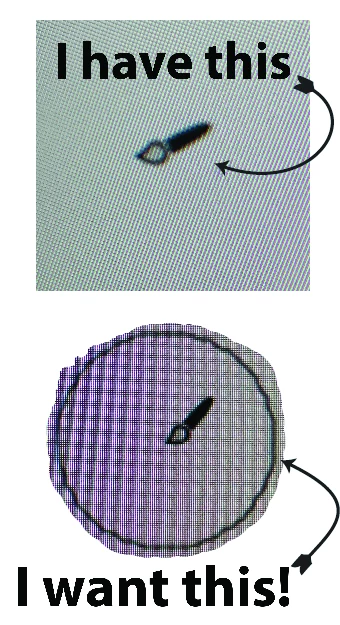
Im trying to see how large me brush size is when using the blob brush tool and all I see is the paint brush icon in Illustrator. I have tried the caps lock key and that dosent work. Anyone know how to get this so I can see the size before I draw with it? When using the bracket keys it should show a preview of the size, larger or smaller. "Help me Obi Wan Kan Obi, you're my only hope!"
This topic has been closed for replies.

2 replies

tromboniator
Community Expert
Community Expert
October 28, 2019

Select the Blob Brush tool, select a Calligraphic brush to apply with it. The brush will show whether or not you have Precise Cursors or not. May be hard to see if the brush is small. Bracket keys will make the brush (and the icon) larger or smaller.


Peter

meganchi
Legend
October 28, 2019

Under your Illustrator Preferences, look in the General section. Is "Use precise cursors" checkmarked? If so, then you should be able to see the correct brush size.