
Participant
September 14, 2022
Answered

Brush Stroke Changes to Fill on Export

  • September 14, 2022
  • 1 reply
  • 468 views

Hello,


I recently started using Adobe Illustrator with my students for a laser-cut paper project.  The software running vector cuts for our laser will only print the "stroke" and not the "fill."  For some reason, the paintbrush tool seems to convert to a fill when it's exported as a .SVG file (even though it says stroke and no fill in Illustrator).  I tried a regular export and selecting the "export as outlines" option, but had the same result each time.  Is there a way to export the brush stroke to an SVG file without having it convert to a fill like that?


Thanks!

-Tara
This topic has been closed for replies.
Correct answer Kevin Stohlmeyer

Brush strokes are effects overlayed on a single path - they will not convert to an svg for laser cutting without first needing to be expanded into shapes.


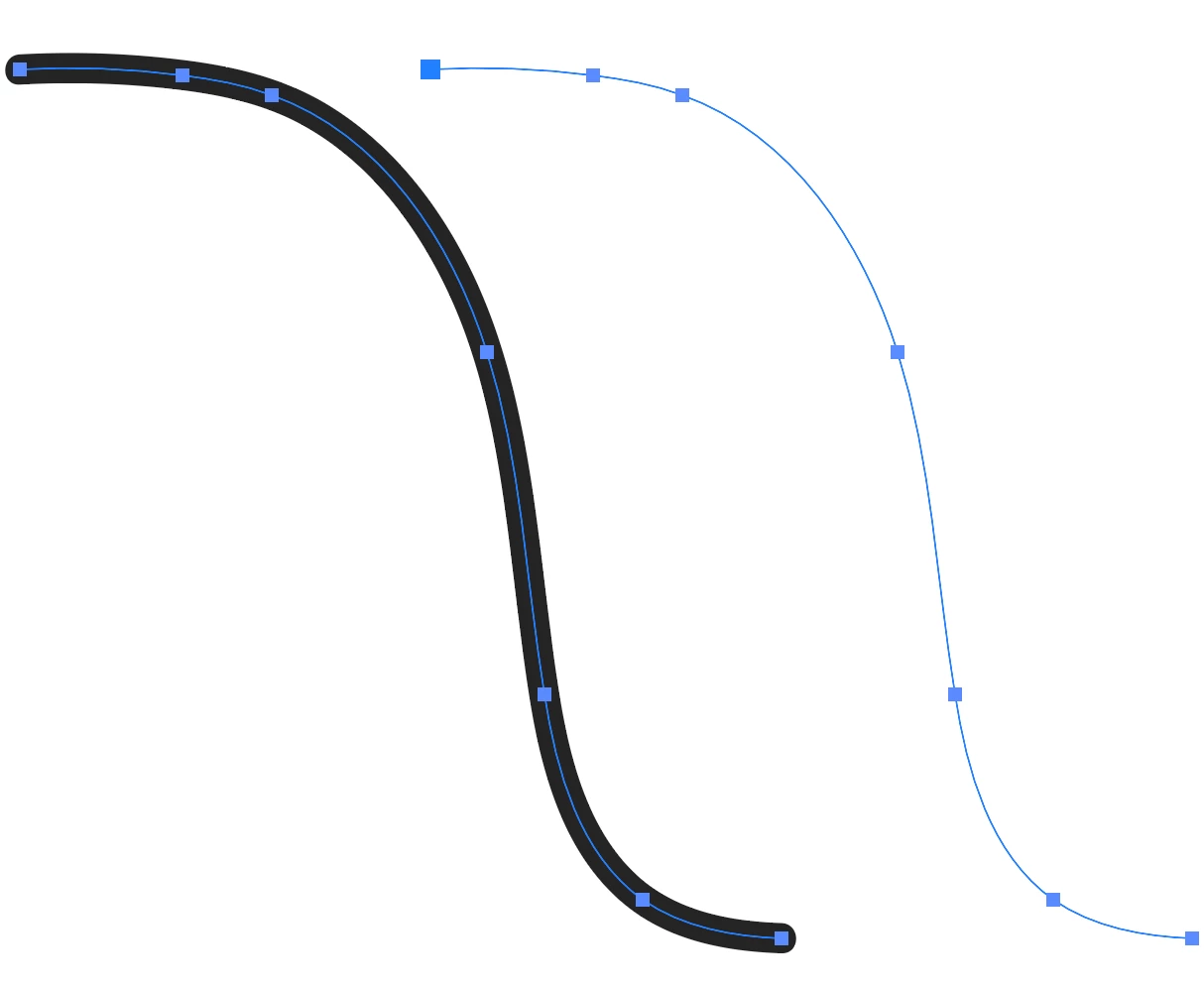
To see what the laster cutter will see, switch to outline mode and you will notice only the path is showing (right), not the brush stroke effect (left):


If the shape of the brush stroke is what you want when laser cutting - you will need the outlined shape path instead of the single thin path.

1 reply

Kevin Stohlmeyer
Community Expert
Kevin StohlmeyerCommunity ExpertCorrect answer
Community Expert
September 19, 2022

Brush strokes are effects overlayed on a single path - they will not convert to an svg for laser cutting without first needing to be expanded into shapes.


To see what the laster cutter will see, switch to outline mode and you will notice only the path is showing (right), not the brush stroke effect (left):


If the shape of the brush stroke is what you want when laser cutting - you will need the outlined shape path instead of the single thin path.