
everettb92904832
Participating Frequently
October 14, 2022
Answered

Brush strokes not aligning to drawn path

  • October 14, 2022
  • 5 replies
  • 2446 views

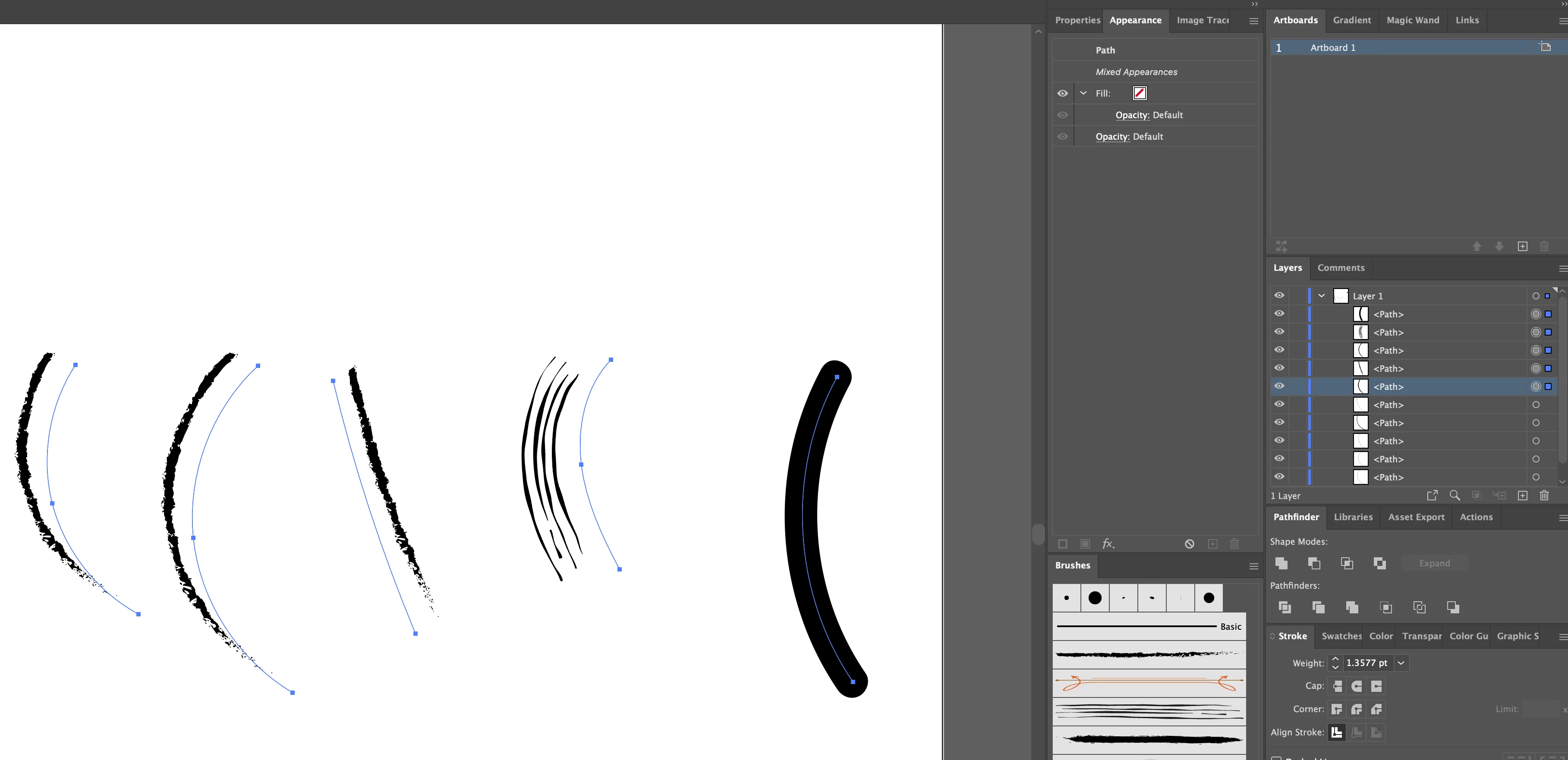
When drawing with the brush tool my brushes don't align with the actual path I'm drawing. They're offset to the side. This is only happening with brushes I've added. The included brushes are aligning to the path I've drawn. It just started happening. Yesterday everything was working fine. This is very frustrating for creating accurate line details in illustrations. TIA
5 replies

Ton Frederiks
Community Expert
Ton FrederiksCommunity ExpertCorrect answer
Community Expert
October 15, 2022
Ton Frederiks
Community Expert
Community Expert
October 15, 2022

Your document is indeed a large canvas document.

Copy the brush strokes an paste them in a much smaller document and they will follow the paths.

It is a known bug.

everettb92904832
Participating Frequently
October 15, 2022

Thank you so much. I was not aware of this.


Ton Frederiks
Community Expert
Community Expert
October 15, 2022

Looks like you are working in a large canvas document. How large is your artboard?


everettb92904832
Participating Frequently
October 15, 2022

This is set to 5000 x 5000 points.


everettb92904832
Participating Frequently
October 14, 2022

I take it back. It is happening to all brushes.


Monika Gause
Community Expert
Community Expert
October 14, 2022

Please show the Appearance panel. Or upload a file to Dropbox and share a link in here

everettb92904832
Participating Frequently
October 15, 2022
Monika Gause
Community Expert
Community Expert
October 14, 2022

Please select them one by one and show the Appearance panel.

Please drag one of those brushes out of the brushes panel and show a screenshot of the outline view.

Please do also show the brush options.

everettb92904832
Participating Frequently
October 14, 2022


everettb92904832
Participating Frequently
October 14, 2022

Here is one of the brushes that is having the issue.