Answered
Brushes fill when curved
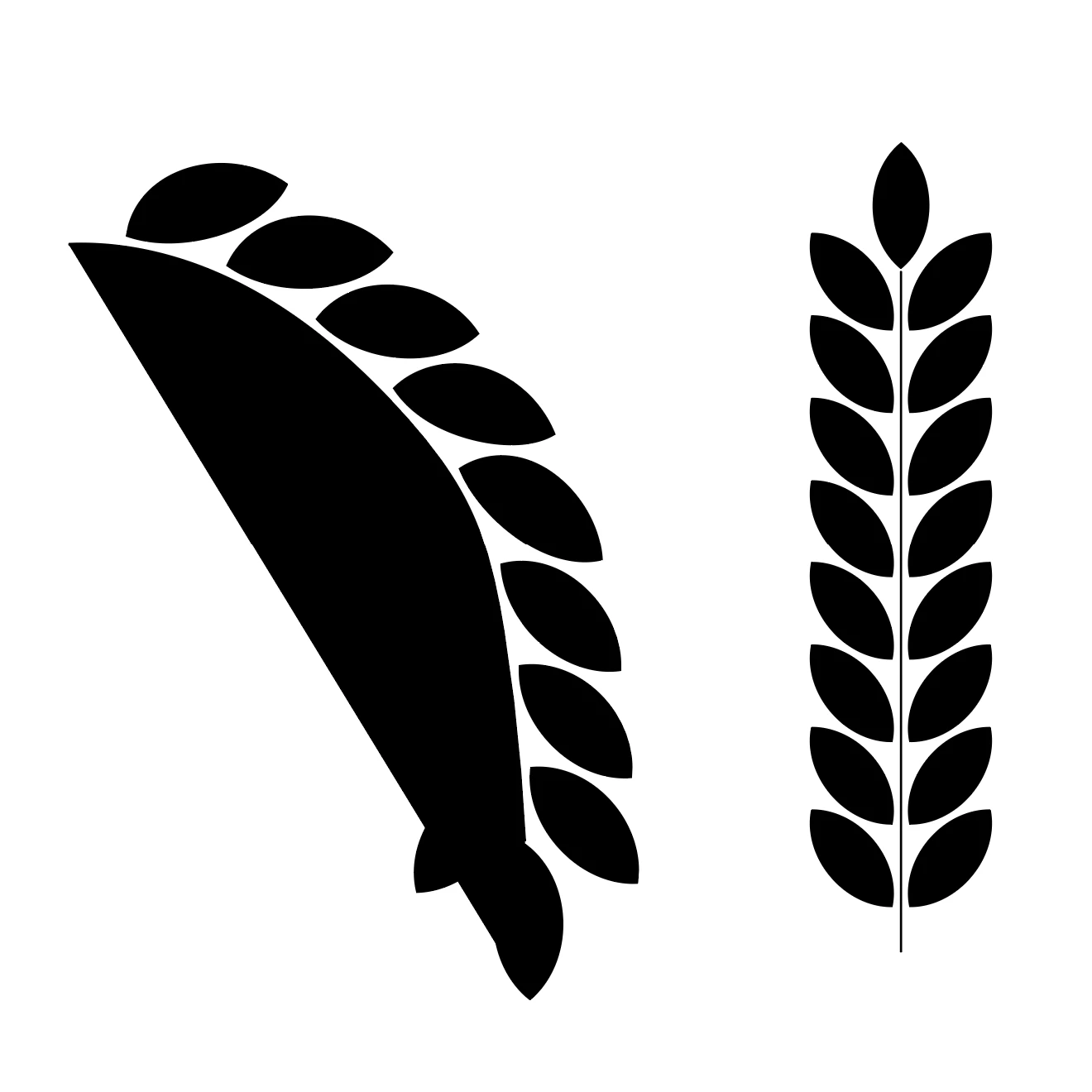
I have been suddenly having this problem appear when I try to use any of my custom brushes in curves. The brushes appear correct when done in straight lines, but the fill appears anytime I try to use them in curves.

I have been suddenly having this problem appear when I try to use any of my custom brushes in curves. The brushes appear correct when done in straight lines, but the fill appears anytime I try to use them in curves.
Before creating the brush, make sure that there is no fill applied to that line.
In order to edit the already existing brush, drag it out of the bruhes panel to the artboard. Then you can just take the direct selection tool to select that line and then turn off the fill.
Already have an account? Login
Enter your E-mail address. We'll send you an e-mail with instructions to reset your password.
 AdChoices