
Participant
May 24, 2010
Answered

Bullets, Numbering & Lists

  • May 24, 2010
  • 5 replies
  • 107329 views

I can't seem to find/figure out how to create bullets/number in Adobe Illustrator CS5.  Does anyone know how to do it or if it is even able to do that?

I would greatly appreciate any help.

Health, Happiness & Blessings!

Jami

Jami@takecontrolforlife.com
    This topic has been closed for replies.
    Correct answer secretmantra

    Illustrator isn't really designed for doing elaborate list styles, etc. You can fake it in Illustrator, but I would highly advise using InDesign, especially seeing how you already downloaded the trial. It will work better for items you are trying to produce anyway.

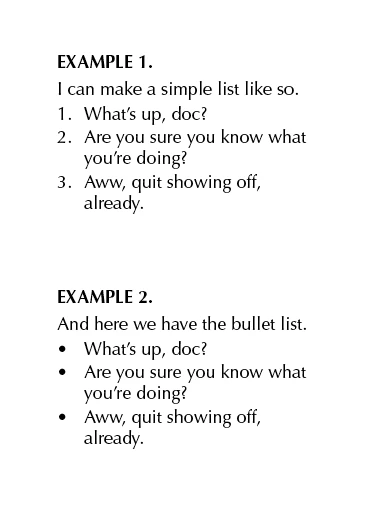
    With that said, you can draw a text box, create a hanging indent, and format styles, bullets, etc. It takes a bit more work, though. The following sample image was created in that manner.

    5 replies

    williamb21511271
    Participant
    November 1, 2022

    I can't figure out how to Reply correctly. Sorry. Let's see if this gets thru.

    I wrote about this a couple weeks ago, but I have not received a good answer.

    There is nothing in Preferences > Type to help. This is a more accurate report.  

    When I set tabs with the Tabs window, I type a dash, then when I hit the tab key, the paragraph automatically erases the dash and goes into a bullet format. But a bullet does not appear.

    I have to go to Type > Bullets and Numbering > Remove Bullets

    I cannot figure out how to stop this.

    Monika Gause
    Community Expert
    Community Expert
    November 1, 2022

    Please show a screenshot of your Preferences > Type diealog box.

    dario.
    Known Participant
    March 29, 2017

    I found this way is better to me (sorry it's in Italian):

    Monika Gause
    Community Expert
    Community Expert
    May 30, 2018

      schrieb

    I found this way is better to me (sorry it's in Italian):

    That approach is called a hanging indent.

    Mike_Gondek10189183
    Community Expert
    Community Expert
    April 18, 2012

    There are a few ways to get bulletted list in Illustrator, unfortunately none are as easy as in InDesign. My favorite Illustrator method is to use paragraph palette >> indent first line.

    You need to use soft returns (Shift return)after for example "well", and then use standard hard returns after periods. For the font/size above I set my First line left indent to -4 pt.

    Participant
    April 9, 2012

    Absolutely can add bullets in Illustrator:

    if on a windows machine: hold down the alt key and press 0149 on the numeric keyboard (at the bottom right of tyour keyboard), when you release the alt key, a bullet should appear in your text.


    if using mac: use option + 8 to insert a common bullet.

    Participant
    April 18, 2012

    Thank you ScottishRoss!! Have always used MACs. I am finding windows keyboard shorts a bit of a learning curve. (and more work)

    NewYorkFruit
    Inspiring
    May 25, 2010

    You cannot. Head to InDesign for that.

    Mylenium
    Legend
    May 25, 2010

    Amen to that.

    Mylenium