PatB789
Participating Frequently
May 6, 2022
Answered

Butt cap for line segment start point?

  • May 6, 2022
  • 2 replies
  • 2874 views

My line segment start points are always rounded.  I would like both ends of my line segment to be "butt cap" - not just the end point.  How can I get a "butt cap" on both ends of my line segment?

This topic has been closed for replies.
Correct answer Anna Lander

With the Direct Selection Tool:


[ Pictures enlarged by moderator because forum function is disturbed ]


It's a drawing issue. When you draw the straight curve, your handler is too long, and the line bends at the end, folds on itself.
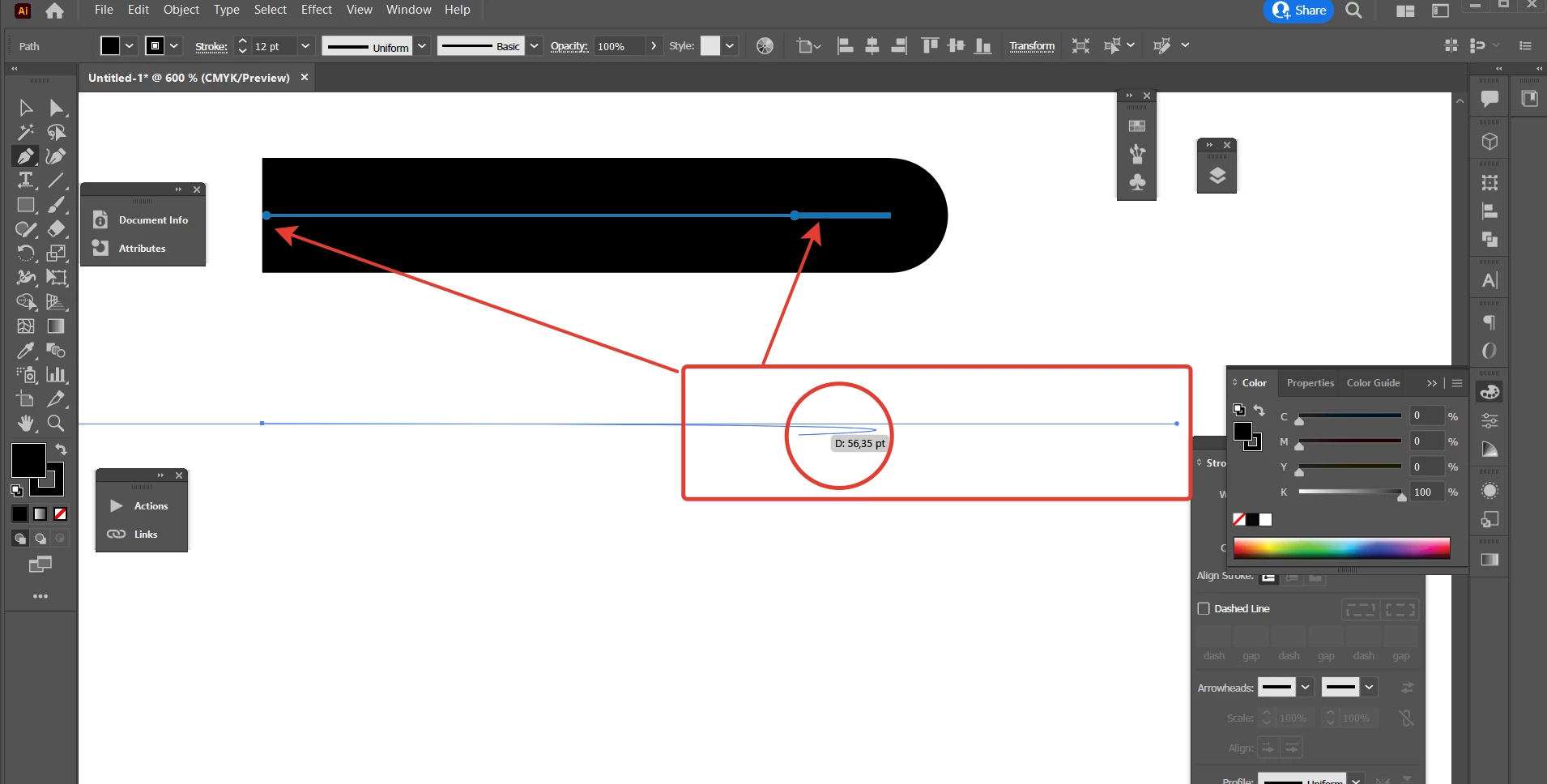
(my sap option is butt cap)

so the best way is to not use handlers for straight segments or at least make them short.

2 replies

Ton Frederiks
Community Expert
Community Expert
May 6, 2022

Can you show such a line segment with a different start and end with the stroke panel opened?

PatB789
PatB789Author
Participating Frequently
May 7, 2022

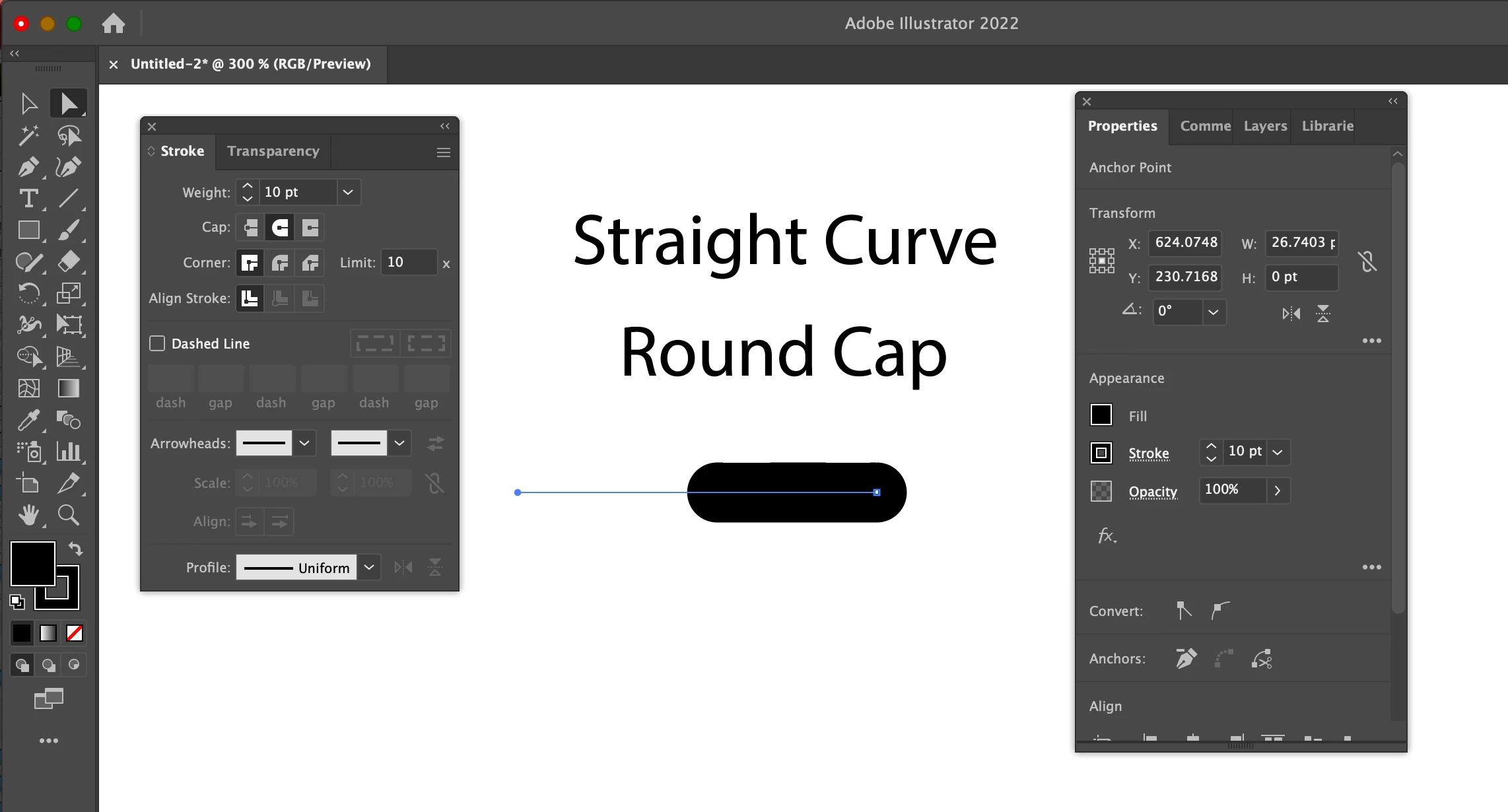
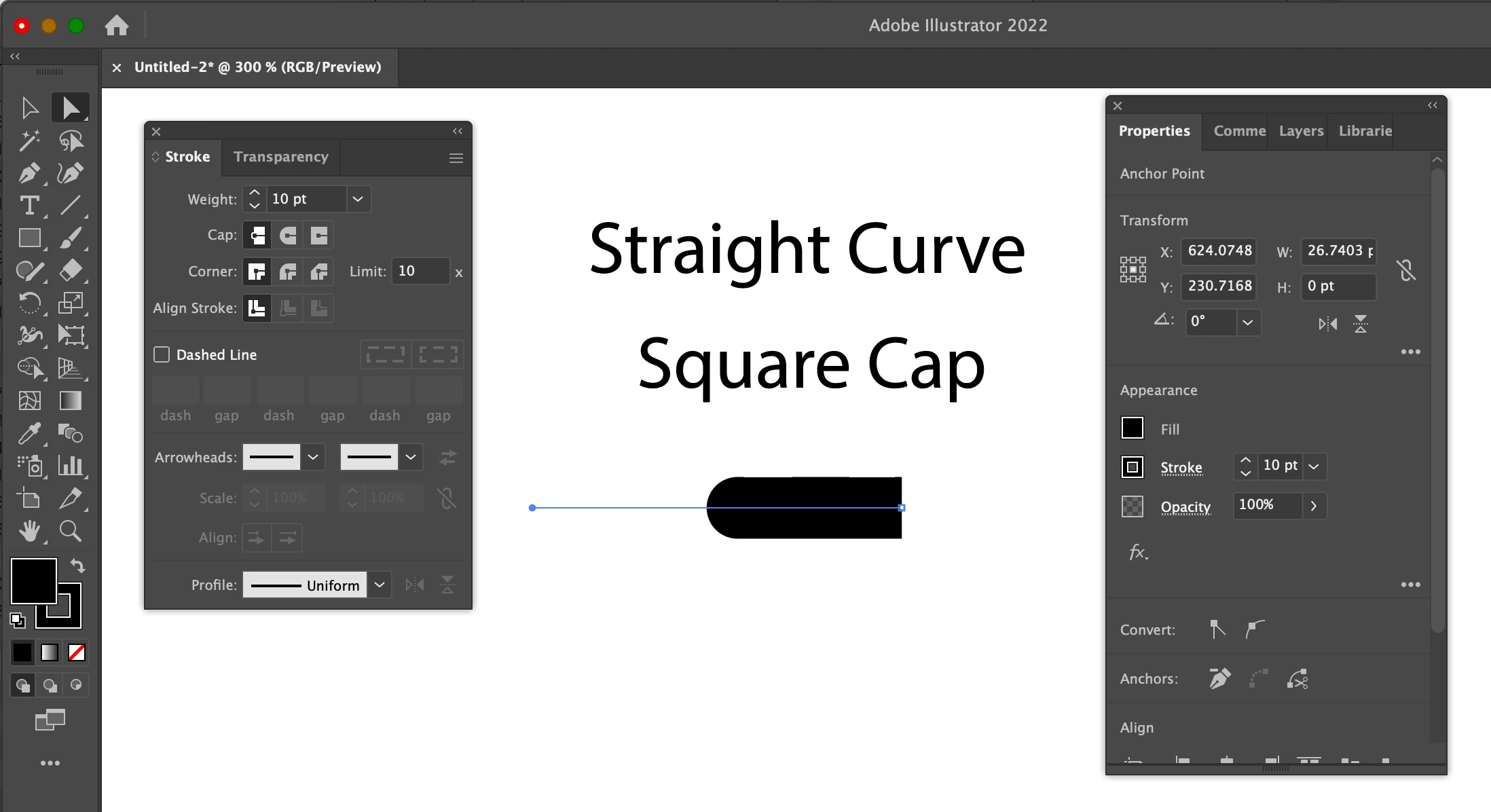
Thank you so much for your reply. I think I found the problem: I was drawing a "straight curve" not a "straight line."

When you make a "curve" segment by dragging, the cap setting only affects the endpoint of that segment, not the starting point.

When you make an actual straight line segment without dragging, the cap setting affects both the start point and the end point.  See attached 4 images to see what I mean.


[ Pictures enlarged by moderator because forum function is disturbed ]

Ton Frederiks
Community Expert
Community Expert
May 7, 2022

Yes please all the normal ones are selected, your problem one is not.

Can you show that one selected with the Stroke panel and Appearance panel?

PatB789
PatB789Author
Participating Frequently
May 6, 2022

Actually, sometimes the start points come out rounded and sometimes they come out butt cap but I have no idea why.