Answered
Calligraphy brush drawing issue, white holes
I have this problem when I draw with a calligraphy brush. Any idea why this happens? Its these white holes, the path looks clean.

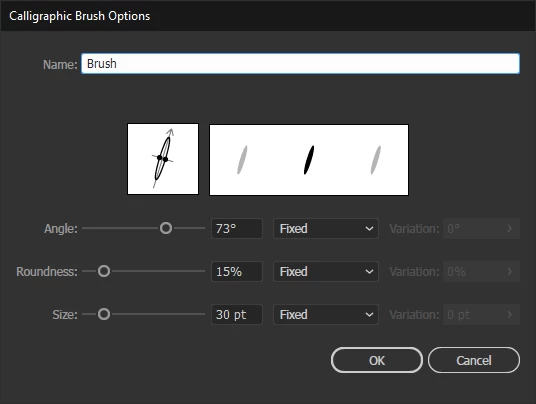
And here are my brush settings

I have this problem when I draw with a calligraphy brush. Any idea why this happens? Its these white holes, the path looks clean.
And here are my brush settings
You may call Zig Zag as a hole fighter that silently adds some (invisible) anchor points.
Select your brush objects, go to Effect > Distort and Transform > Zig Zag and use the following settings (for example).
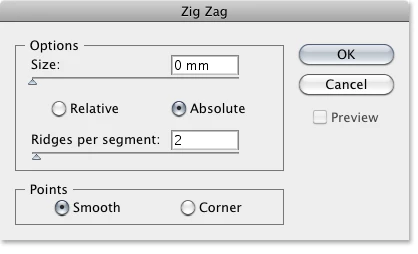
Note that the Ridges per segment setting may have to vary, so just play a bit around with the settings.
You can save that as a graphic style and reuse it.
Already have an account? Login
Enter your E-mail address. We'll send you an e-mail with instructions to reset your password.
 AdChoices