
Known Participant
January 13, 2025
Question

Calque de texte différent entre Illustrator 25 et les versions précédentes

  • January 13, 2025
  • 1 reply
  • 1269 views

Bonjour,

Je travaille actuellement sur des fichiers illustrators avec différents pavés de texte et je me rends compte que mon pavé de texte n'a pas le bon encombrement.

Voici un screen du pavé de texte sur les versions illustrator 24 et 23 (exactement le même pavé ce qui est normal)
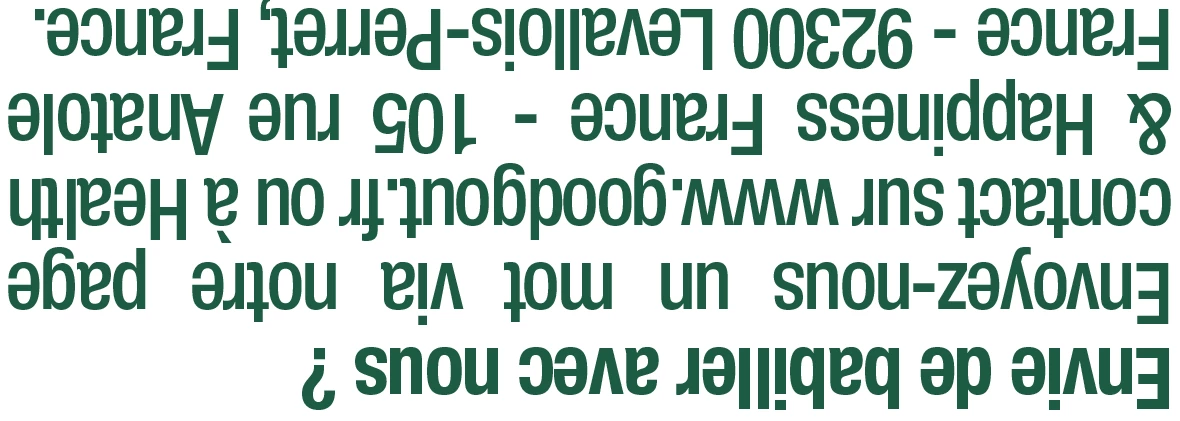
 

Puis voici exactement le même pavé de texte depuis le même fichier juste ouvert par illustrator 25
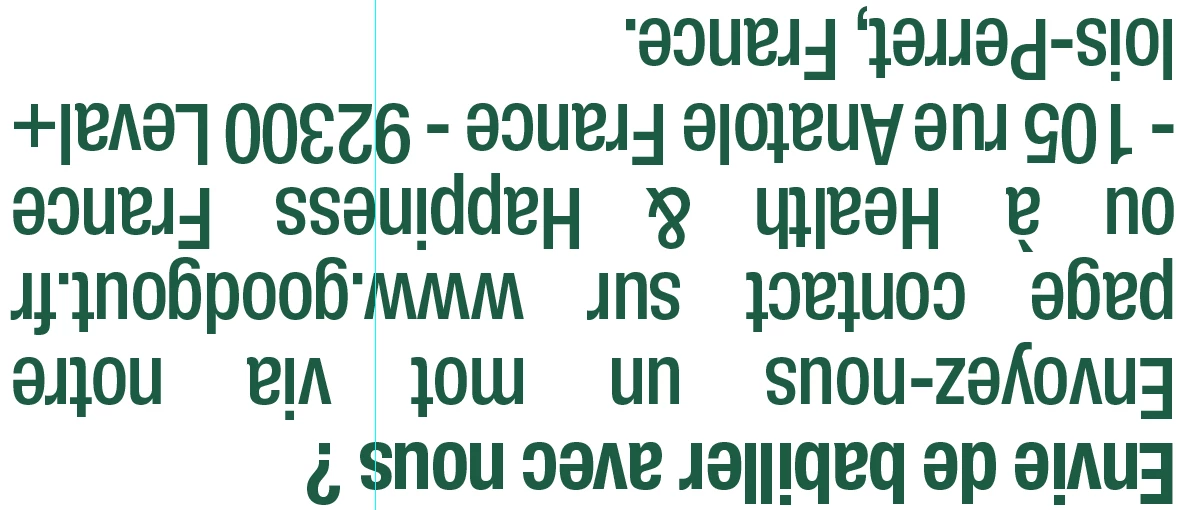
Il faut bien évidemment que le pavé de texte soit identique à avant donc le visuel des illustrators précédents (la première capture d'écran).


Avez-vous une solution s'il vous plait ?


1 reply

Anubhav M
Community Manager
Community Manager
January 13, 2025

Hello @Lorelynn219941164iiw,

Thanks for reaching out. Would you mind trying to reset Illustrator 2025's preferences as described in this article (https://adobe.ly/4fUmGM0) and checking if it helps?


Disclaimer: Please note that renaming preferences folders will remove all the custom settings, and Illustrator will launch with default settings. You can also save a backup of the folders, the location of which is mentioned above.


If the problem persists, kindly share a link to a sample file here after uploading it to a file-sharing service so I can check it on my end.

Looking forward to hearing from you.


Anubhav

Known Participant
January 13, 2025

Rebonjour,


Malgré la réinitialisation des préférences Illustrator (des 2 manières mentionnées) le problème persiste.

Voici donc un lien WeTransfer vers le fichier : https://we.tl/t-3L3X9yKalY


Merci d'avance,

Anshul_Saini
Community Manager
Community Manager
January 13, 2025

Hello @Lorelynn219941164iiw,


Thank you for sharing the file with us, and I appreciate your efforts in resetting the preferences.


It seems the issue may be related to the font you’re using, as it’s showing as missing on our end. Could you kindly share the font you’re using in the document?


Additionally, can you confirm the following:

1. Does this issue occur with this specific document, or do you experience it with other documents as well?

2. Does the problem persist if you try using a different font (e.g., Myriad Pro) in a new file?


Once we have these details, we’ll be able to escalate this matter to our engineering team for further investigation.


Looking forward to your response!


Best,

Anshul Saini