
Inspiring
May 15, 2017
Answered

Can I Export My Shortcut keys?

  • May 15, 2017
  • 1 reply
  • 6051 views

Hi

I have a set of shortcut keys, I've going to be using a different mac for the next couple of weeks - can i export these shortcut keys and then add them to Ai on a different computer?

When I google this subject it just brings up loads of info on how to set shortcut keys etc

Kind regards,

Paul.
This topic has been closed for replies.
Correct answer Monika Gause

Hi Monika,

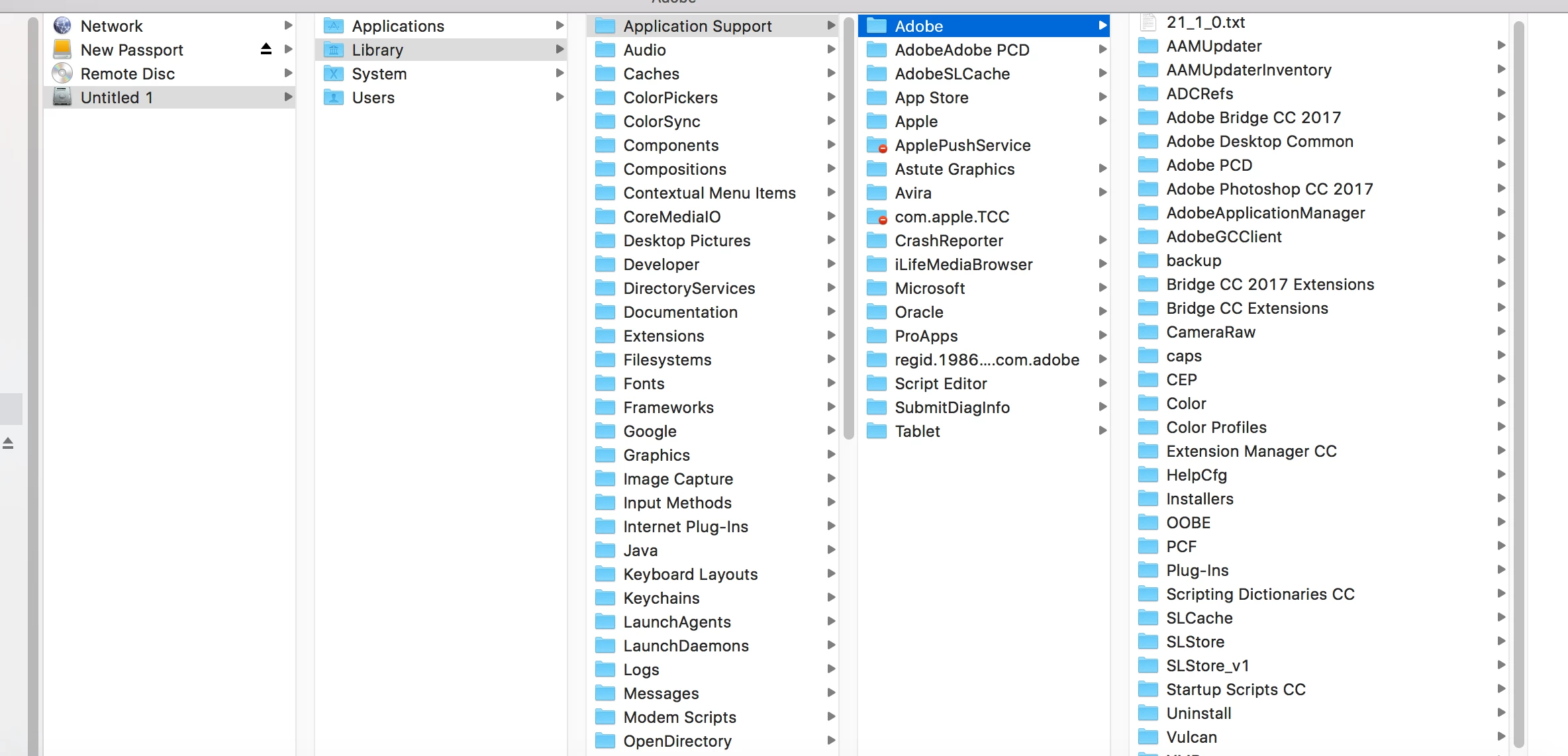
Below is an image of the folders path  - I can't see the folder / path you mean?

Thanks,

Paul


You need to open the Library folder in your user folder.

1 reply

Monika Gause
Community Expert
Community Expert
May 15, 2017

You can export all your settings via Edit > Export settings.

Or you can just save the shortcut set and then grab it from the folder where it gets saved in the preferences.

Inspiring
May 15, 2017

Hi Monika,

I've got them saved already, where is the folder where it gets saved to?  I can't seem to find it?  I'm on a Macbook.

Thanks

Paul.

Monika Gause
Community Expert
Monika GauseCommunity ExpertCorrect answer
Community Expert
May 15, 2017

Hi Monika,

Below is an image of the folders path  - I can't see the folder / path you mean?

Thanks,

Paul


You need to open the Library folder in your user folder.