KlausKi
Inspiring
August 31, 2017
Question

Can I undo transformations?

  • August 31, 2017
  • 4 replies
  • 7775 views

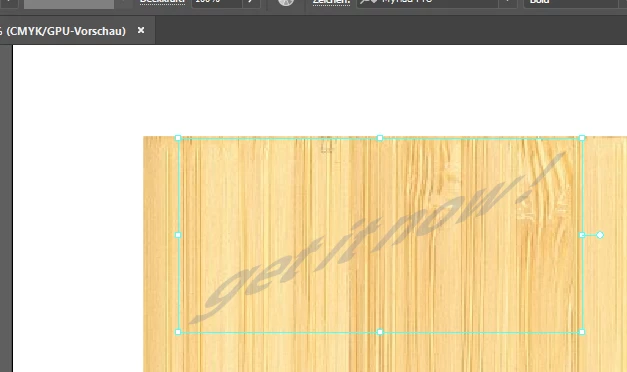
I transformed a text like this:

Now I want to completely undo all the transformations on the object and start anew.

How can I do this?

    4 replies

    Mike_Gondek10189183
    Community Expert
    Community Expert
    September 1, 2017

    Would be great if you could command click on the transform icons to reset, as in the character palette. Shear would be great as a live effect added to the transform effect. Great suggestion.

    rcraighead
    Legend
    September 1, 2017

    If it is a "Static" Symbol any distortion is deleted by clicking the "Reset" button. Not true of "Dynamic" Symbols. I have yet to find a practical use for Dynamic Symbols, but that's another discussion.

    Mike_Gondek10189183
    Community Expert
    Community Expert
    September 1, 2017

    What about transformations using the free transform tool, I could not get those to reset.

    I liked the old secret way you could perspective and free distort using the command and shift keys, but they took that away >.<. Thought I might grow to like these 4 icons, but still feels like more steps now, and  highlighting more than one does not seem correct.

    rcraighead
    Legend
    September 1, 2017

    To remove text transformations, do this:

    1. Copy text object
    2. Select "Text" tool
    3. Click to create a new "Point Text" object.
    4. Paste.

    This give you the original, non-transformed text.

    Bill Silbert
    Community Expert
    Community Expert
    September 1, 2017

    If it is an Effect then with the object selected just go into the Appearance Panel and trash all of the effects that have been applied. You can tell for sure if it was done as an Effect by going into the Artwork mode (Command-Y on Mac Control-Y on PC). If you can see the original untransformed object there then all of your transformations were done as effects.

    If it is not done as an effect then try using Command-z on a Mac or Control-z on a PC. As long as you have not closed the document then you will have (I believe the number is) 200 undos that you can do. You can check under the Edit Menu to see if Undo is available to you at this time. It will be greyed out if it is not.

    KlausKi
    KlausKiAuthor
    Inspiring
    September 1, 2017

    Thanks to y'all for trying to help. Unfortunately I transformed the text using the Shear tool, and the Appearance panel is completely empty.

    So there is currently no option for resetting an object's shear/scaling/rotation values to their original values?

    In that case I have created an improvement suggestion for AI at UserVoice:

    Introduce reset option for shear/rotation/scaling – Adobe Illustrator Feedback

    Anyone interested in such a feature, please vote and add your comments.

    Jacob Bugge
    Community Expert
    Community Expert
    September 1, 2017

    Klaus,

    Too late in this case, but a general advice is to keep a (backup) copy of artwork before irreversible change is made. Apart from that, if convenient enough, if things can be made with effects or similar live/reversible properties, that may be preferable; it is normally possible to just Expand (Appearance) when needed for final use/simplicity (still, a copy of the original artwork is good at that stage).

    Larry G. Schneider
    Community Expert
    Community Expert
    August 31, 2017

    Can you show a screenshot with the object selected and the Appearance panel open?