
Inspiring
July 5, 2018
Answered

Can someone give me a quick explanation of guides?

  • July 5, 2018
  • 2 replies
  • 620 views

Could one of you nice people give me a quick explanation of how the guides work? I have an artboard that needs a grid of guides spaced 14pt apart. I pull down a horizontal guide from the ruler and carefully line it up with the top of the artboard...then find no amount of use of the black arrow tool will allow me to select it again and move it/step and repeat it.

So my questions are:

1) what am I doing wrong; and

2) is there actually an easier way to set up a grid of the custom nature.
    This topic has been closed for replies.
    Correct answer SJRiegel

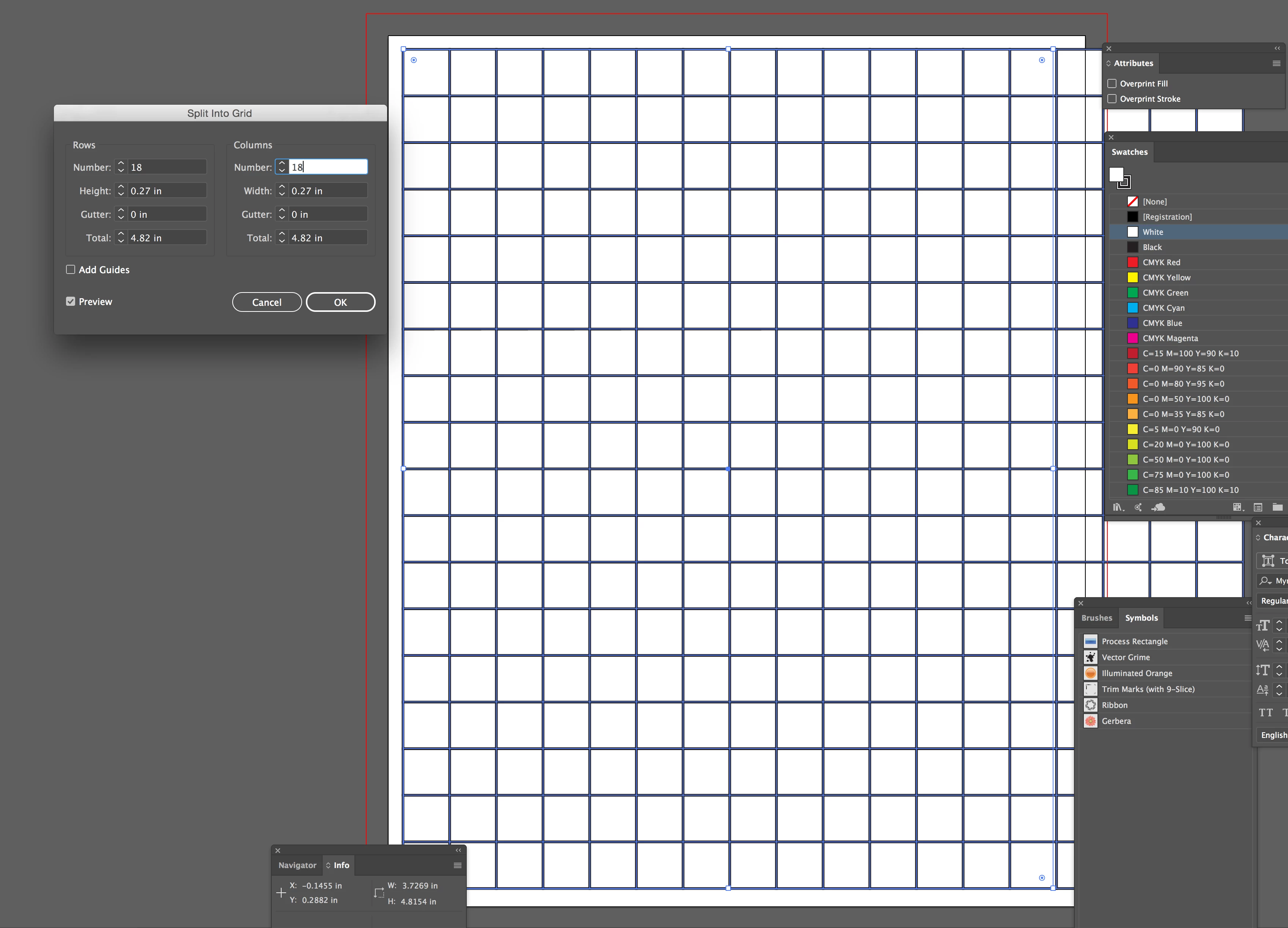
    You can create the grid using regular lines. Select them all, and use View > Guides >Make Guides to convert all of the lines to Guides.

    To easily make the grid itself, you can use Object > Path > Split into Grid

    2 replies

    SJRiegelCorrect answer
    Legend
    July 5, 2018

    You can create the grid using regular lines. Select them all, and use View > Guides >Make Guides to convert all of the lines to Guides.

    To easily make the grid itself, you can use Object > Path > Split into Grid

    michelew83603738
    Community Expert
    Community Expert
    July 5, 2018

    You might also want to just go to Preferences> Guides & Grids and set up your 14 pts grid there and then under View>Show Grid so that the grid will show for the entire document. You can determine any color that you may want for the grid lines if that is an issue (they are normally gray) and you can do it in fewer steps.

    Inspiring
    July 5, 2018

    Thanks, that is very helpful. Two questions.

    What is "subdivisions"?

    Can I make things snap to the gridline?

    Kurt Gold
    Community Expert
    Community Expert
    July 5, 2018

    1) Go to View > Guides and disable Lock Guides

    2) Perhaps. Depends on the desired grid.