

Exit
  • Global community
    • Language:
      • Deutsch
      • English
      • Español
      • Français
      • Português
  • 日本語コミュニティ
  • 한국 커뮤니티
0

Can't activate fonts

Explorer ,
Nov 23, 2019 Nov 23, 2019

I have active subscription to Creative Cloud. The other day, I used a font that I picked from the fonts library in an Illustrator design.


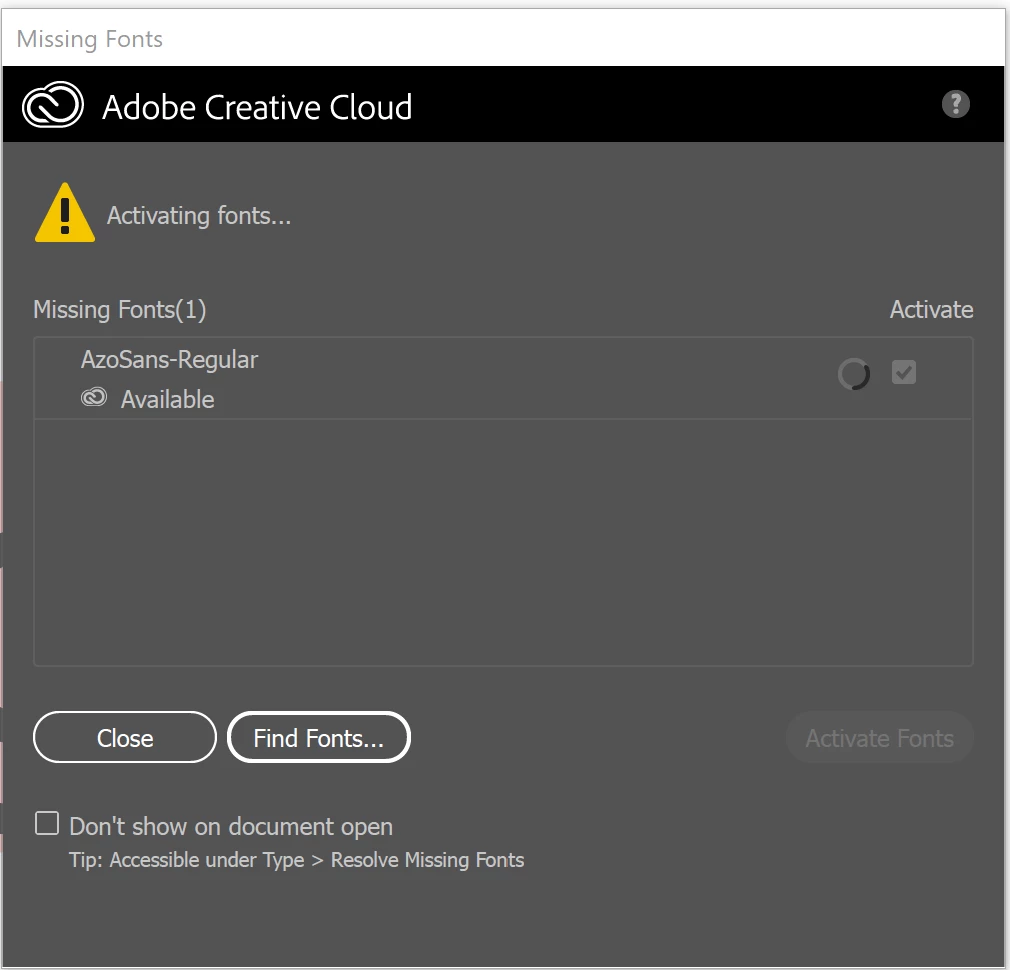
Now, every time I open it, the background is pink and when I try activating the font, it spins and spins and does nothing -- see below. Any idea how to fix this issue?
FontActivation.png

TOPICS
Bug , Type
16.9K
Translate
Report
Community guidelines
Be kind and respectful, give credit to the original source of content, and search for duplicates before posting. Learn more
community guidelines

correct answers 1 Correct answer

Community Expert , Nov 23, 2019 Nov 23, 2019

Ooh... you should have an "f" at the top. There is a part in the troubleshooting that gives instructions for when the font menu is blank. You might also try that for the "f" completely missing.


I'd also continue down the original troubleshooting list to sign out of Creative Cloud and restart your computer. Something is keeping your Creative Cloud account from talking to Adobe Fonts. Maybe one of those steps (or a combination of them) can restore that connection.

Translate
Adobe
Community Expert ,
Nov 23, 2019 Nov 23, 2019

Here's some info on troubleshooting activated fonts not showing up https://helpx.adobe.com/fonts/kb/troubleshoot-font-activation.html

Translate
Report
Community guidelines
Be kind and respectful, give credit to the original source of content, and search for duplicates before posting. Learn more
community guidelines
Explorer ,
Nov 23, 2019 Nov 23, 2019

Thanks for your response.


In the Creative Cloud desktop app, I'm not seeing the fonts icon at the top right corner. This seems to be what the link you shared is showing. The only way I can see/manage fonts is through the web.

FontActivation2.png


BTW, my subscription is for "Creative Cloud All Apps" and I do see the font as "active" on "My Adobe Fonts" web site.


Any idea what's wrong?

Translate
Report
Community guidelines
Be kind and respectful, give credit to the original source of content, and search for duplicates before posting. Learn more
community guidelines
Community Expert ,
Nov 23, 2019 Nov 23, 2019

Ooh... you should have an "f" at the top. There is a part in the troubleshooting that gives instructions for when the font menu is blank. You might also try that for the "f" completely missing.


I'd also continue down the original troubleshooting list to sign out of Creative Cloud and restart your computer. Something is keeping your Creative Cloud account from talking to Adobe Fonts. Maybe one of those steps (or a combination of them) can restore that connection.

Translate
Report
Community guidelines
Be kind and respectful, give credit to the original source of content, and search for duplicates before posting. Learn more
community guidelines
Explorer ,
Dec 01, 2019 Dec 01, 2019

Thank you! Restarting my computer fixed the issue. Thanks again!

Translate
Report
Community guidelines
Be kind and respectful, give credit to the original source of content, and search for duplicates before posting. Learn more
community guidelines
Community Beginner ,
May 17, 2023 May 17, 2023

It also happens to me, I activated the fonts but it doesn't allow me to use them on Indesign software

Translate
Report
Community guidelines
Be kind and respectful, give credit to the original source of content, and search for duplicates before posting. Learn more
community guidelines
Community Expert ,
May 17, 2023 May 17, 2023

Does it work if you restart your computer?

Translate
Report
Community guidelines
Be kind and respectful, give credit to the original source of content, and search for duplicates before posting. Learn more
community guidelines
Community Expert ,
May 18, 2023 May 18, 2023
LATEST

What kind of fonts are they?

Are your versions of Illustrator and InDesign the same?

Translate
Report
Community guidelines
Be kind and respectful, give credit to the original source of content, and search for duplicates before posting. Learn more
community guidelines