
Participant
August 17, 2020
Beantwortet

Can't align stroke to the inside
  • August 17, 2020
  • 1 Antwort
  • 1985 Ansichten

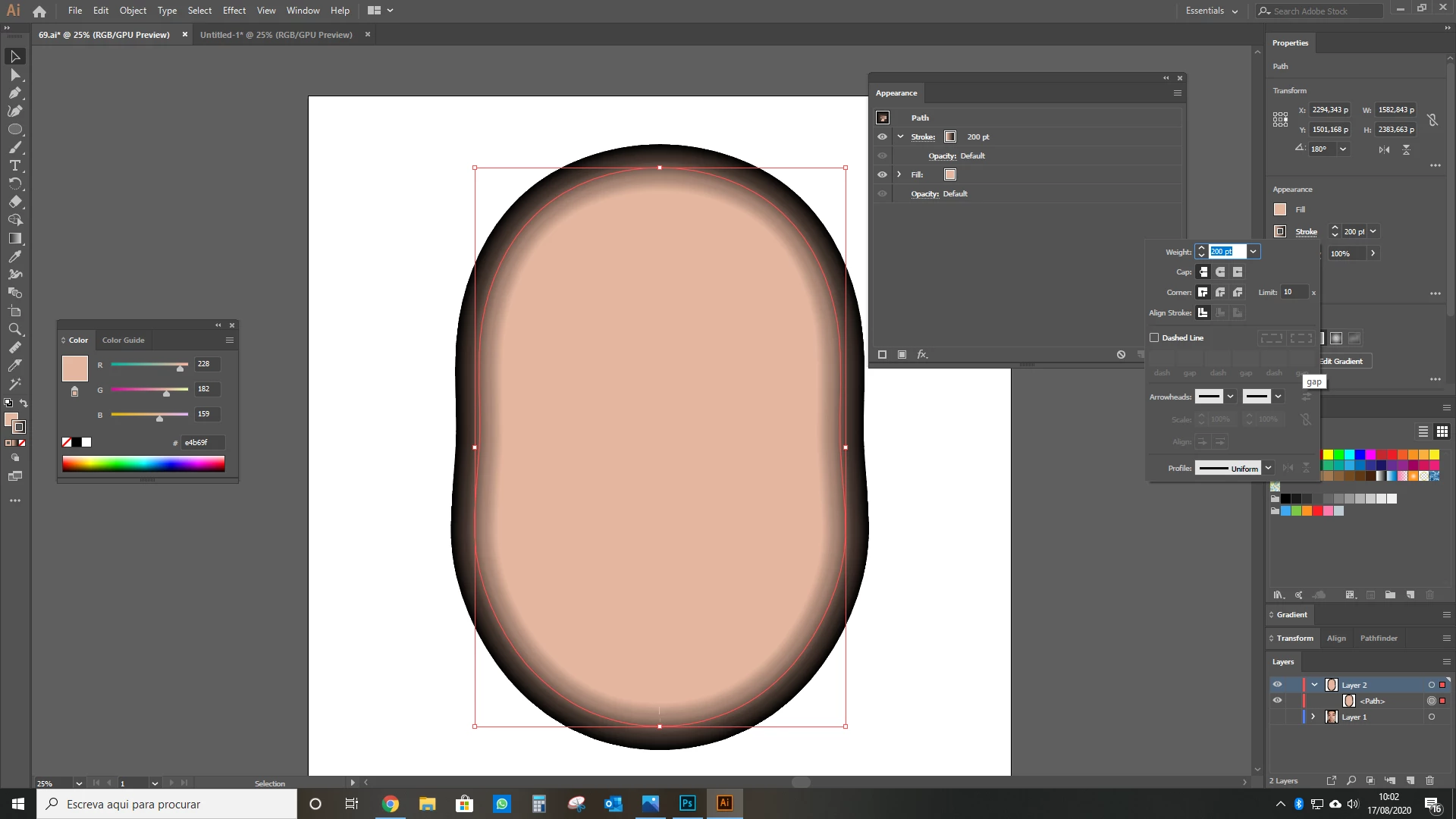
Hello. I've been trying to make the stroke in the above image to go on the inside, but I can't do it, as the option is greyed out. I've read something about the paths being grouped on the appearance panel, but I don't know what to do with it.

I'd be thankful if anyone could help me finding a way to make the stroke go on the inside.


Dieses Thema wurde für Antworten geschlossen.
Beste Antwort von Doug A Roberts

Draw a horizontal path (click, hold shift, click again with the pen tool). Make its stroke very thick so you can see what you're doing.

Select the Width tool (Shift + W).

Click on one end of the path, hold alt and drag. Pull one side of the stroke in to the centre. Repeat for the other end of the path.

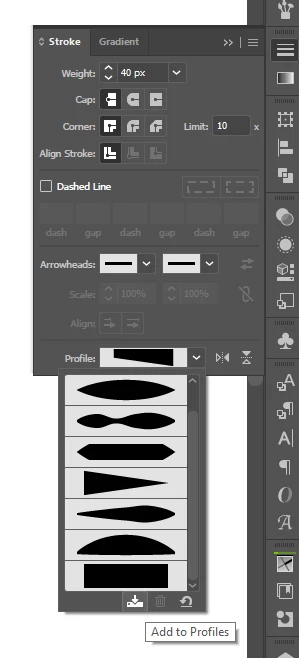
With the path selected, click the save icon at the bottom of the width profiles menu and give it a name:

1 Antwort

Doug A Roberts
Community Expert
Community Expert
August 17, 2020

For whatever reason, Illustrator does not allow you to set strokes to inside/outside in combination with gradient across a stroke.


You can get around this limitation by using a width profile that aligns the stroke to one side of a path -- i.e. create this with the width tool, then save it to width profiles:

Participant
August 17, 2020

Thanks, but how do I save something to the width profiles? I'm a beginner.

Doug A Roberts
Community Expert
Community Expert
August 17, 2020

Draw a horizontal path (click, hold shift, click again with the pen tool). Make its stroke very thick so you can see what you're doing.

Select the Width tool (Shift + W).

Click on one end of the path, hold alt and drag. Pull one side of the stroke in to the centre. Repeat for the other end of the path.

With the path selected, click the save icon at the bottom of the width profiles menu and give it a name: