
Participant
October 8, 2018
Answered

Can't connect library in AI

  • October 8, 2018
  • 2 replies
  • 687 views

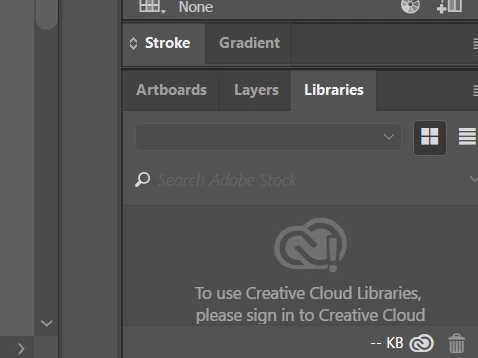
Hi, I've been through a few threads with the sign out, sign in, then reopen solutions but can't seem to find my library in AI at all. It just keeps saying that I have to sign in. So I can't access my files from my mobile apps, when I'm working on desktop. Any help would be much appreciated!!
This topic has been closed for replies.
Correct answer Steve Werner

You don't sign in within an application (like in Illustrator) but in the CC desktop app (the one you show the screen shot for).

Click on your avatar (picture) at the top right. Click Sign Out. Then sign in again with your correct Adobe ID.

Your lower screen capture shows you are NOT signed in with your Adobe ID.

2 replies

Participant
October 9, 2018

Hey Steve, thanks for the help! I was actually signed in... it was just in a diff app (XD). My avatar was blank because I hadn't had mine approved yet.

But I tried again today and the libraries did appear in my AI. However, not all my libraries were inside. Open, close, open, close, sign in sign out... still no appearance. Any suggestions here?

Thank you!

Daphne

Monika Gause
Community Expert
Community Expert
October 9, 2018

Please tell us some details.

Please show a screenshot of the Creative Cloud app, so we can see if you're signed in.

Do you by any chance have multiple Creative Cloud accounts?

Participant
October 15, 2018

Hey Monika, sorry for the slow response. I don't have multiple accounts. In any case, I'm opening Illustrator from the Creative Cloud app so it shouldn't have that result right? It actually linked a few days ago, but today it's the same issue:

That's me, in that profile picture on the monkey bars, thus signed in. That's my AI in the bg showing no libraries.

Participant
October 8, 2018

and it can't open in any of the other apps either. Here's a screenshot of me signed into CC but no in XD's library.. please help

Steve Werner
Community Expert
Steve WernerCommunity ExpertCorrect answer
Community Expert
October 8, 2018

You don't sign in within an application (like in Illustrator) but in the CC desktop app (the one you show the screen shot for).

Click on your avatar (picture) at the top right. Click Sign Out. Then sign in again with your correct Adobe ID.

Your lower screen capture shows you are NOT signed in with your Adobe ID.