
Participating Frequently
February 16, 2014
Question

Can't edit text of Shutterstock EPS files

  • February 16, 2014
  • 4 replies
  • 26634 views

I downloaded an EPS image from Shutterstock assuming that I'd be able to replace the placeholder Latin text with my own words via Illustrator. Since then, I've learned from both StackExchange and this forum that the text in Shutterstock images is actually an uneditable "outline" and there's therefore no easy way to replace the sample text with useable text, nor is there a way to reverse-engineer which fonts/sizes were used in the original. This obviously makes Shutterstock images a lot less useful (glad I didn't subscribe!).

Are there any other Shutterstock-like services out there that sell stock EPS images that actually allow you to edit the text?

Attached is a screenshot of the EPS file that I downloaded:
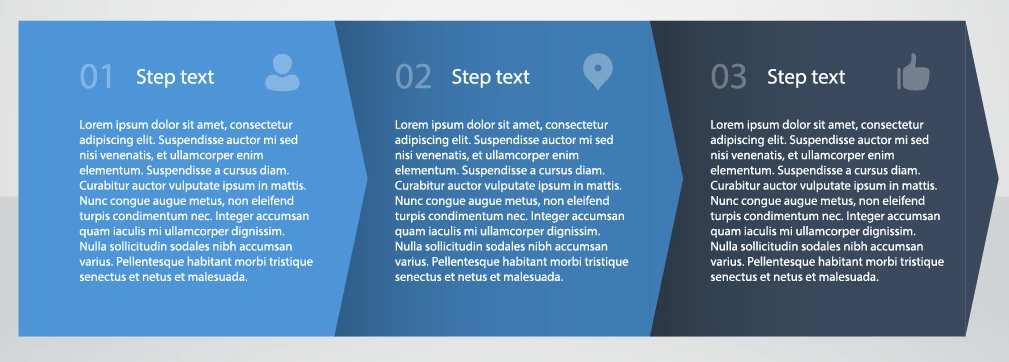
As you can see from the image, I'm just trying to find an aesthetically appealing template for use on a web site that illustrates "three easy steps." I have no graphic design experience. I do have a trial of Illustrator though. Can you point me in the right direction?

This topic has been closed for replies.

4 replies

Participant
October 24, 2016

Hi

You need to download the original file as a vector not as image (JPEG) !

baadtaste
Participating Frequently
October 15, 2016

The font looks like it could be Myriad

Participant
May 3, 2015

Really disappointing (Shutterstock). So expensive... To get a business card template where the designer NAILED it with the fonts but not to even have a mention which fonts were used in the EPS' internal file info? Then when asked about tracking it down, Support says to go google it. Google what?! I have no clue what font that could be or how to track it down and it just seems rude to tell someone to google it who already feels mislead, disappointed and even worse, has nothing to go on. They could have just mentioned users are on their own with that kind of thing... Well, a subscription is too expensive anyway... I mostly just wanted to play around for the fun of it.

rcraighead
Legend
May 3, 2015
  • Screen capture the text portion of the file, or otherwise create a PNG or JPG of it.
  • Go to a site such as WhatTheFont! « MyFonts
  • Follow the instructions

This is not a perfect solution, but may help find the font you're looking for.

Participant
May 4, 2015

@rcraighead Great idea. Where has that tool been all my life? It's certainly worth a try, thanks!

@Mike, Good idea. I've tried so many people already but it can't hurt to try. Is there a good particular place/section for that kind of question as far as anyone knows?

Thanks again guys.

rcraighead
Legend
February 16, 2014

It is assumed you would just delete the outline text and create your own text block. You can do this, in fact you could create the look from scratch with very little effort. Since you've already bought this, I'd just replace the text using the "Area Type tool" and you'll be done in no time.

I would suggest selecting the current outlined text and locking it in place using keyboard shortcut: Cmd-2 (Cntl-2 on PC). Then get the Area Type tool and drag a rectangle over the existing text. This creates a bounding box that your new text will "wrap" in as you type or paste from the clipboard.

When you have created one "step" duplicate all the text boxes by holding the "Option/Alt" key and dragging them horizontally. Also hold "Shift" to constrain the drag to horizontal.

This is not hard, you can do it.

Participant
February 13, 2015

hi, do you perhaps know if  you can also do this with Adobe Image Ready CS2? If I try it there with the Type tool, the standard text stays...

Monika Gause
Community Expert
Community Expert
February 15, 2015

This makes sense since most fonts are copyrighted. Therefore can not be included.


Then just don't include fonts. Illustrator will apply whatever is present on user's computer and people can just go on editing the text and don't have to worry about "can I edit it? How can I edit it? How do I even select it in order to delete it?" Makes more sense to me than outlining the text.