
Participating Frequently
September 16, 2020
Answered

Can't get custom brushes and Illustrator brushes to merge

  • September 16, 2020
  • 3 replies
  • 1391 views

I created some custom brushes and I drew some lines. I am trying to merge those lines with some lines from the original illustrator brushes. I am pretty sure they won't merge because they are not the same color but no matter how hard I try, I cannot get them to be the same color. I have gone in and made sure they have the same color number(when I did that they did not look close to the same color and I did expand appearance) 


This is making me really mad because I want to use both the original brushes and brushes I make in one drawing. Any ideas on how to fix this?
This topic has been closed for replies.
Correct answer Monika Gause

If I use unite, any negative space areas get filled in and I don't want that.


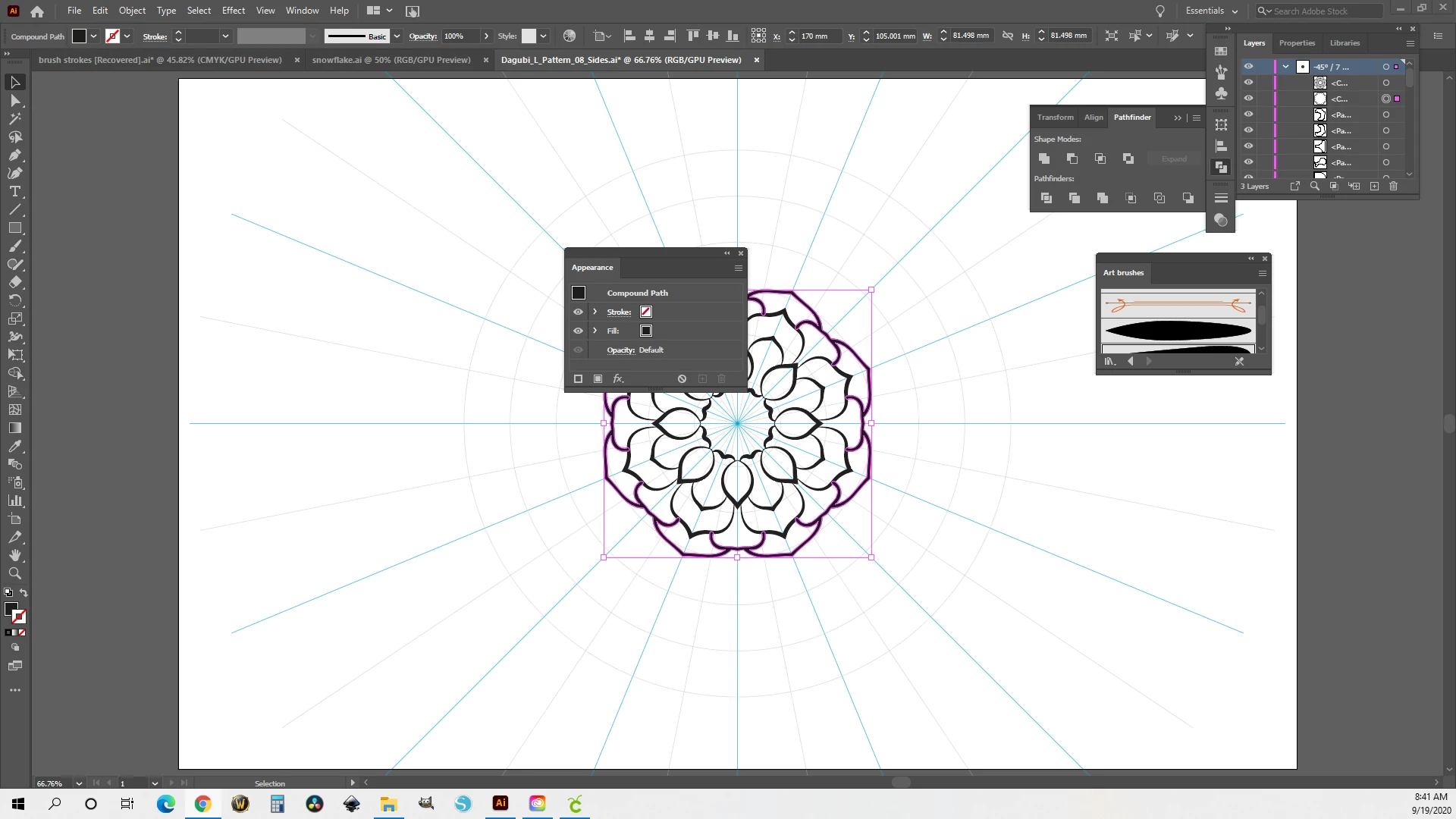
I can't figure out how to delete the appearance. 


How do I set it up so new brushes don't have a special appearance? I have only been working with Illustrator for a week so please reply accordingly. 


When you unite after expanding the brush, then negative space shouldn't be filled.

I haven't figured out what kind of special appearance it is. Might need to look at your file when I have plenty of time (which will take some weeks)


In order to delete that, just delete the appearance in the appearance panel (there's a button for that, please read the doumentation). Then apply just a standard black fill as the other object have and then also Merge will work.

https://helpx.adobe.com/illustrator/using/appearance-attributes.html#appearance_panel_overview

3 replies

michelew83603738
Community Expert
Community Expert
September 17, 2020

Maybe I am misunderstanding the problem, but I did not have any problem with your file. I could easily merge and change the color of your brush strokes. One did have a stroke around it and the other did not, but that didn't impact anything. Do you have a problem when you are trying to merge other all Illustrator brush strokes for example? I also don't understand why that would stop you from using both brushes in one drawing.

Becca5E66Author
Participating Frequently
September 17, 2020

Maybe it is just my computer or I'm doing something wrong but this is what I'm doing and it isn't working.


https://youtu.be/0zP4ZZteN-g 


I'm probably going to feel really dumb when I find out what I'm doing wrong 🙂

Monika Gause
Community Expert
Community Expert
September 17, 2020

For brushes try "Expand appearance" instead of Outline stroke

Kurt Gold
Community Expert
Community Expert
September 17, 2020

Can you share a sample .ai file?

Becca5E66Author
Participating Frequently
September 17, 2020

Here is the file 


I didn't merge them in the file.

Monika Gause
Community Expert
Community Expert
September 17, 2020

Can you please show a screenshot?

Please include the contents of the layers panel.

Becca5E66Author
Participating Frequently
September 17, 2020

Here is a picture of merged brush strokes with illustrator brushed. The second is merged custom brush with Illustrator brush. I made sure they were the same color before I merged them.