
Participating Frequently
May 14, 2025
Answered

Can't select the bottom of each letter using selection tool

  • May 14, 2025
  • 3 replies
  • 522 views

Guys, please help me I'm in desperate need of assistance. I've been trying to figure this out all day, but I'm unable to select the bottom of each letter using the selection tool, and it has been driving me insane. I don't know what else to do, but I tried troubleshooting (bounding box and edges are showing). Could it be because this is an Arabic text? I'm basically trying to follow this same tutorial (https://www.youtube.com/watch?v=omu7b_FDJRI)  to create a vintage postcard, but wanted to use Arabic text instead. I got stuck on the letter selection part as the selection tool hasn't been working properly. PLS HELP
Correct answer Monika Gause

Don't use 3D&Materials when you want to expand to vector objects. You have to use the Classic 3D effect.

3 replies

Kurt Gold
Community Expert
Community Expert
May 14, 2025

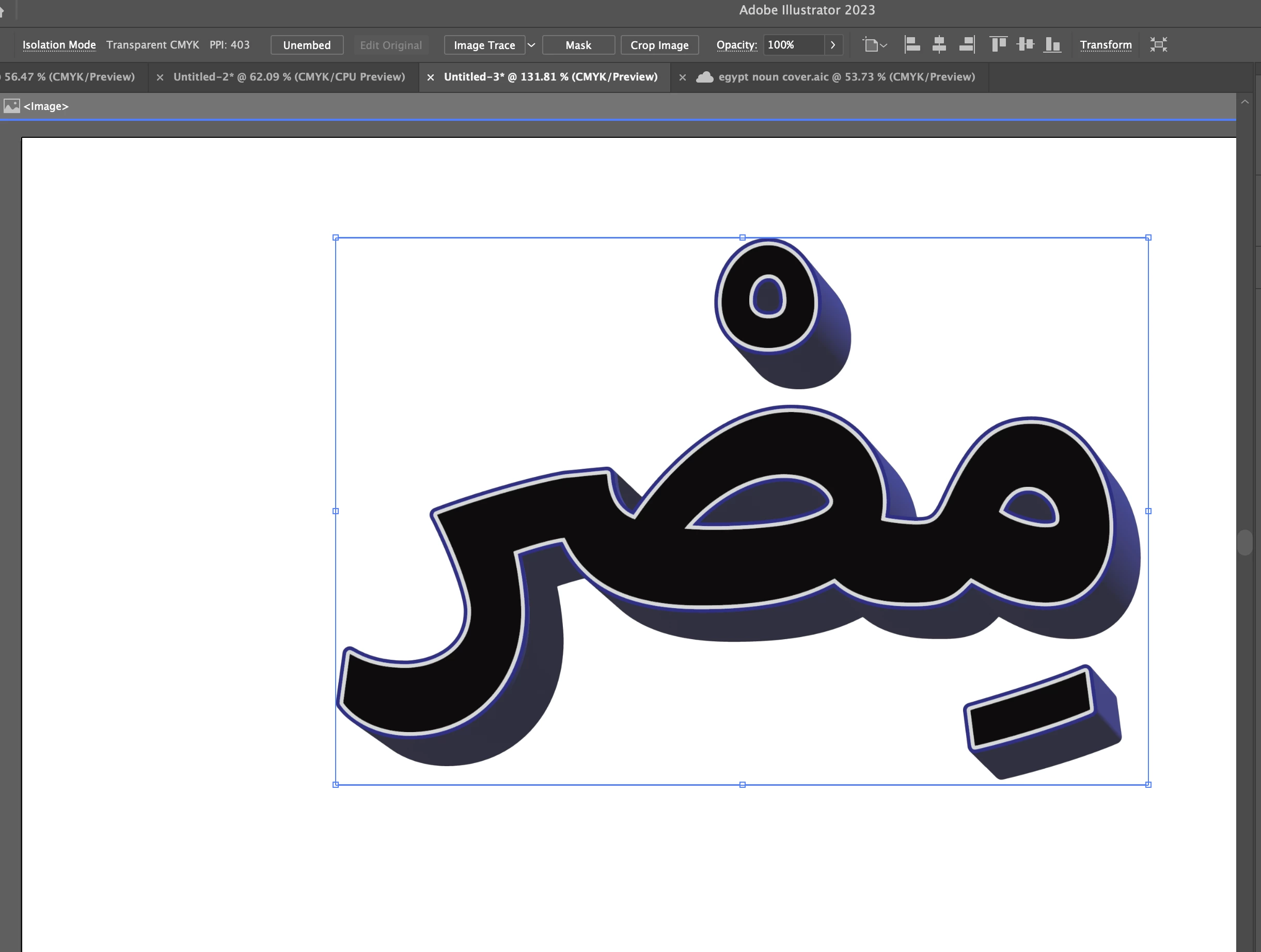
Your black / dark blue object is a raster image.


Therefore you cannot select single objects as you could if it were consisting of path objects.

omaarszzAuthor
Participating Frequently
May 14, 2025

Do you know how I'd be able to change it into a selectable object? I'm a little confused with how it turned into an image as I started off creating a line of text and used the 3D effect to Extrude & Bevel

Monika Gause
Community Expert
Monika GauseCommunity ExpertCorrect answer
Community Expert
May 14, 2025

Don't use 3D&Materials when you want to expand to vector objects. You have to use the Classic 3D effect.

Tina_Irvine
Community Expert
Community Expert
May 14, 2025

Hi @omaarszz,

Try Object > Expand Appearance.

omaarszzAuthor
Participating Frequently
May 14, 2025

I tried that but it didn't work! Any other tips per chance?

Monika Gause
Community Expert
Community Expert
May 14, 2025

The video is 8 minutes long. Exactly where did you get stuck?

Please show the results you are getting although they might be wrong and please describe what you are doing.

omaarszzAuthor
Participating Frequently
May 14, 2025

I got stuck at 2:45 when he began selecting the bottom of the letters using the selection tool. I followed every step before that but still somehow was unable to do so. 

I essentially created a line of text, created an outline twice with different stroke colors (1st stroke being gray, 2nd being purple/blue), selected 3D effect and changed some settings with "Extrude & Bevel", selected "Expand Appearance" under object, and then attempted to select the bottom of each letter, but was unable to do so