Participant
February 8, 2025
Question

Can we disable the highlighting of alternative glyphs?

  • February 8, 2025
  • 1 reply
  • 296 views

Can we disable the highlighting of alternative glyphs?

Si non, ce serait une bonne chose de pouvoir le faire.
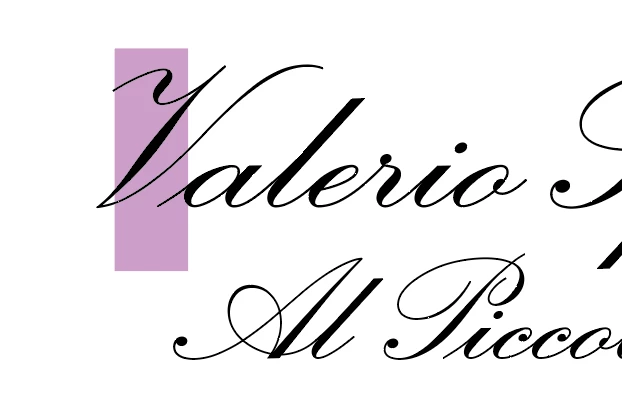
 

1 reply

Monika Gause
Community Expert
Community Expert
February 8, 2025

Have you tried out all the options in Preferences > Type?

Participant
February 8, 2025

Yes. The only option that relates to glyph variants is whether or not to display the available variants.
Unfortunately, highlighting is annoying to properly visualise the layout.

Participant
February 8, 2025

They do not get highlighted by default in Illustrator, so I'm not sure qhat's happening on your side. Do you have a plugin installed? Do you have some appearances set up? Did the font get substituted and is missing?


It's good to know that Illustrator doesn't display glyph variants highlighted.


Ok, I tried with other fonts and the highlighting is not systematic. Sometimes yes, sometimes no.

For example with the Altesse Pro font, no highlights with glyph variants.

I use an OpenType font of my design made with FontLab 8 and which uses programming. The problem may come from the Unicode encoding of glyph variants... I don't know the subject well.


It's a track. Thank you!

I will ask the question on the FontLab forum.
